Amazon S3 trigger Lambda to create thumbnail images
 trungtin tran
Lab Details
- Duration: 30 minutes
- AWS Region: United States (N. Virginia) us-east-1
Introduction
- AWS Lambda is a Serverless Compute service.
- Lambda cho phép bạn chạy chương trình chỉ bằng cách chuẩn bị code và config nó ở Lambda
- Ưu điểm của Serverless là bạn không cần quản lý máy chủ, giảm chi phí vận hành.
- Lambda có cơ chế Auto scaling phù hợp với workload của bạn
- Lambda có thể liên kết được với vất nhiều server khác ví dụ như
- API gateway backend bởi Lambda function
- S3 event notification trigger lambda
- DynamoDB Stream trigger Lambda
- EventBridge trigger lambda
- etc
- RẺ: miễn phí 1 triệu request đầu tiên
- Tốc độ thực thi nhanh chóng
- Support nhiều ngôn ngữ lập trình: Pytho, .NET, Java, NodeJS, Ruby
- Tăng perfomance bằng cách tăng RAM (up to 10G)
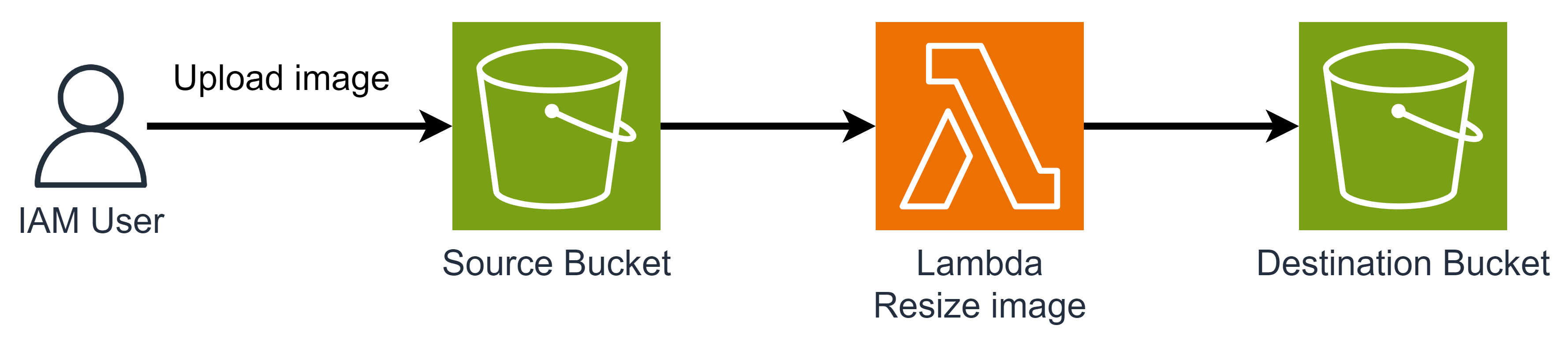
Architecture Diagram
Task Details
- Create source and destination Amazon S3 buckets
- Create a Lambda function
- Configure a S3 event Notification to trigger Lambda function
- Test your function
1. Create source and destination Amazon S3 buckets
1.1 Create S3 source bucket
Lưu ý bucket không được trùng tên trong Region, nên hãy đặt tên phù hợp.
- General configuration
- AWS Region:
US East (N. Virginia) us-east-1 - Bucket type:
General purpose - Bucket namespace:
Global namespace - Bucket name:
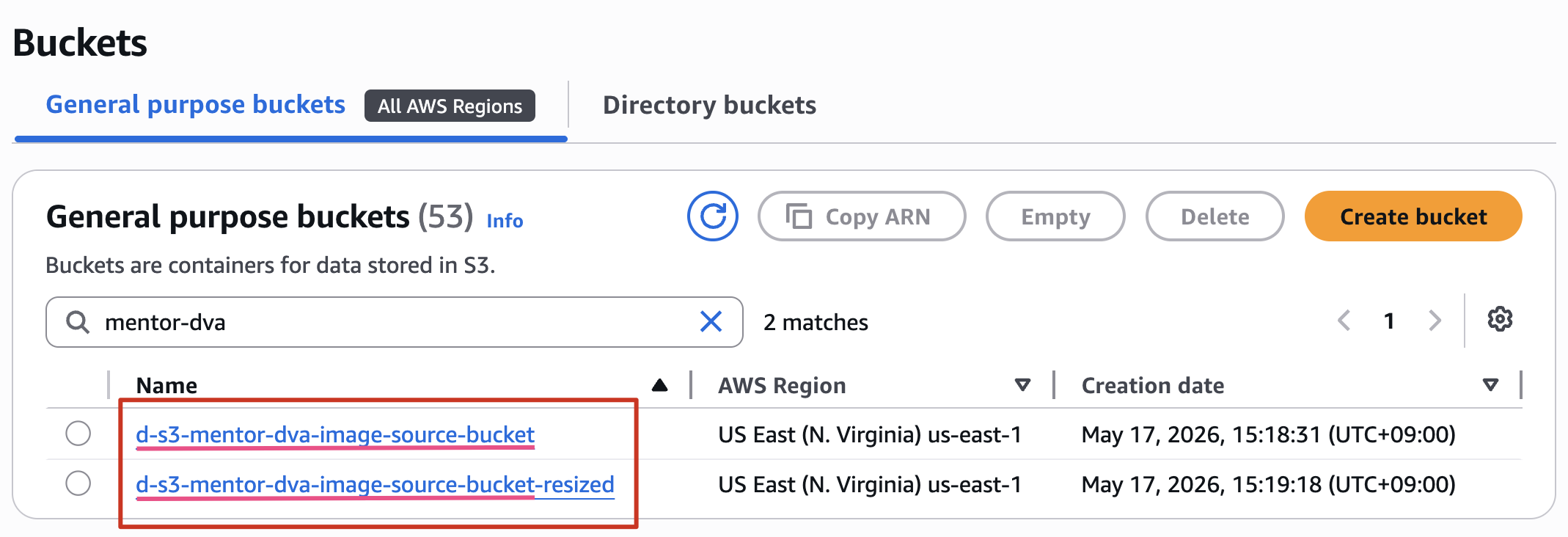
d-s3-[your-name]-dva-image-source-bucket(Ex:d-s3-mentor-dva-image-source-bucket)
- AWS Region:
- Các settings còn lại để Default
1.2 Create S3 destination bucket
Lưu ý destination bucket name: {source bucket name}-resized
- General configuration
- AWS Region:
US East (N. Virginia) us-east-1 - Bucket type:
General purpose - Bucket namespace:
Global namespace - Bucket name:
{source bucket name}-resized(Ex:d-s3-mentor-dva-image-source-bucket-resized)
- AWS Region:
- Các settings còn lại để Default
Kết quả:
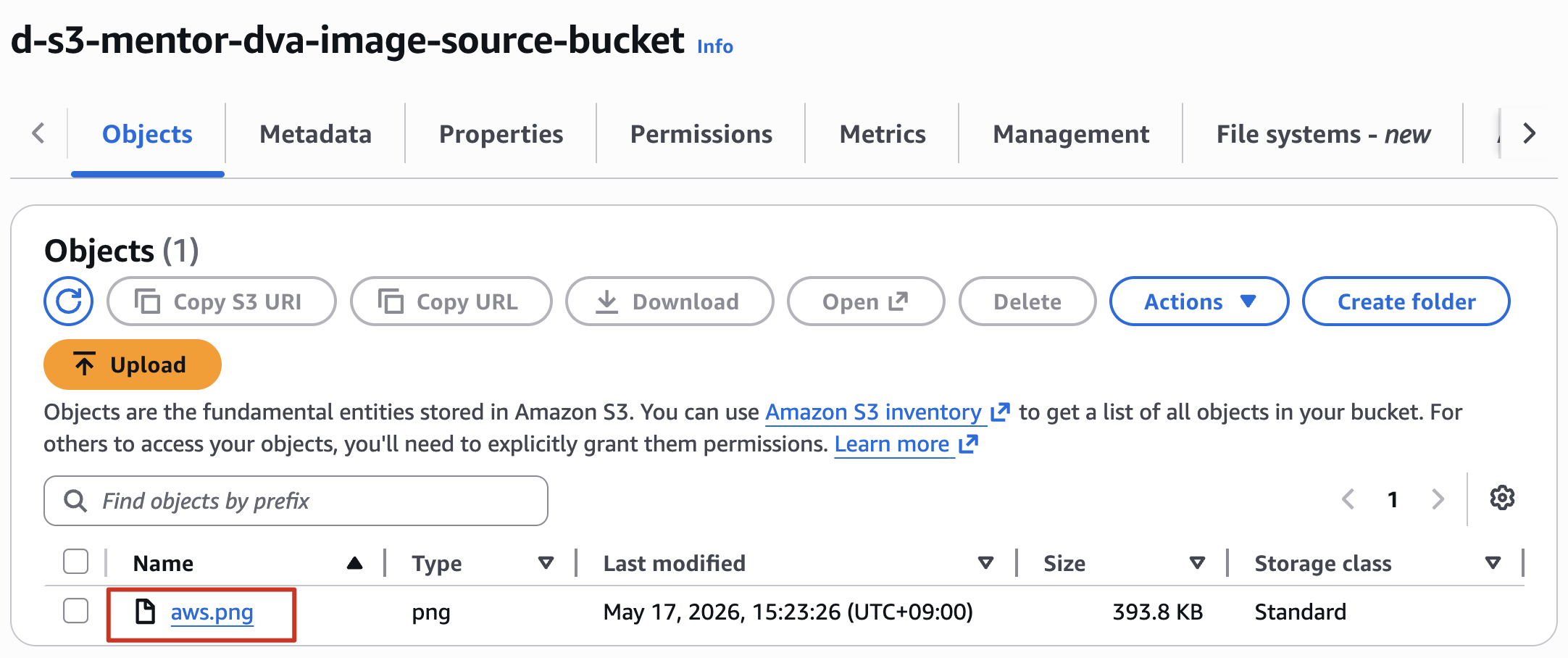
1.3 Upload a test image to your source bucket
Upload 1 image bất kỳ lên source bucket, để lát nữa chúng ta sẽ thực hiện test code lambda với image này
2. Create a Lambda function
2.1 Create a permissions policy
Lambda cần có quyền Access đến S3 (Get và Put), đồng thời phải có các permissions cơ bản như tạo log group, ghi log.
- Policy name:
DVAS3AccessForLambdaPolicy - Policy JSON
{
    "Version": "2012-10-17",
    "Statement": [
        {
            "Effect": "Allow",
            "Action": [
                "logs:PutLogEvents",
                "logs:CreateLogGroup",
                "logs:CreateLogStream"
            ],
            "Resource": "arn:aws:logs:*:*:*"
        },
        {
            "Effect": "Allow",
            "Action": [
                "s3:GetObject"
            ],
            "Resource": "arn:aws:s3:::*/*"
        },
        {
            "Effect": "Allow",
            "Action": [
                "s3:PutObject"
            ],
            "Resource": "arn:aws:s3:::*/*"
        }
    ]
}
2.2 Create an execution role for Lambda
Create Role cho Lambda
- Trusted entity type: AWS service
- Use case: Lambda
- Permissions policies: DVAS3AccessForLambdaPolicy
- Role name:
DVAS3AccessForLambdaRole
2.3 Create the function deployment package
Thực hiện 1 trong 2 cách sau:
- Download file .zip Tại đây
- Làm theo hướng dẫn sau để đóng gói code và dependencies
- Tạo file
lambda_function.pycó nội dung sau:import boto3 import os import sys import uuid from urllib.parse import unquote_plus from PIL import Image import PIL.Image s3_client = boto3.client('s3') def resize_image(image_path, resized_path): with Image.open(image_path) as image: image.thumbnail(tuple(x / 2 for x in image.size)) image.save(resized_path) def lambda_handler(event, context): for record in event['Records']: bucket = record['s3']['bucket']['name'] key = unquote_plus(record['s3']['object']['key']) tmpkey = key.replace('/', '') download_path = '/tmp/{}{}'.format(uuid.uuid4(), tmpkey) upload_path = '/tmp/resized-{}'.format(tmpkey) s3_client.download_file(bucket, key, download_path) resize_image(download_path, upload_path) s3_client.upload_file(upload_path, '{}-resized'.format(bucket), 'resized-{}'.format(key)) - Trong cùng thư mục với file
lambda_function.pytạo thư mục tênpackagesau đó cài đặt thư viện Pillow (PIL) và AWS SDK for Python (Boto3). Sử dụng git bash để thực thimkdir package pip install \ --platform manylinux2014_x86_64 \ --target=package \ --implementation cp \ --python-version 3.13 \ --only-binary=:all: --upgrade \ pillow boto3 - Ở bước này chúng ta sẽ tạo file
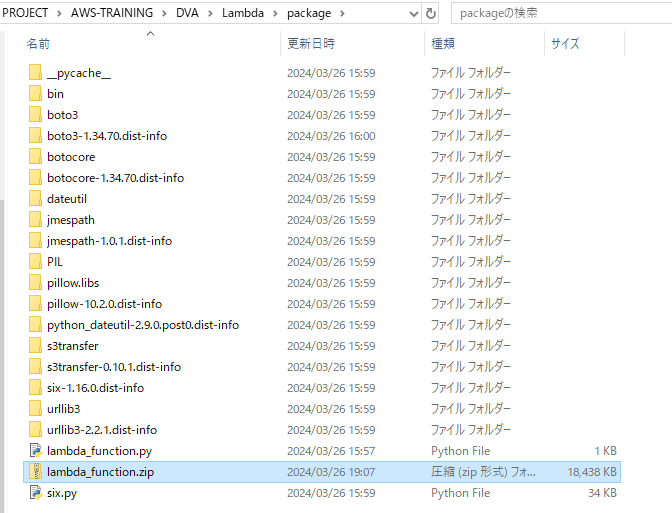
lambda_function.zipnhư sau: - Copy file
lambda_function.pyvào trong thư mụcpackage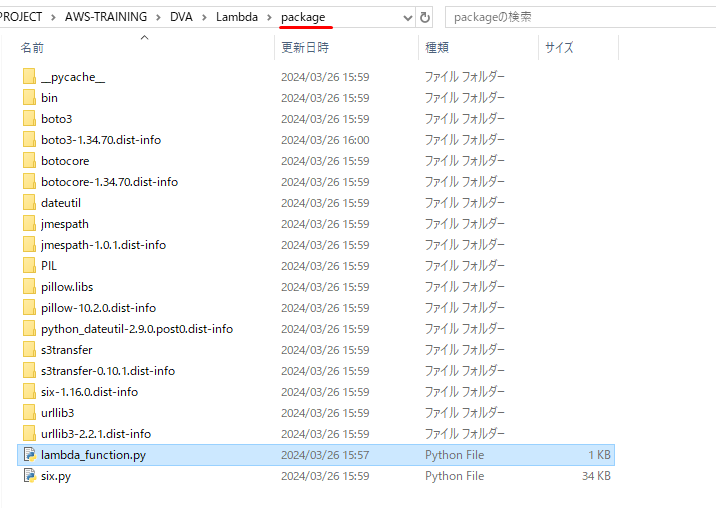
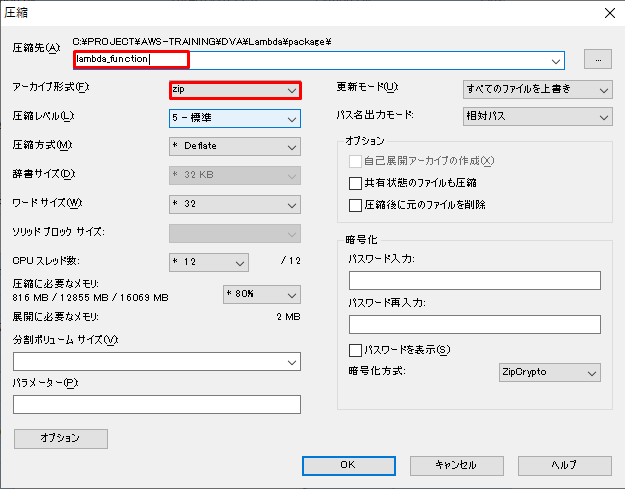
- Ctr + A và Thực hiện zip với tên
lambda_function.zip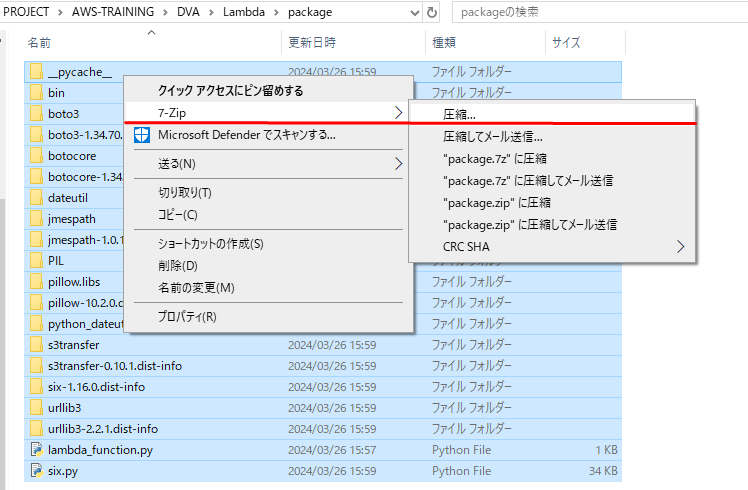
2.4 Create the Lambda function
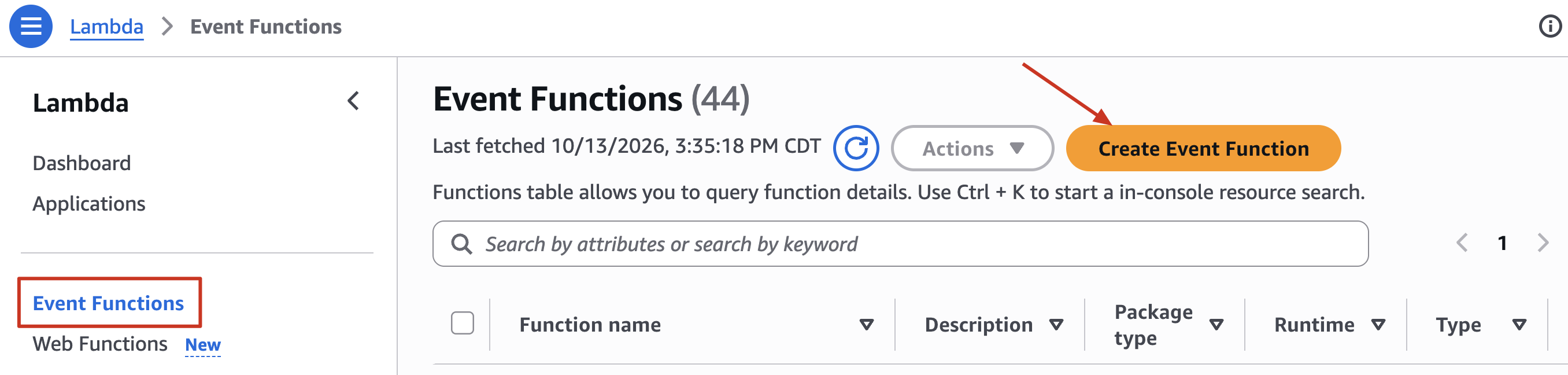
Tại Lambda Console → Event Functions → Create Event Function
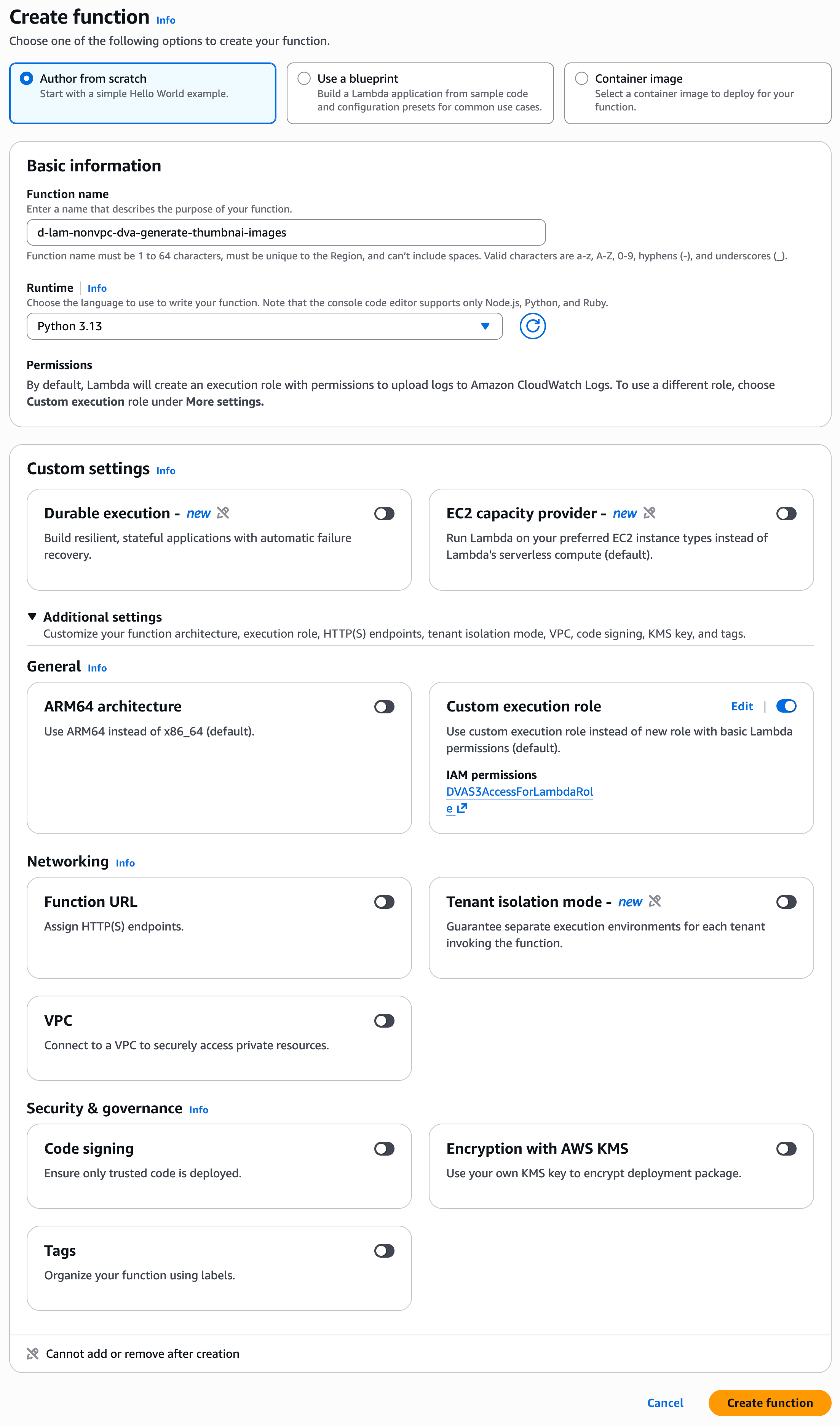
- Author from scratch
- Basic information
- Function name:
d-lam-nonvpc-[your-name]-dva-generate-thumbnail-images - Runtime: Python 3.13
- Function name:
- Custom settings → Additional settings
- General
- Custom execution role
- Execution role: Use an existing role → DVAS3AccessForLambdaRole
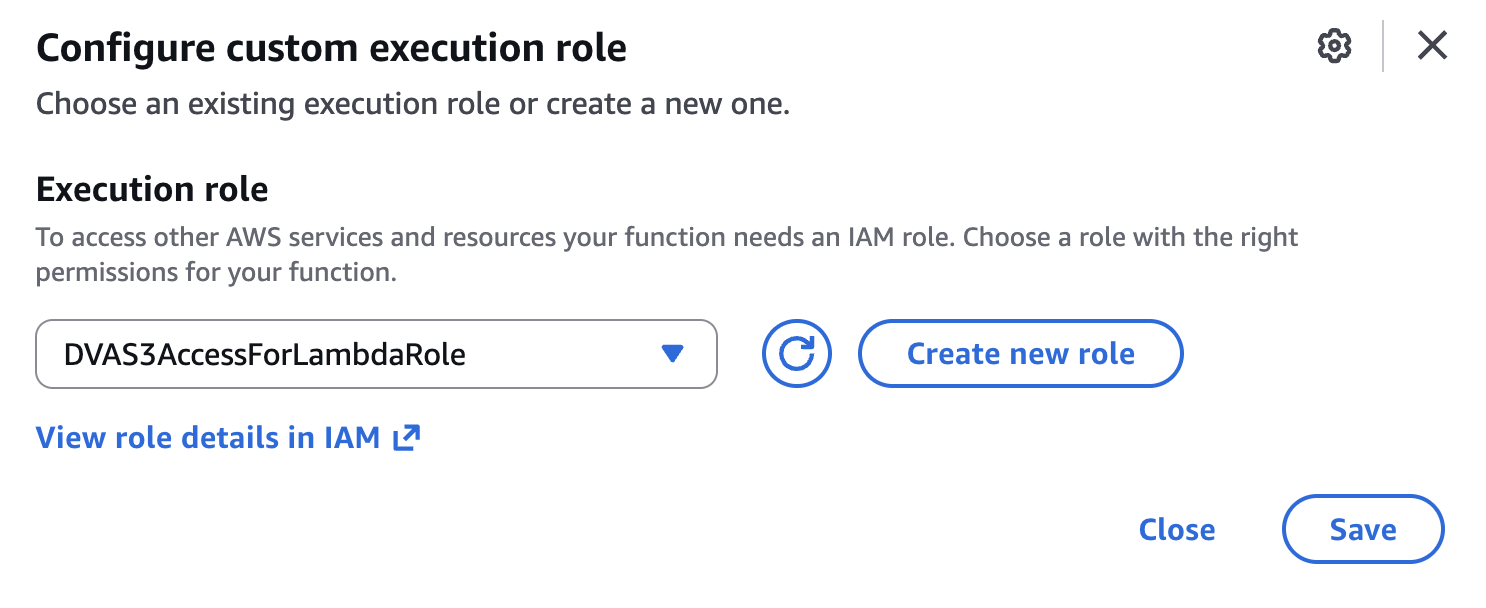
- Save
- Execution role: Use an existing role → DVAS3AccessForLambdaRole
- Custom execution role
- Các settings còn lại để Default
- Create function
- General
- Thực hiện test function: tại tab Test
- Event name:
test-function - Click Save
- Event name:
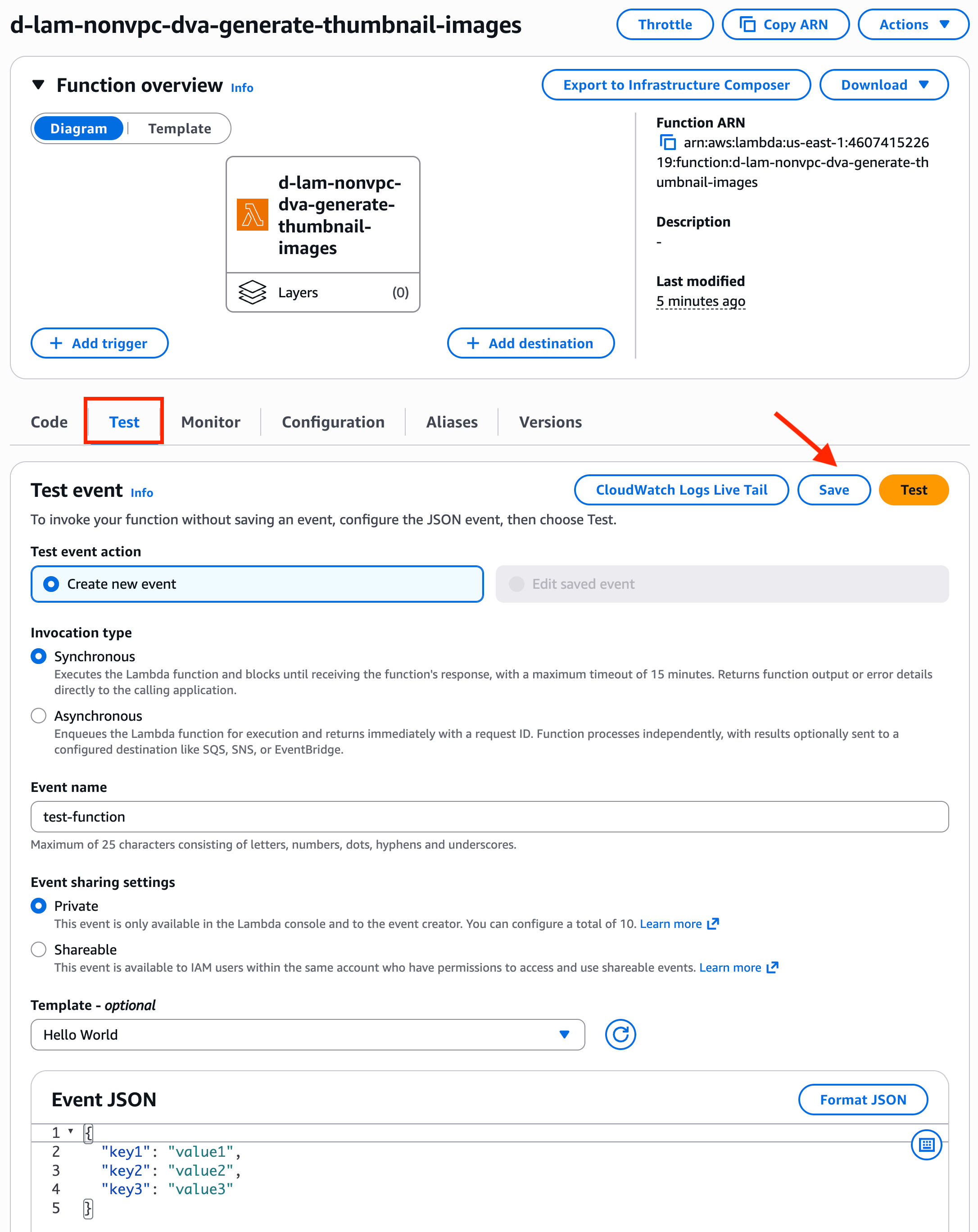
- Click Test
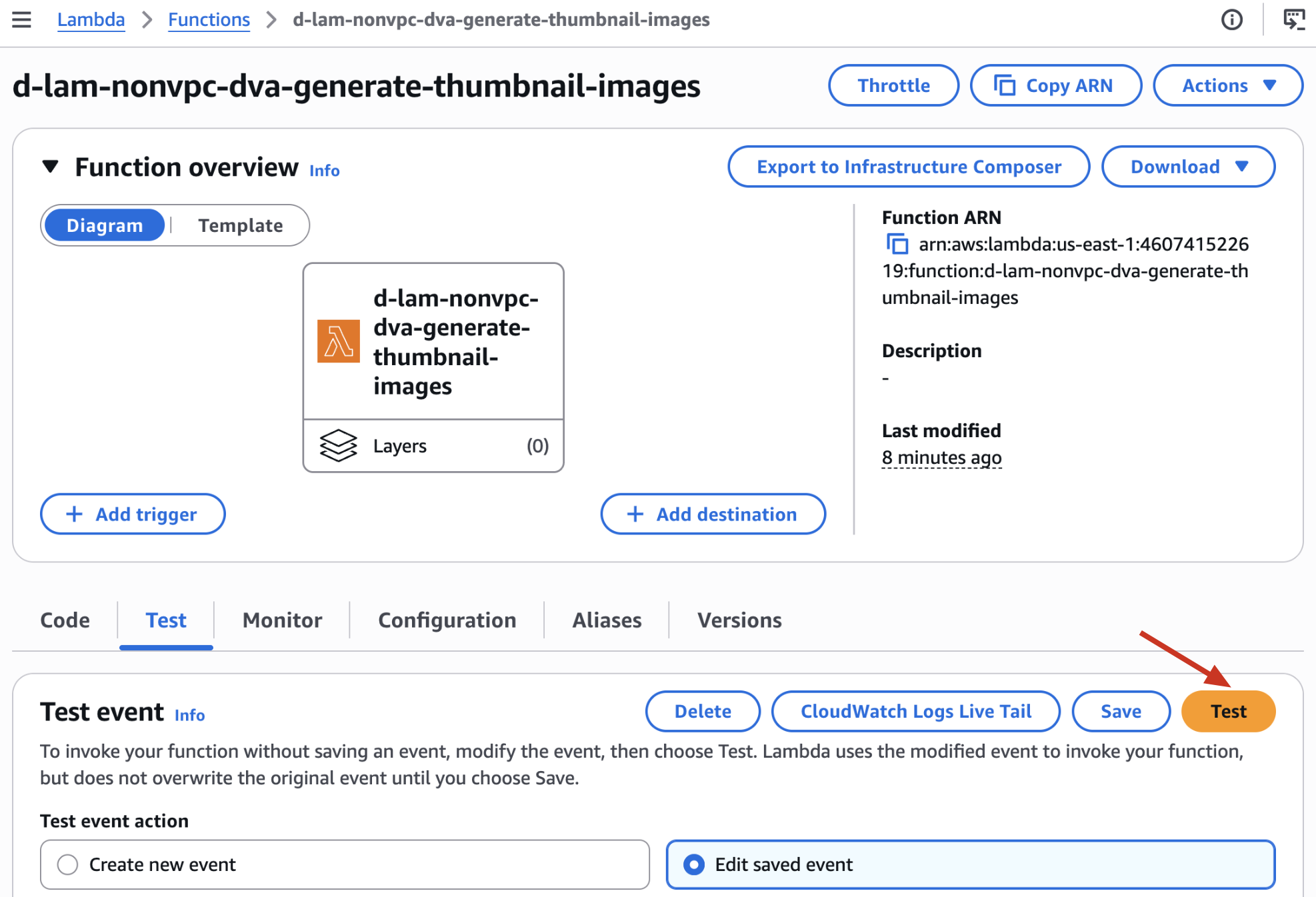
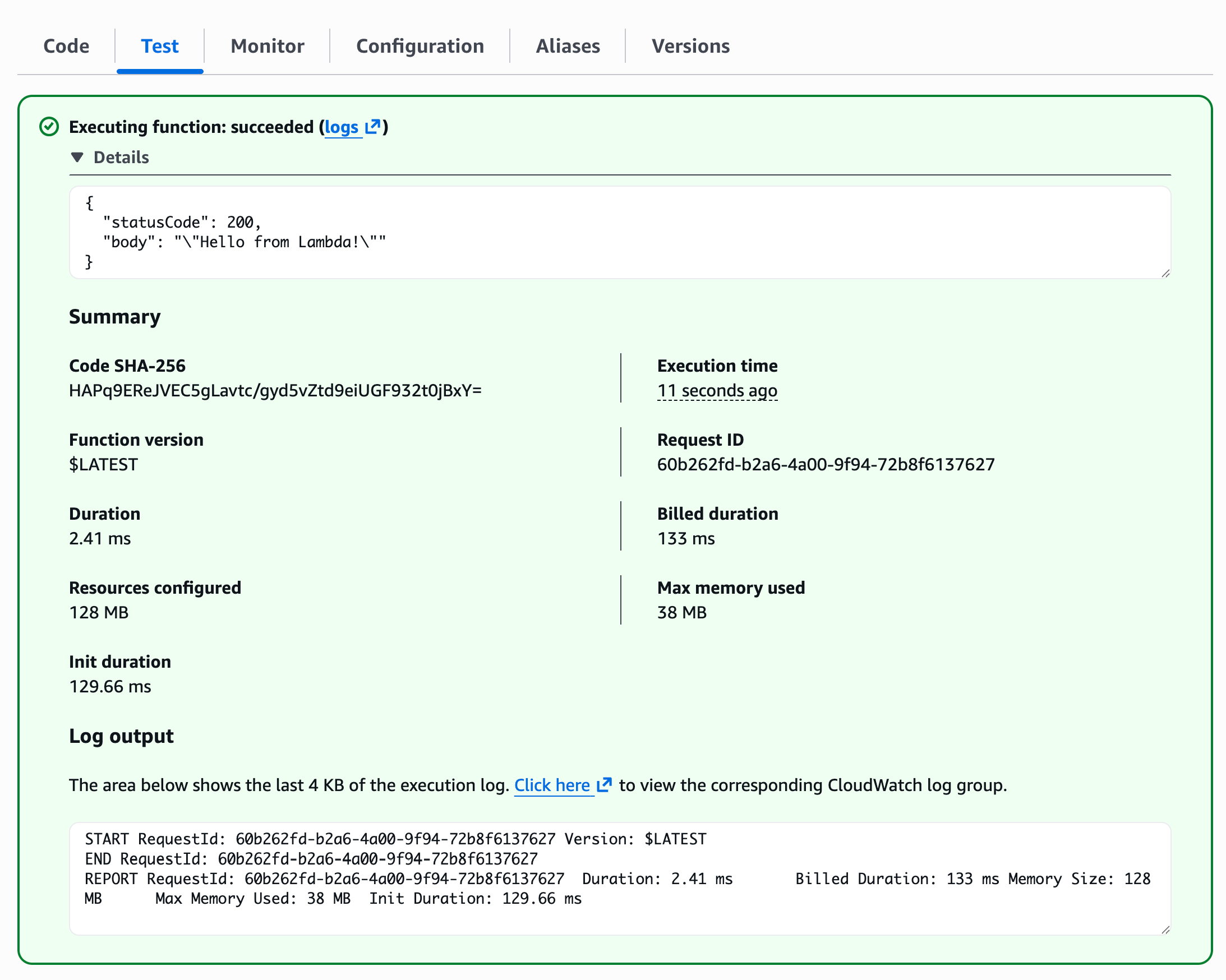
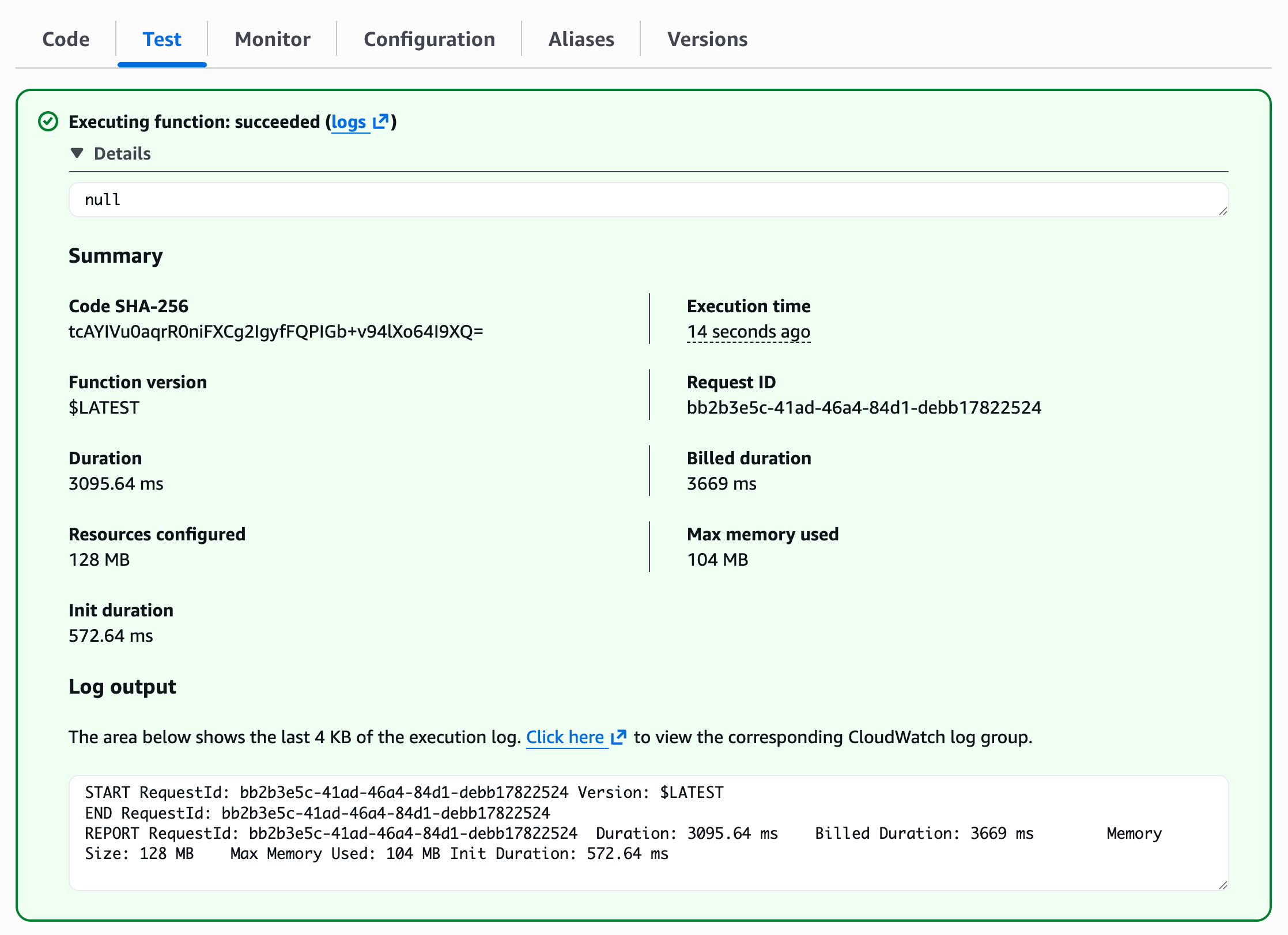
- Kết quả chạy function như bên dưới
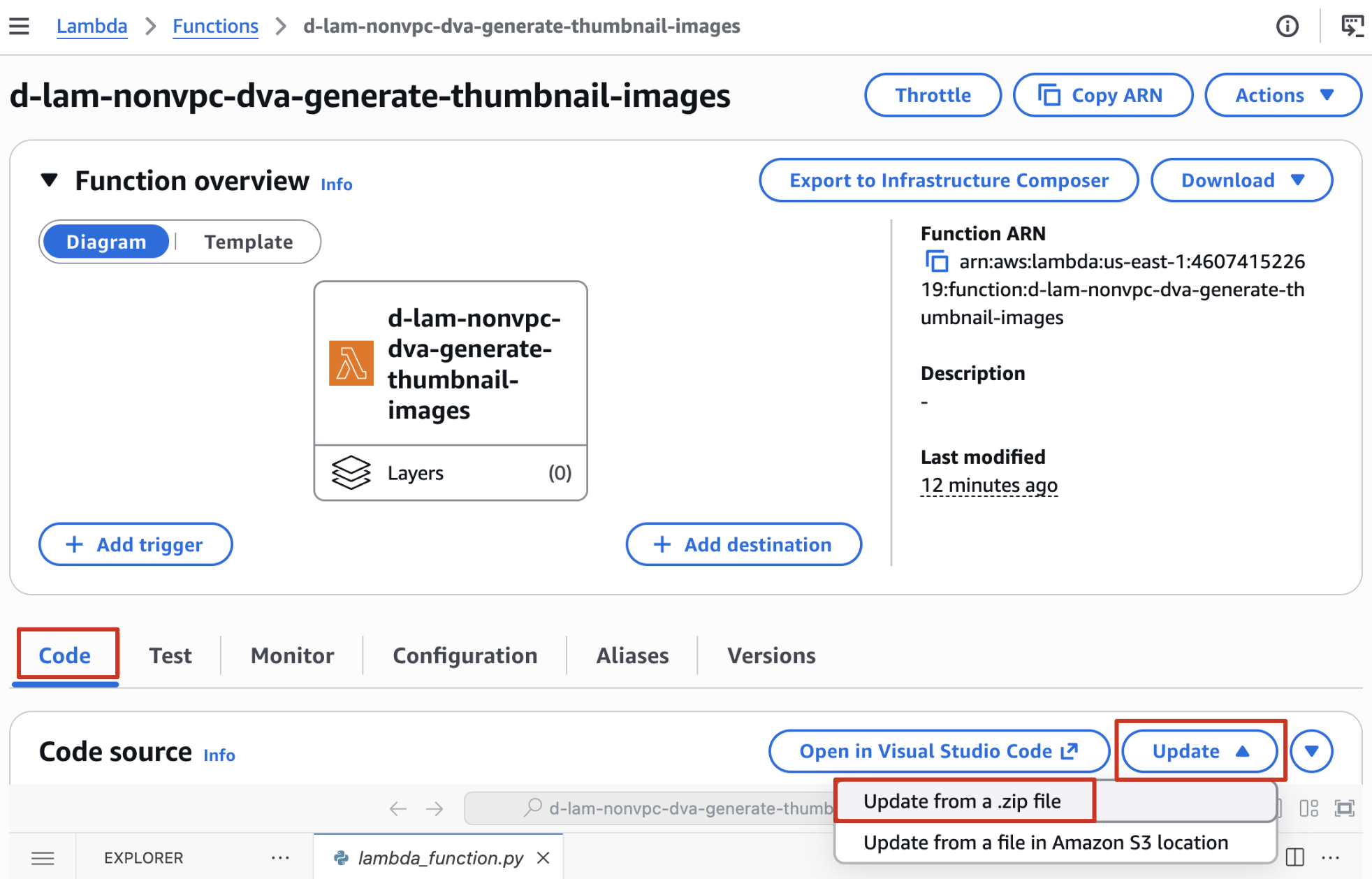
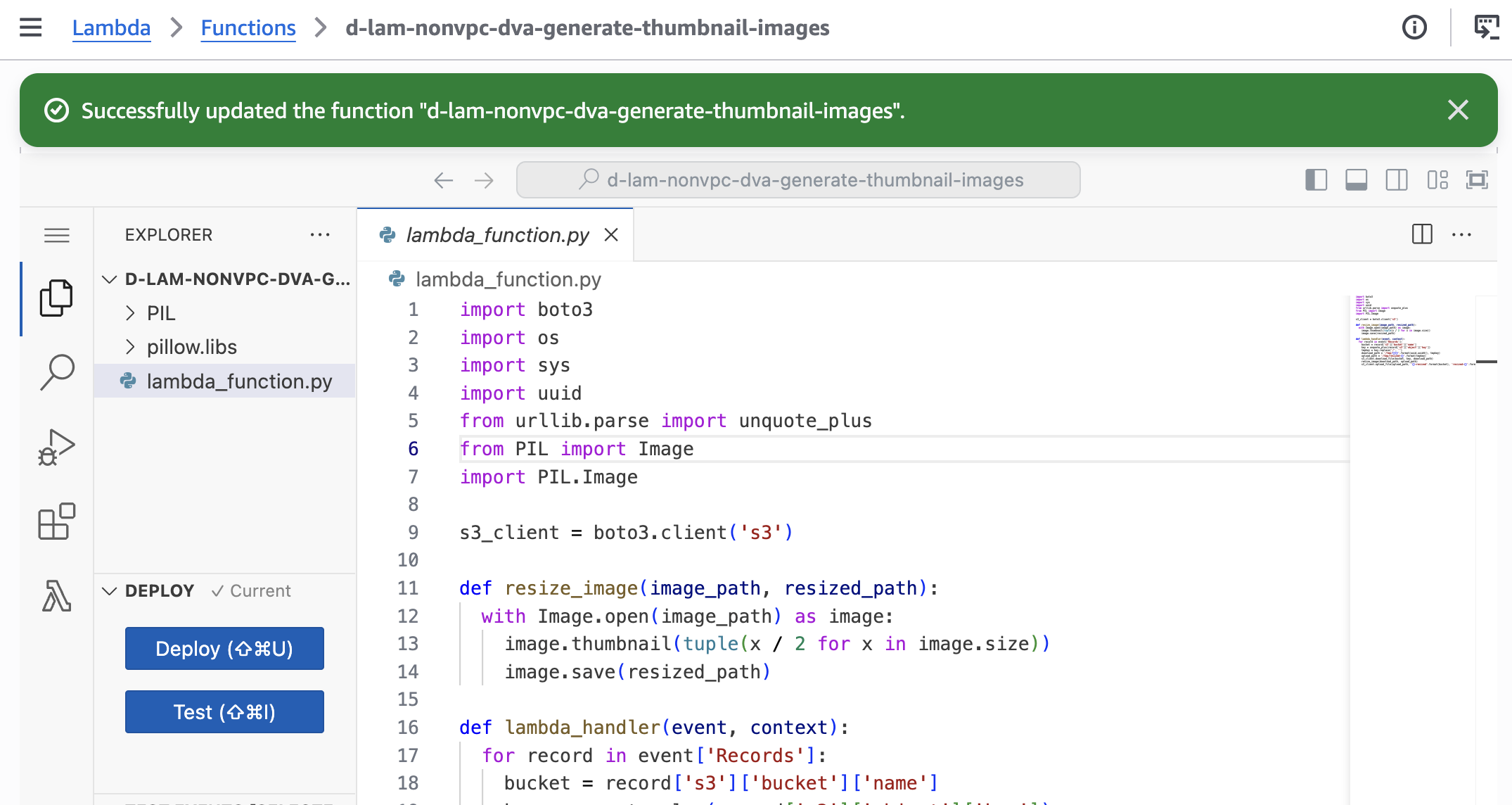
2.5 Upload code
- Chọn file
lambda_function_3.13.zipmà bạn đã download về hoặc đã tạo ở bước trên.
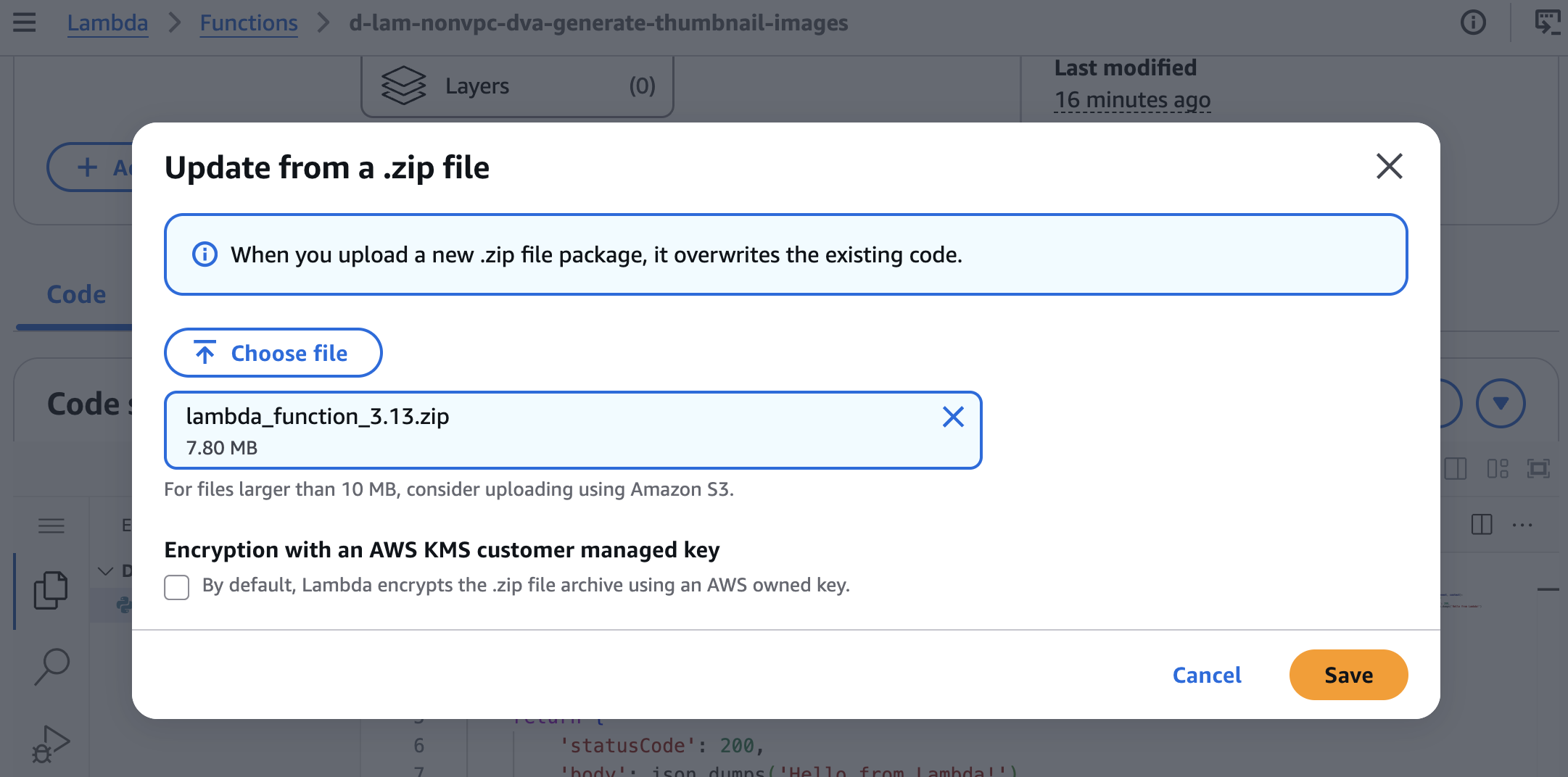
- Upload thành công
3. Configure a S3 event Notification to trigger Lambda function
Vào S3 Console → Chọn source bucket → Properties → Event notifications
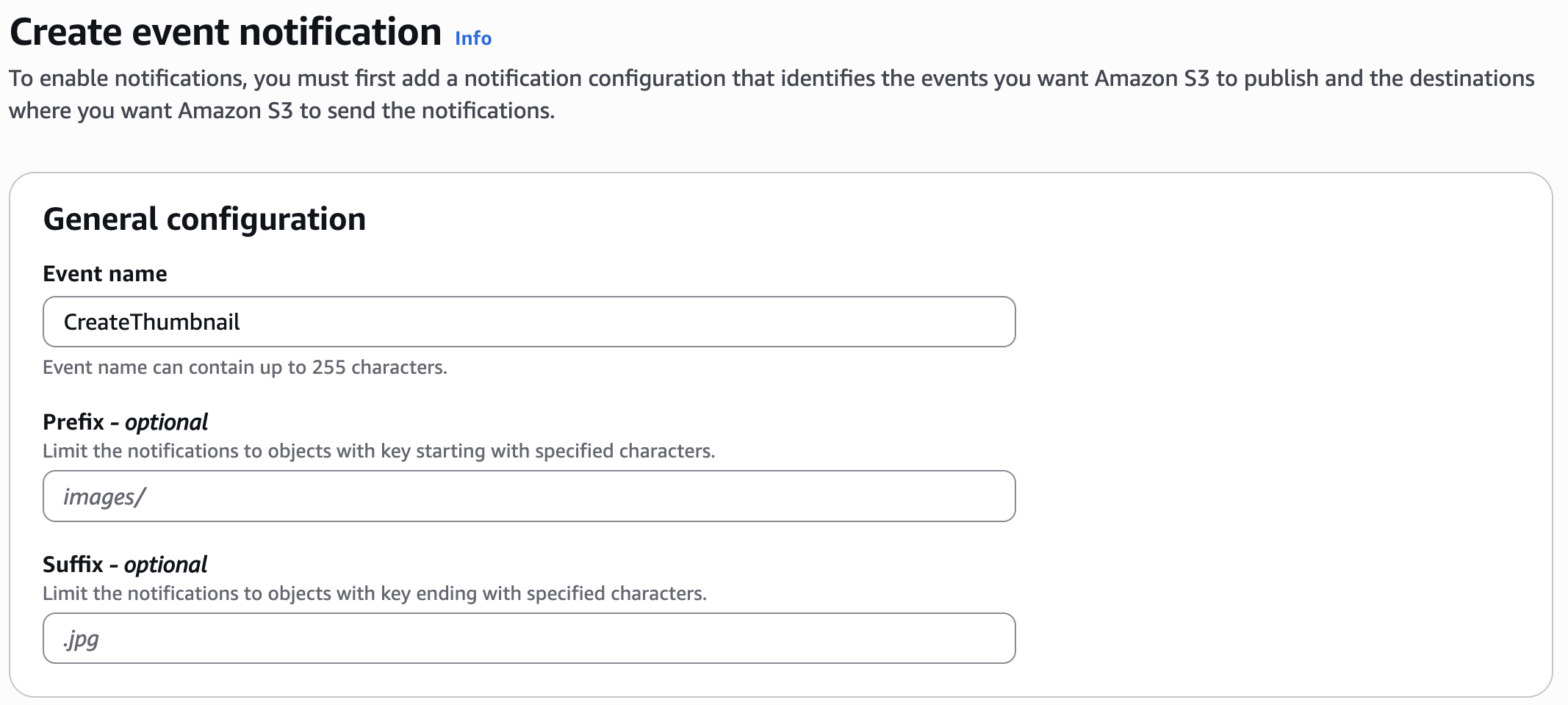
- General configuration
- Event name:
CreateThumbnail
- Event name:
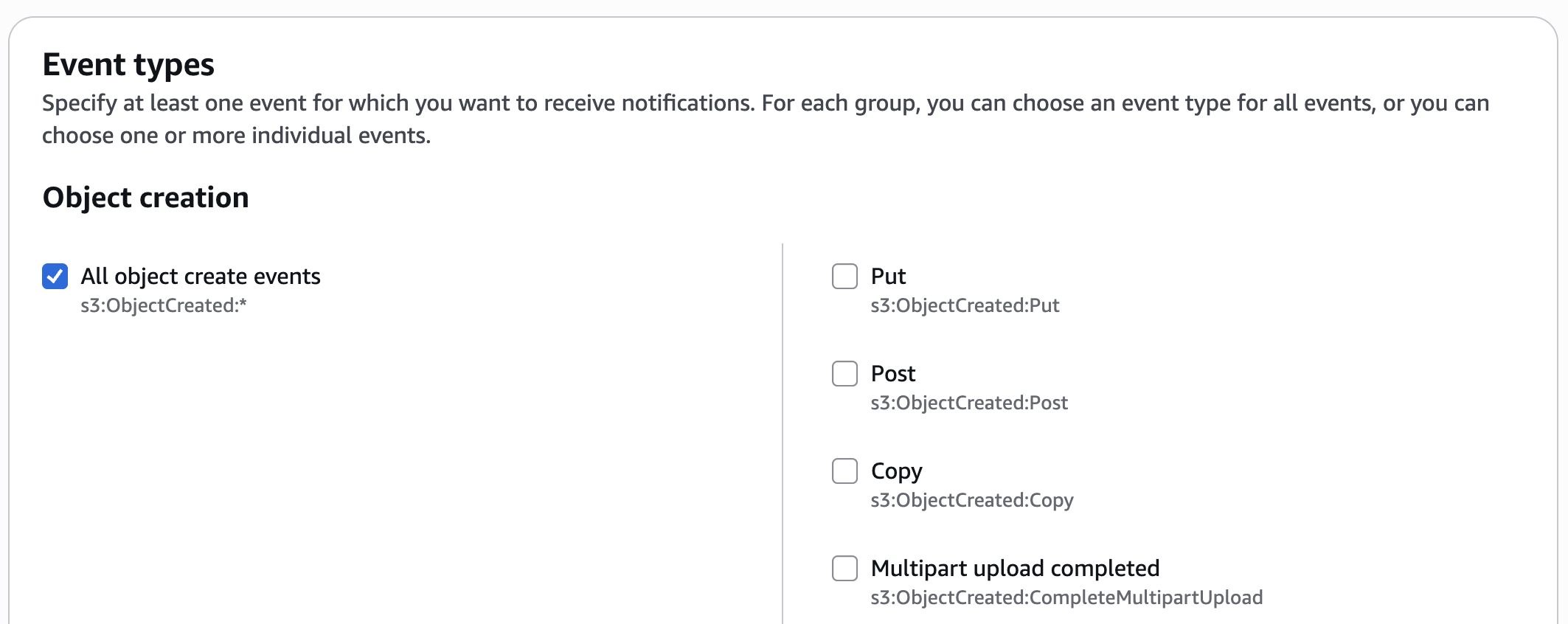
- Event types
- Object creation:
All object create events
- Object creation:
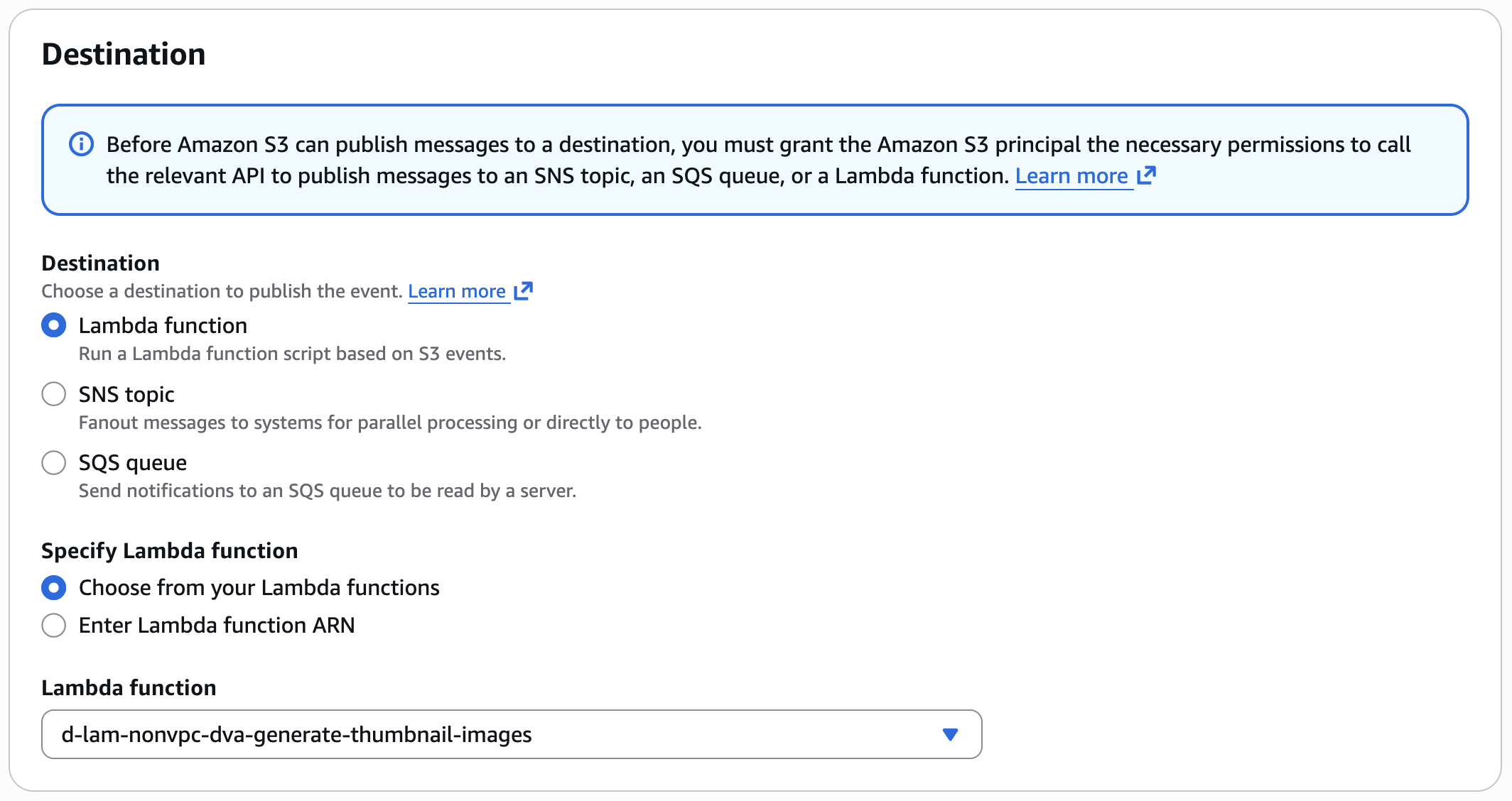
- Destination
- Lambda function:
d-lam-nonvpc-[your-name]-dva-generate-thumbnail-images
- Lambda function:
- Save changes
4. Test your function
4.1 Test your Lambda function with a dummy event
- Tại Lambda Console → Chọn lambda:
d-lam-nonvpc-[your-name]-dva-generate-thumbnail-images - Select tab Test
- Copy nội dung bên dưới và thay thế các giá trị sau:
- Thay
example-bucketbằng tên source bucket của bạn - Thay
test%2Fkeybằng tên file image bạn đã upload lên source bucket trước đó
- Thay
{
  "Records": [
    {
      "eventVersion": "2.0",
      "eventSource": "aws:s3",
      "awsRegion": "us-east-1",
      "eventTime": "1970-01-01T00:00:00.000Z",
      "eventName": "ObjectCreated:Put",
      "userIdentity": {
        "principalId": "EXAMPLE"
      },
      "requestParameters": {
        "sourceIPAddress": "127.0.0.1"
      },
      "responseElements": {
        "x-amz-request-id": "EXAMPLE123456789",
        "x-amz-id-2": "EXAMPLE123/5678abcdefghijklambdaisawesome/mnopqrstuvwxyzABCDEFGH"
      },
      "s3": {
        "s3SchemaVersion": "1.0",
        "configurationId": "testConfigRule",
        "bucket": {
          "name": "example-bucket",
          "ownerIdentity": {
            "principalId": "EXAMPLE"
          },
          "arn": "arn:aws:s3:::example-bucket"
        },
        "object": {
          "key": "test%2Fkey",
          "size": 1024,
          "eTag": "0123456789abcdef0123456789abcdef",
          "sequencer": "0A1B2C3D4E5F678901"
        }
      }
    }
  ]
}
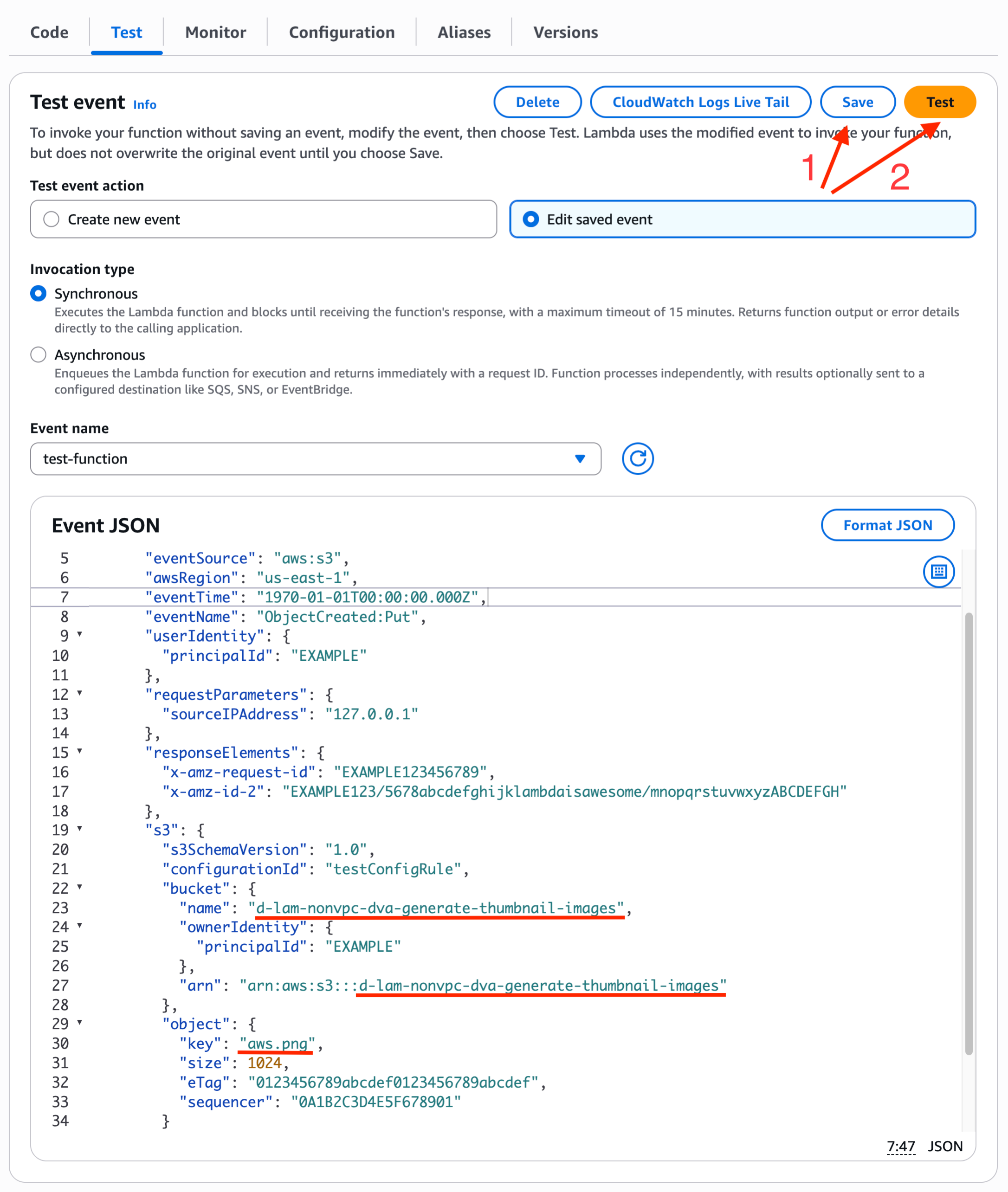
- Nếu gặp lỗi
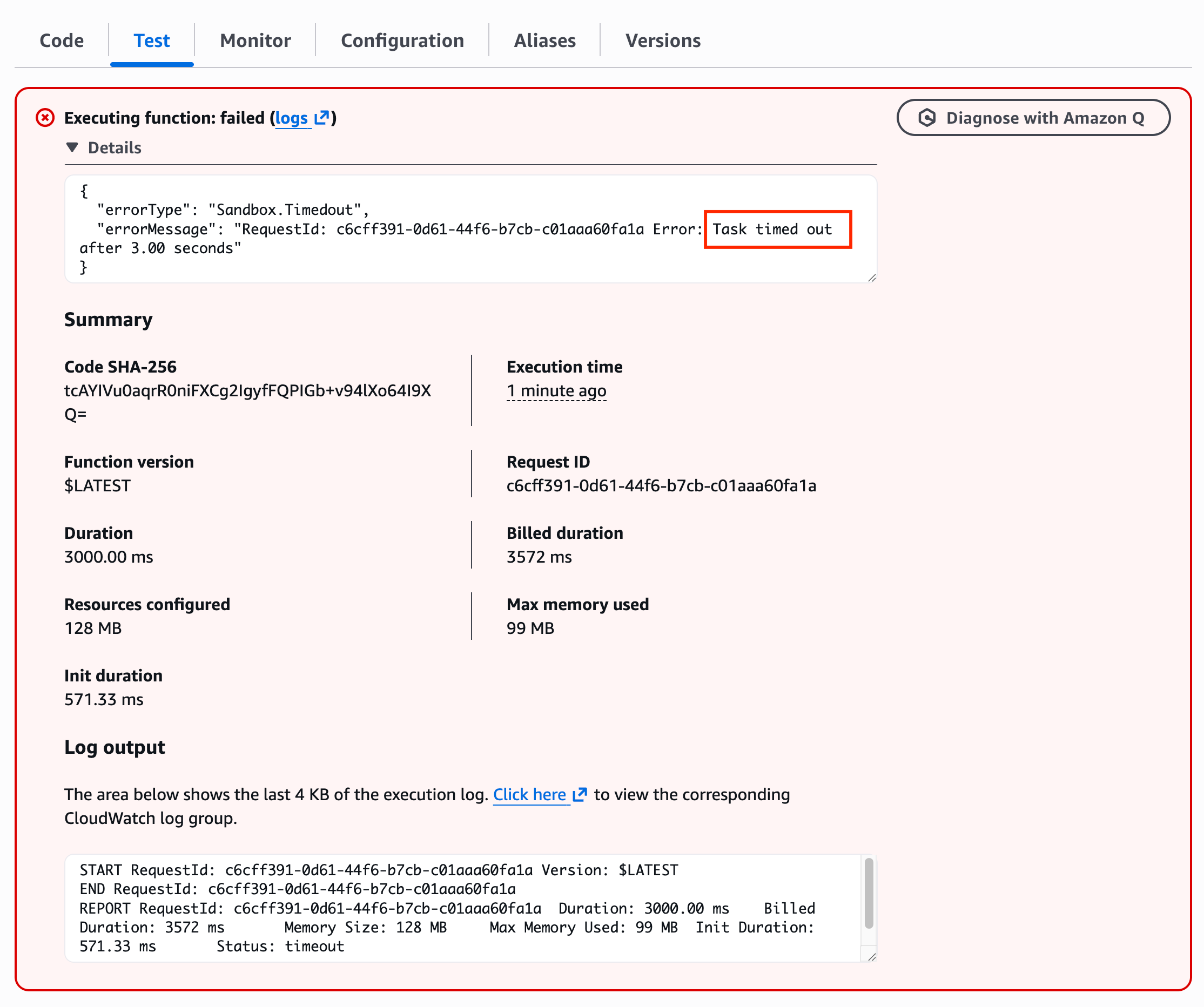
Task timed outnhư bên dưới, do Timeout default đang là 3s, mình cần tăng số này lên.
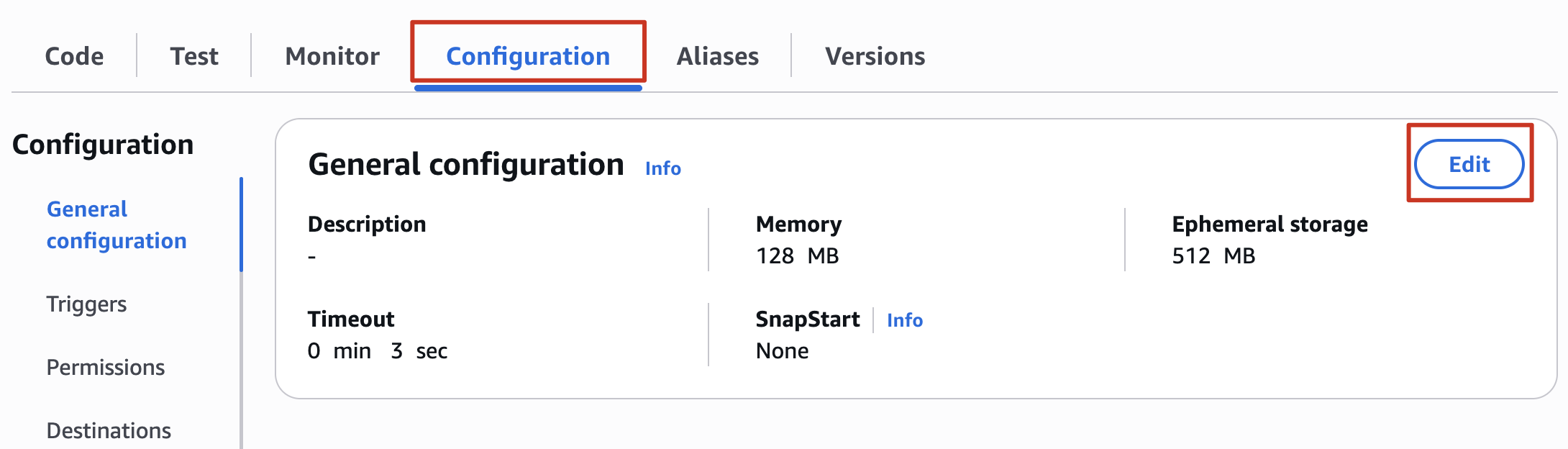
- Vào tab Configuration → General configuration → Click Edit
- Update timeout lên 10 second
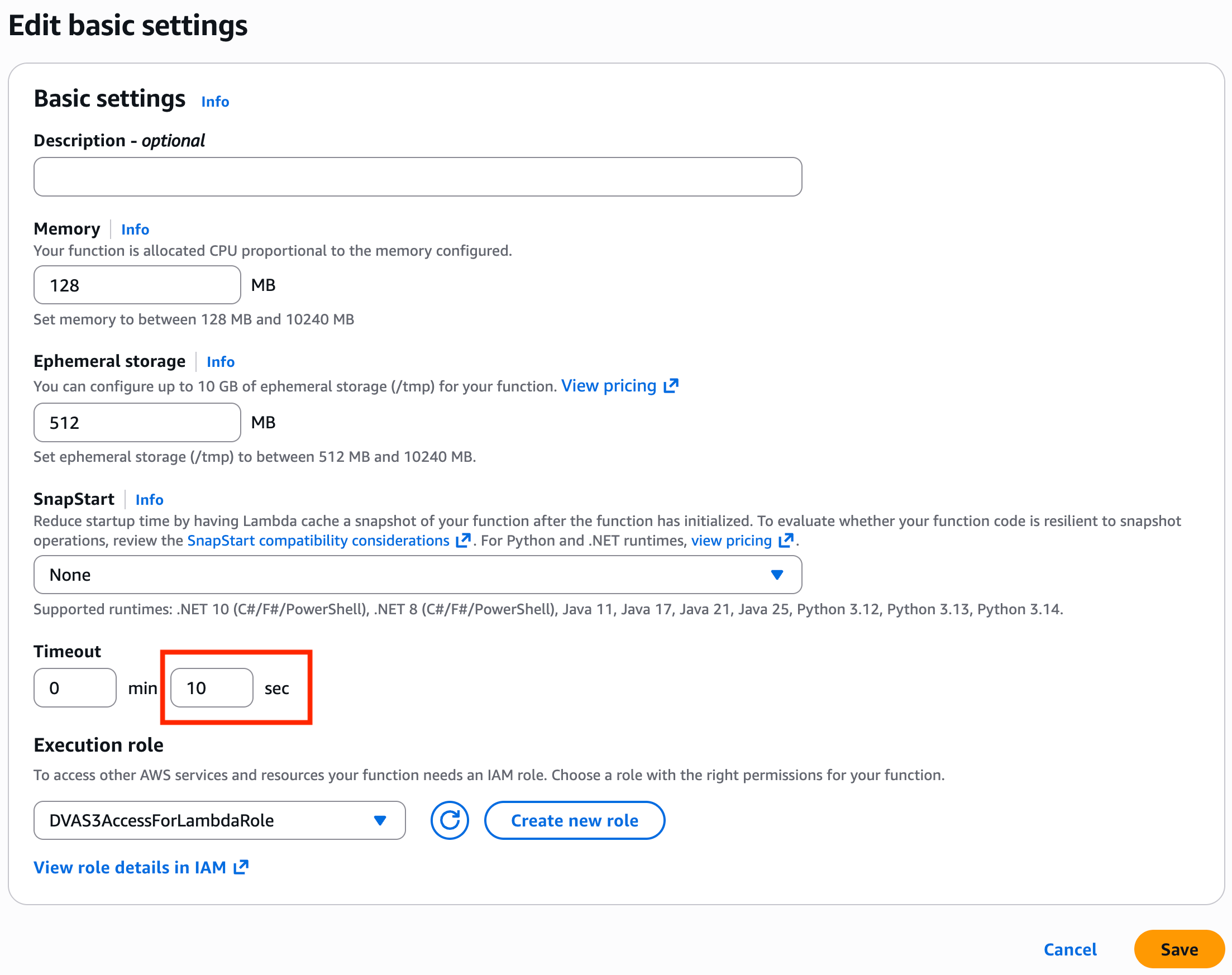
- Save và thực hiện test lại sẽ thành công
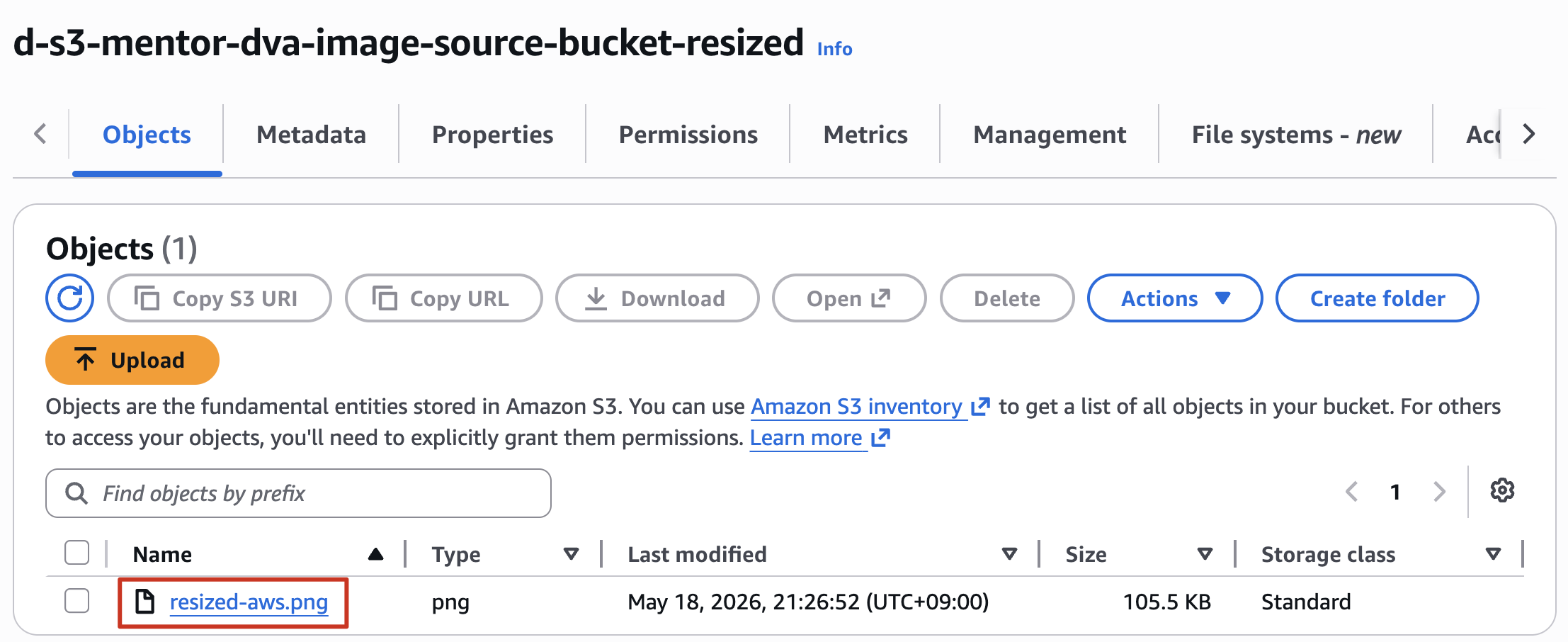
- Vào source-bucket-resized và sẽ thấy ảnh Thumbnail đã được tạo với size nhỏ hơn
4.2 Test your function using the Amazon S3 trigger
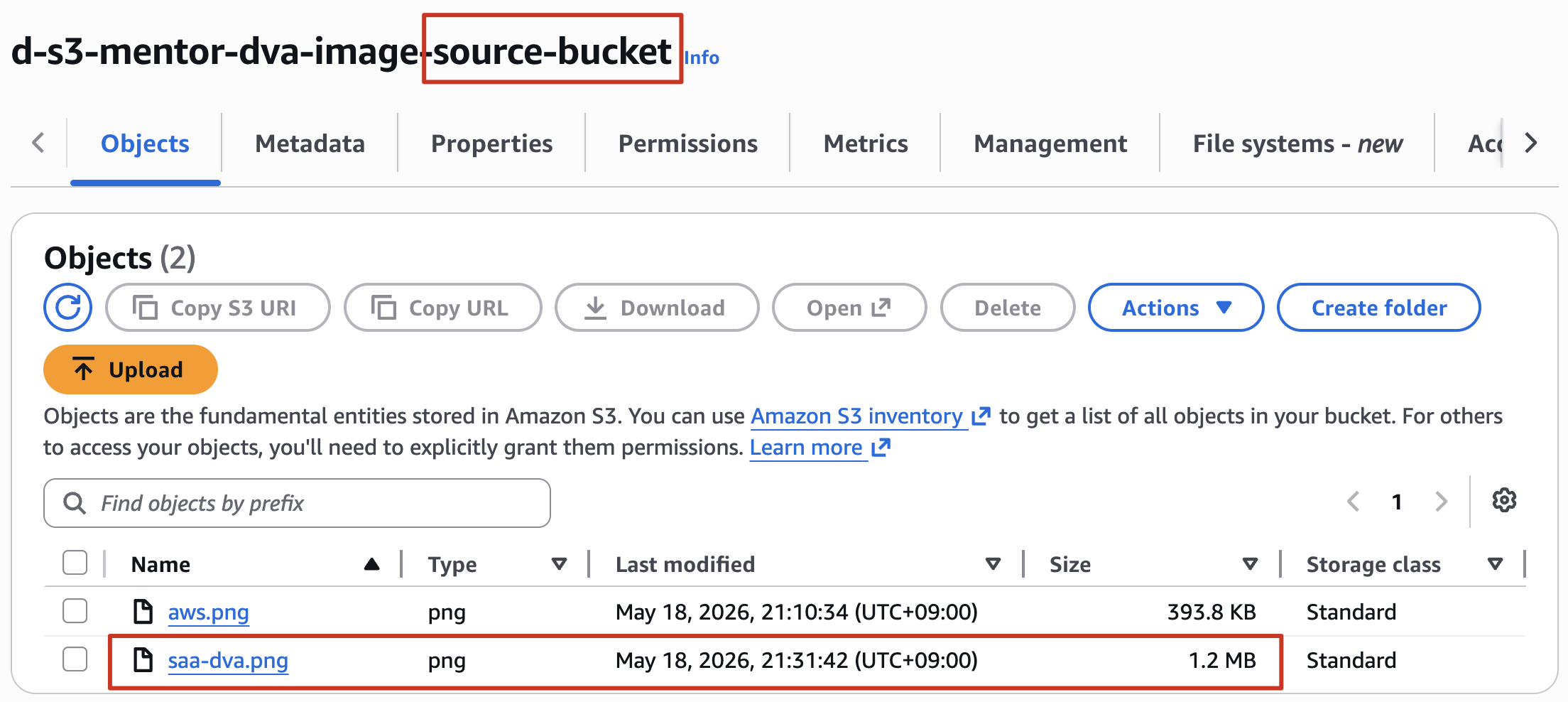
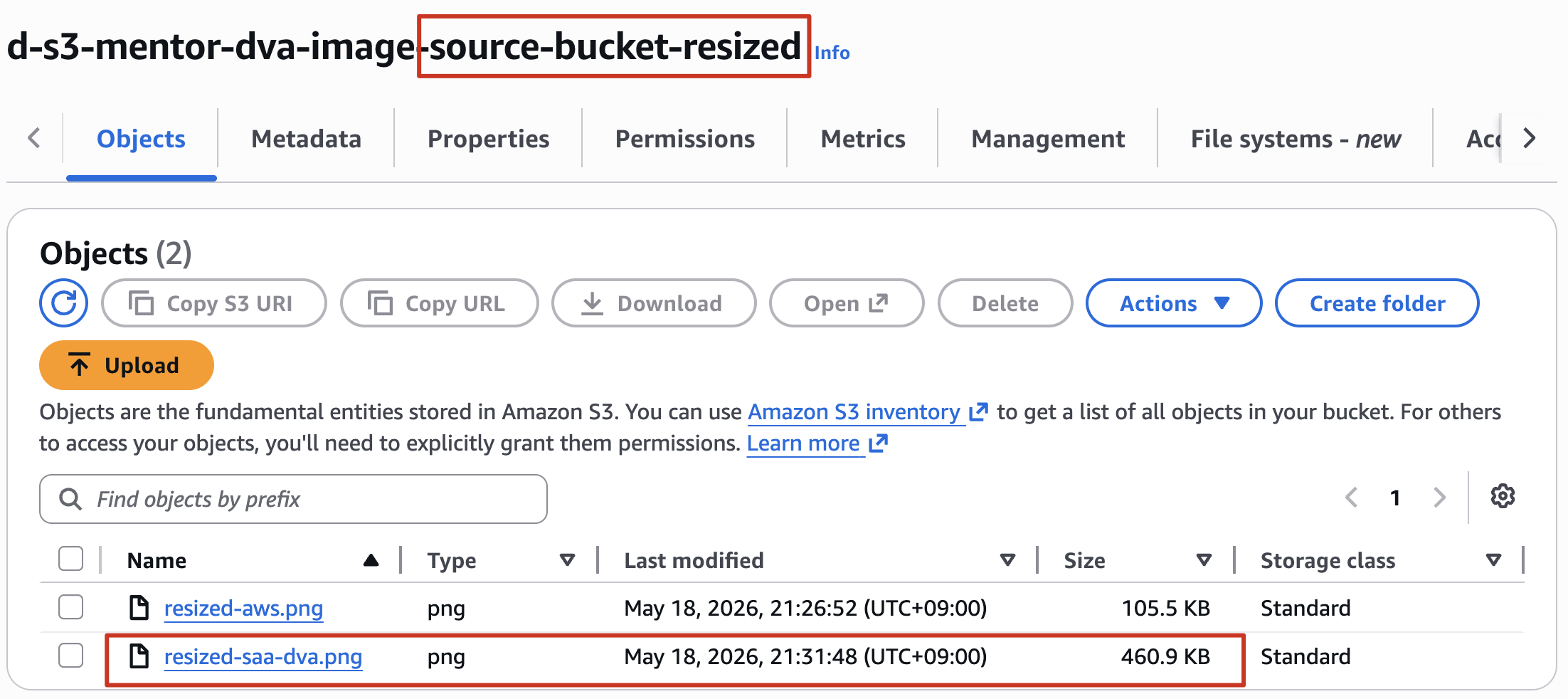
Thực hiện upload 1 file ảnh khác lên source bucket và confirm nhận được ảnh thumbnail bên source-bucket-resized
- source bucket
- source-bucket-resized
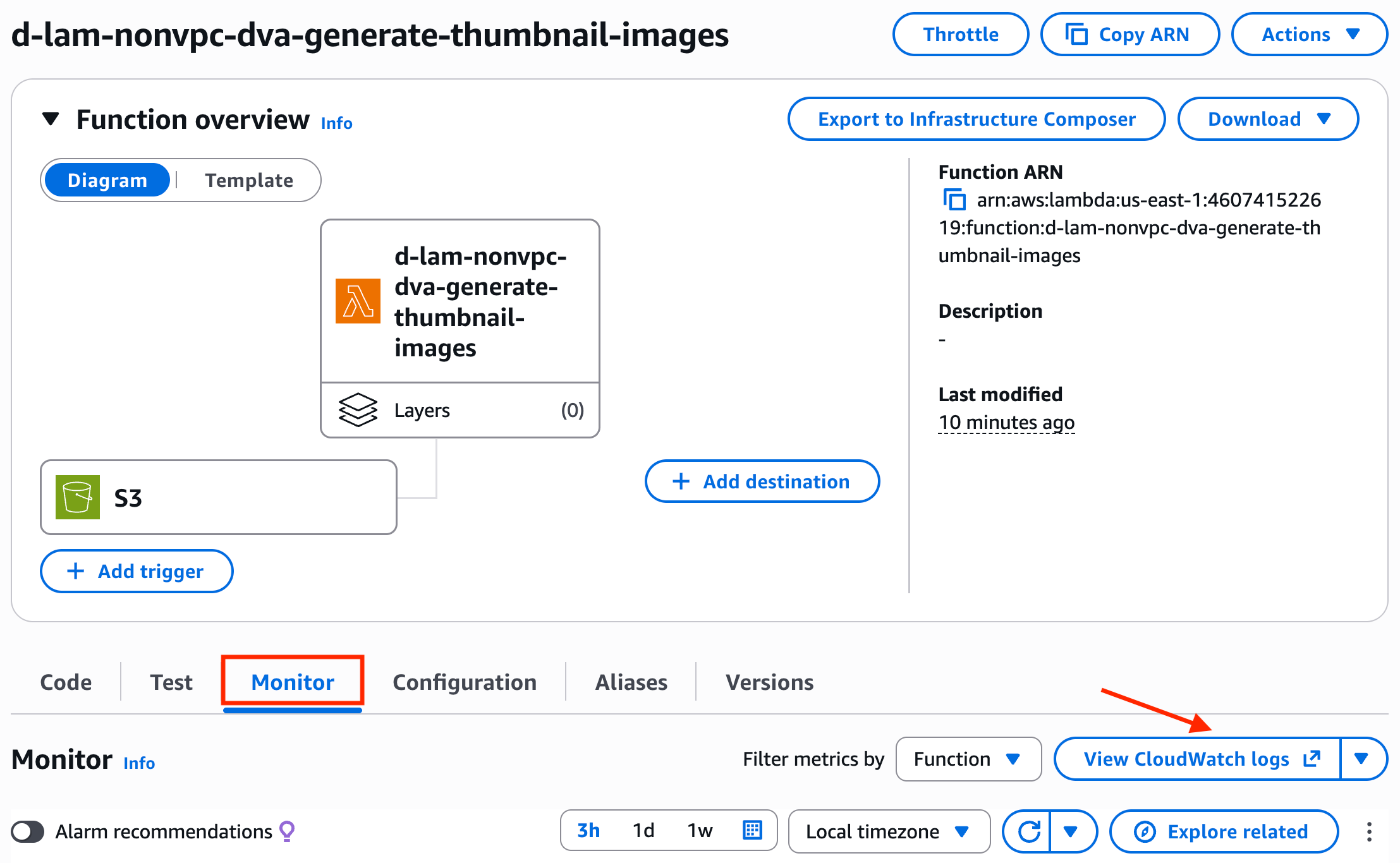
- Để xem log của Lambda bạn có thể vào tab Monitor → View CloudWatch logs
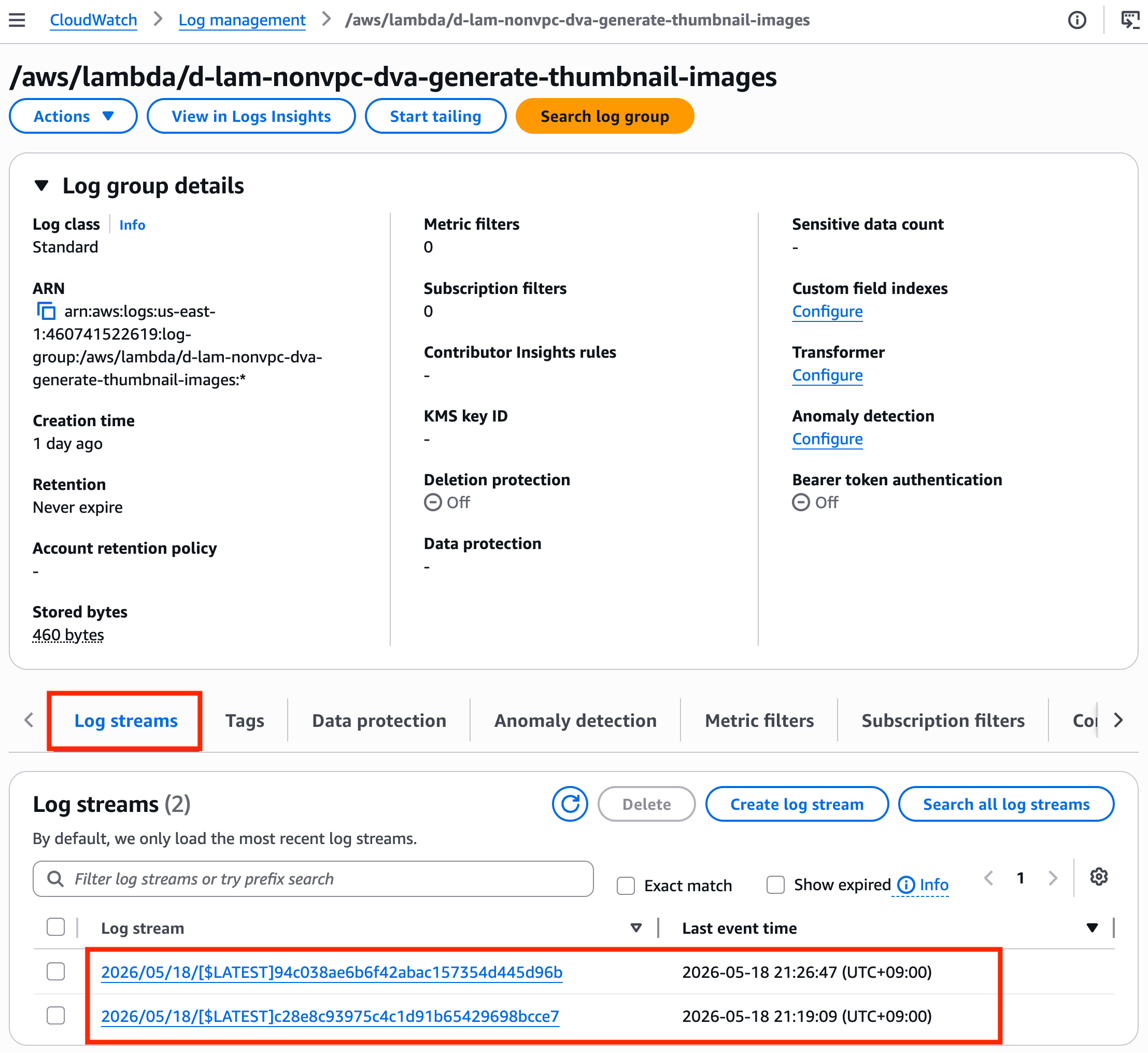
- Vào tab Log streams
Clean up
- Delete Lambda function:
d-lam-nonvpc-[your-name]-dva-generate-thumbnail-images - Delete the policy:
DVAS3AccessForLambdaPolicy - Delete the execution role:
DVAS3AccessForLambdaRole - Empty and delete the S3 bucket
d-s3-[your-name]-dva-image-source-bucketd-s3-[your-name]-dva-image-source-bucket-resized