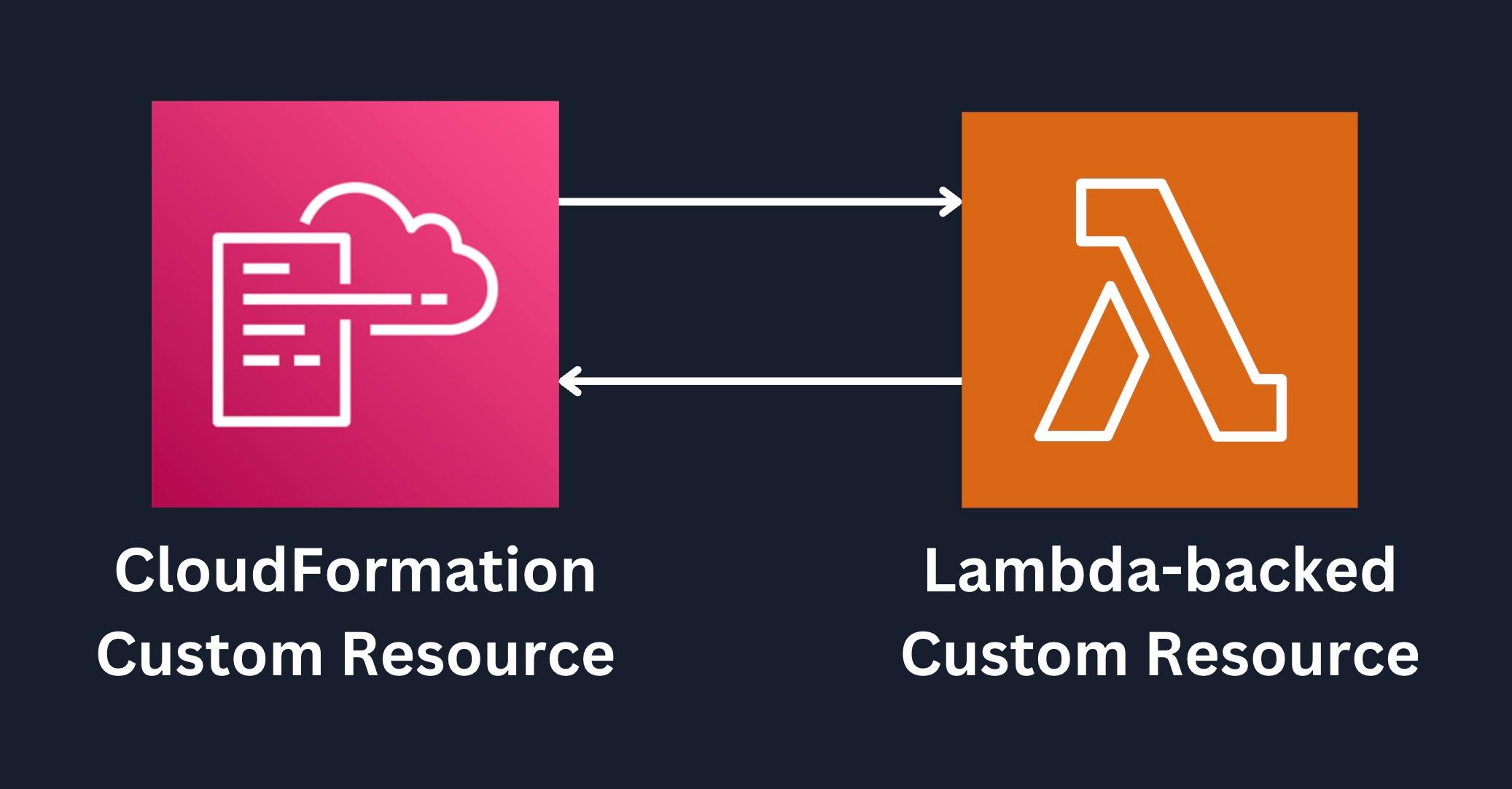
CloudFormation Custom Resource - Delete a non-empty S3 Bucket
 trungtin tran
Introduction
AWS CloudFormation Custom Resources?
- AWS CloudFormation Custom Resources là một tính năng nâng cao cho phép mở rộng các khả năng vốn có của CloudFormation thông qua việc tích hợp các logic tùy chỉnh khi các resource types mặc định không đáp ứng được yêu cầu.
Cơ chế hoạt động
Khi Create/Update/Delete stack:
- CloudFormation gặp Custom Resource trong template và dừng stack operation
- Custom Resource sẽ gọi tới Lambda/SNS với Request Type tương ứng (Create/Update/Delete) để thực hiện xử lý như mong muốn
- Lambda/SNS xử lý xong sẽ trả về response (SUCCESS/FAILED) cho CloudFormation
- CloudFormation nhận response và tiếp tục stack operation
Use cases
- Tích hợp với non-AWS services:
- Third-party services
- Internal APIs của doanh nghiệp
- External systems
- Thực thi các operations đặc thù, phức tạp mà CloudFormation native không support:
- Xử lý vòng lặp phức tạp
- Custom DNS configurations
- Xóa non-empty S3 bucket
Lưu ý quan trọng khi sử dụng Custom Resource:
- Để đảm bảo Custom Resource hoạt động, Lambda function hoặc SNS topic phải được tạo trong cùng region với CloudFormation stack
- CloudFormation sẽ đợi response từ Lambda/SNS với Default timeout 1 giờ, nếu quá 1 giờ không nhận được response, CloudFormation sẽ coi như FAILED và rollback stack
Lab Introduction
- AWS experience: Intermediate
- Time to complete: 30+ minutes
- AWS Region: US East (N. Virginia) us-east-1
- Services used: CloudFormation, S3, Lambda, IAM
Architecture
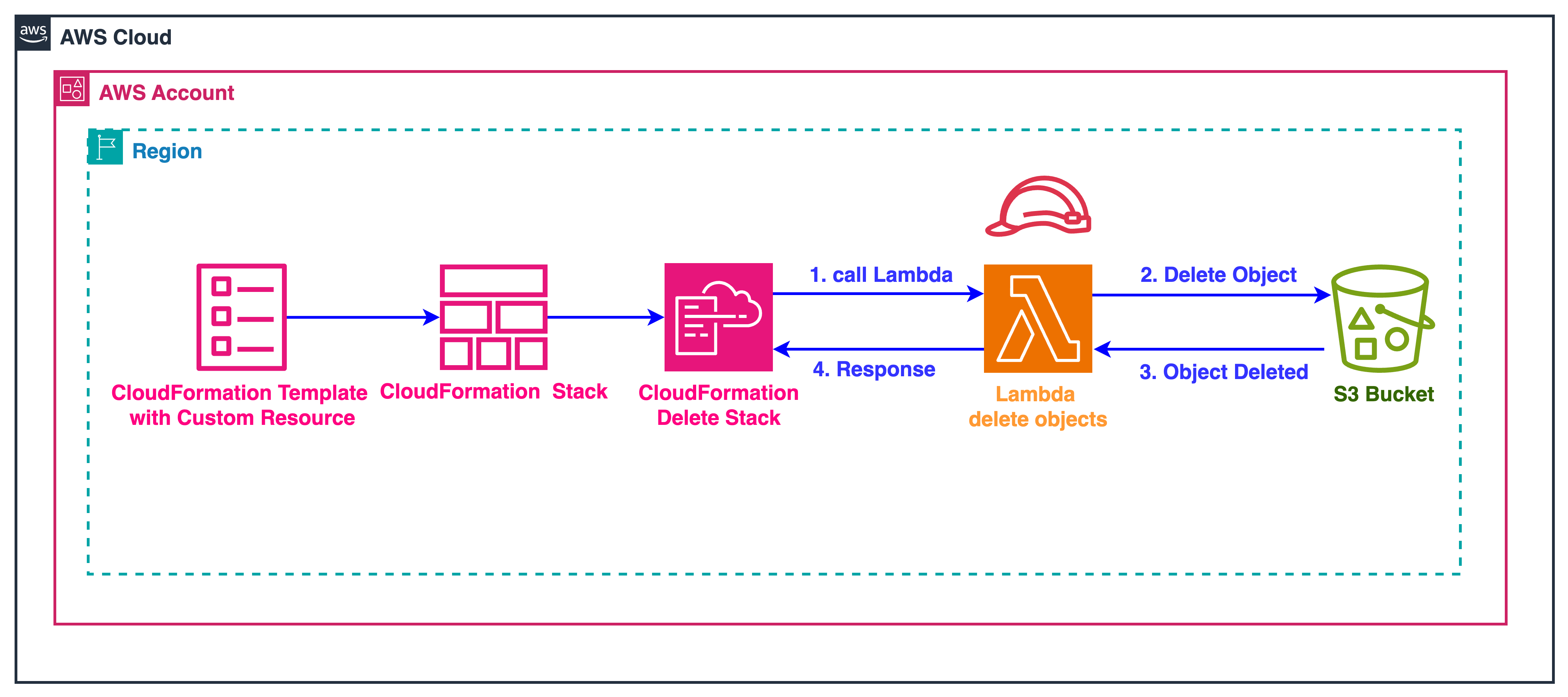
Trong bài lab này, chúng ta sẽ implement một use case phổ biến Lambda-backed Custom Resource: tự động xóa các objects trong S3 bucket trước khi xóa bucket đó. Khi CloudFormation thực hiện DELETE stack, flow xử lý sẽ diễn ra như sau: CloudFormation phát hiện Custom Resource và gửi request DELETE tới Lambda, Lambda function sẽ xóa tất cả objects trong bucket, sau khi nhận được response SUCCESS từ Lambda, CloudFormation sẽ tiếp tục xóa bucket rỗng. Đây là một demo hoàn chỉnh cho thấy sức mạnh của Custom Resource trong việc mở rộng khả năng của CloudFormation.
Task Details
- Demo with Template CloudFormation Native
- Create CloudFormation template
- Deploy CloudFormation Template
- Upload Objects to S3 Bucket
- Delete stack
- Verify kết quả
- Demo with Template CloudFormation With Custom Resource
- Create CloudFormation Custom Resource template
- Deploy CloudFormation Custom Resource Template
- Upload Objects to S3 Bucket
- Delete stack
- Verify kết quả
1.Deploy Template CloudFormation Native
Trước khi vào việc ngay với CloudFormation Custom Resource, mình sẽ demo với CloudFormation Native để thấy được lỗi cũng như hạn chế của nó. Bạn nào đã gặp lỗi này rồi có thể bỏ qua step này và vào việc luôn với CloudFormation Custom Resource nha.
1.1 Create CloudFormation template
- CloudFormation Template
AWSTemplateFormatVersion: '2010-09-09'
Description: 'Demo CloudFormation Native'

Parameters:
  BucketName:
    Type: String
    Default: d-s3-cmp-cleaning-on-delete-bucket
    Description: Name of the S3 bucket to create

Resources:
  # S3 Bucket
  demoBucket:
    Type: AWS::S3::Bucket
    Properties:
      BucketName: !Ref BucketName
- Mô tả các resource được tạo
- S3 Bucket (
demoBucket):- Bucket Name: Default là
d-s3-cmp-cleaning-on-delete-bucket
- Bucket Name: Default là
1.2 Deploy CloudFormation Custom Resource Template
- Copy nội dung Template phía trên và lưu lại với tên
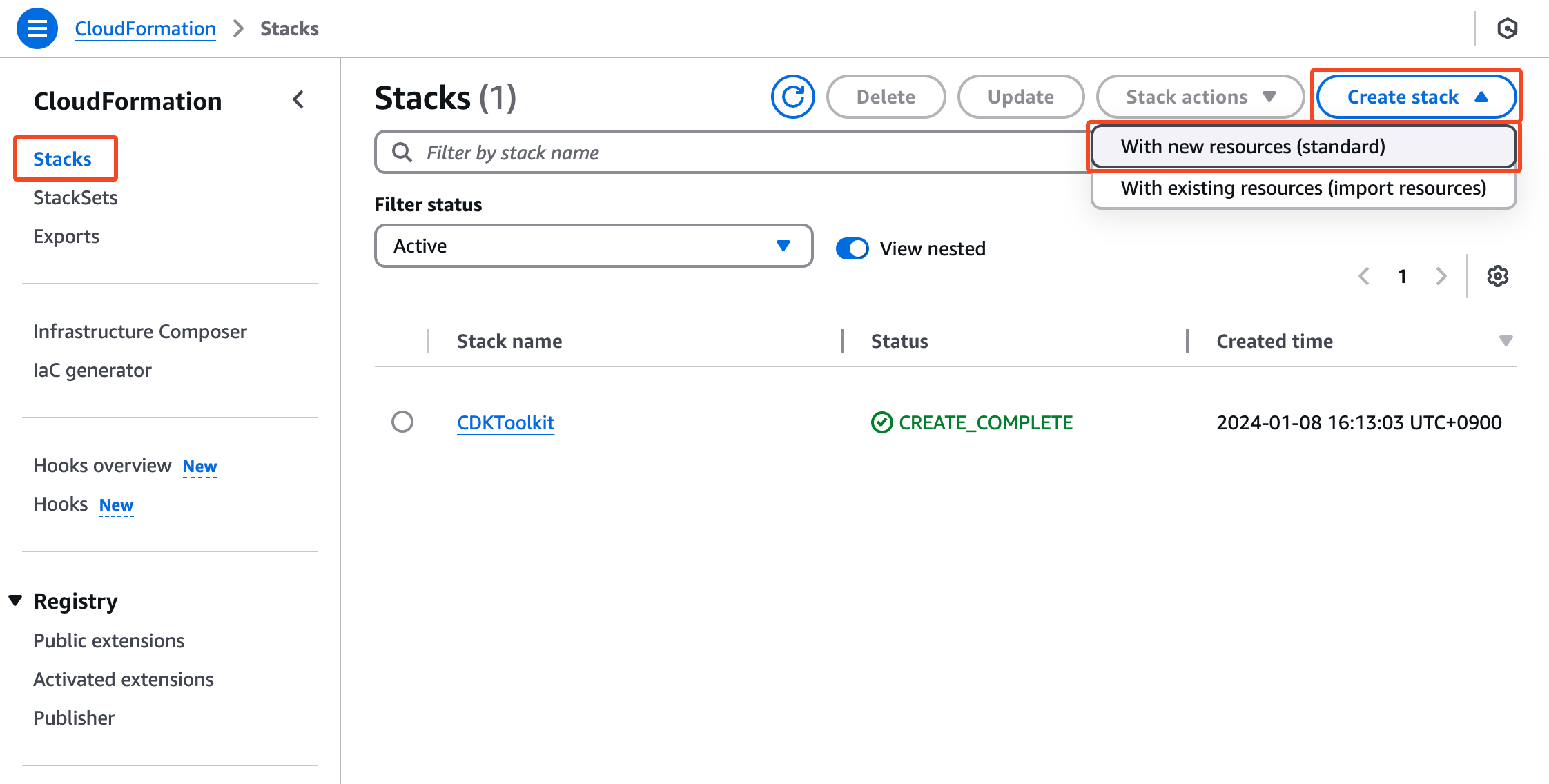
s3-stack.yaml - Tại CloudFormation Console -> Chọn Menu Stack -> Create stack
- Upload file
s3-stack.yamlvà nhấn Next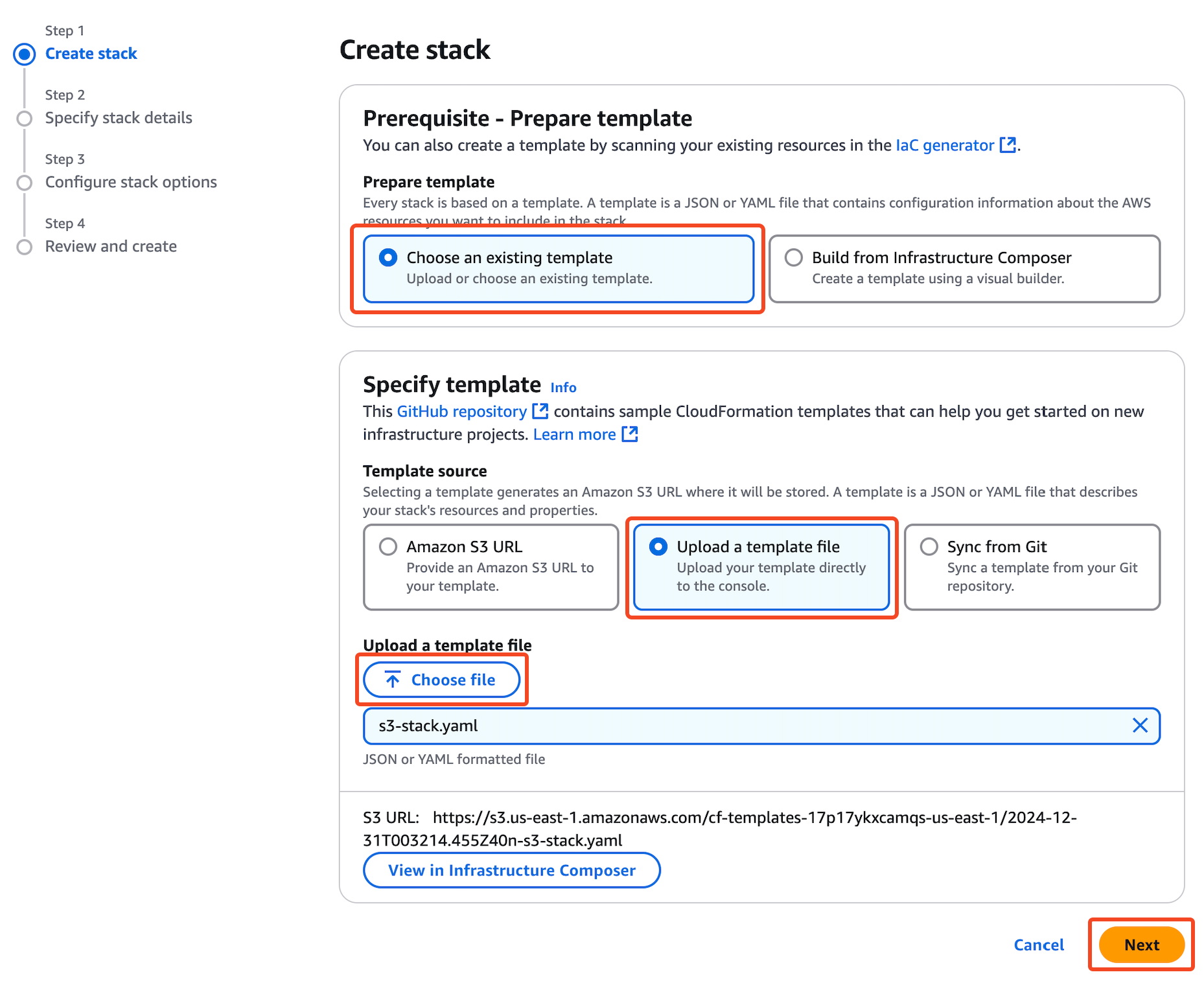
- Nhập tên Stack:
d-cfn-cmp-custom-resource-demo(Chú ý: Stack name không được trùng trong cùng 1 Region).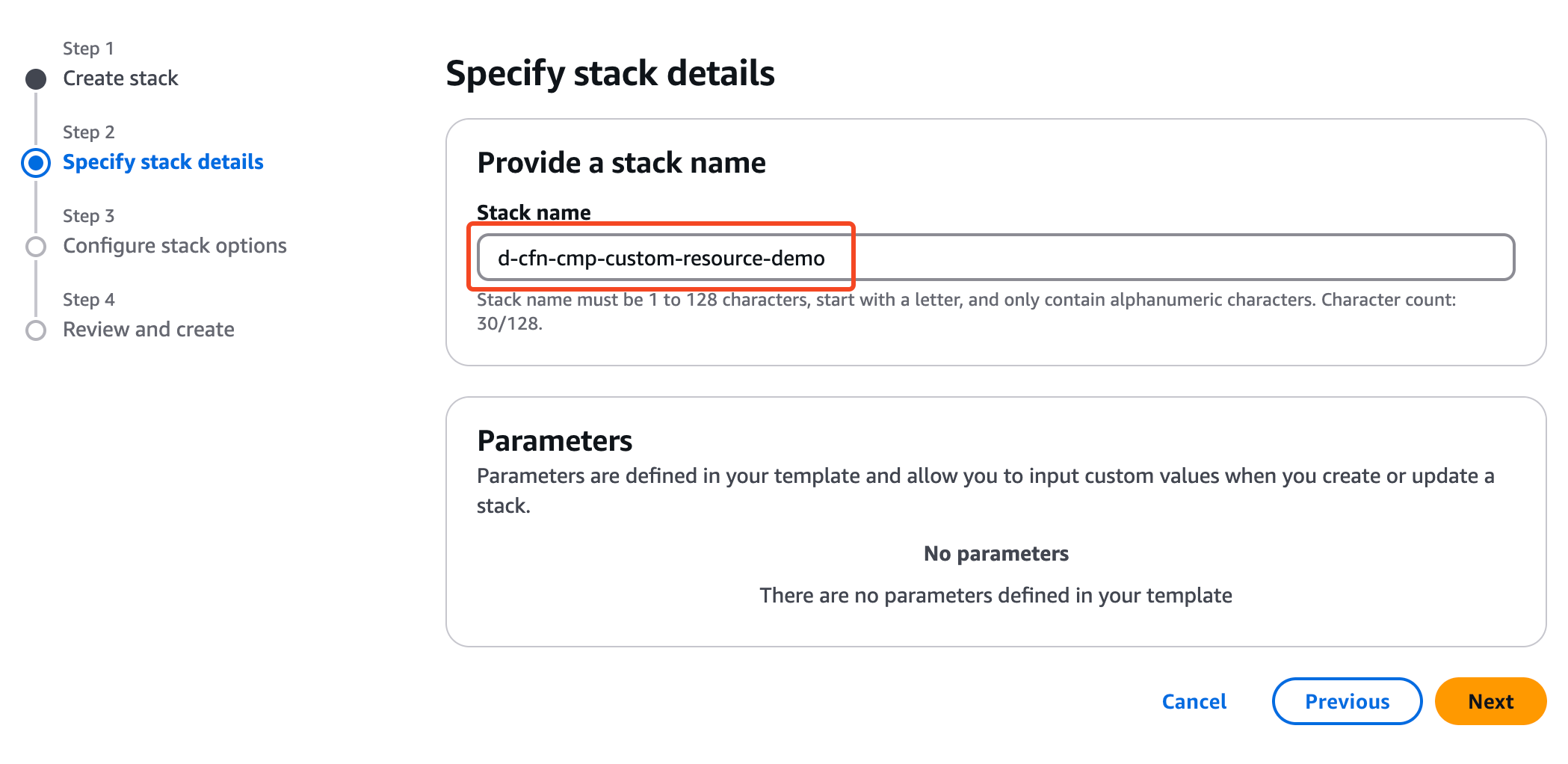
- Next cho đến khi hoàn thành việc tạo Stack
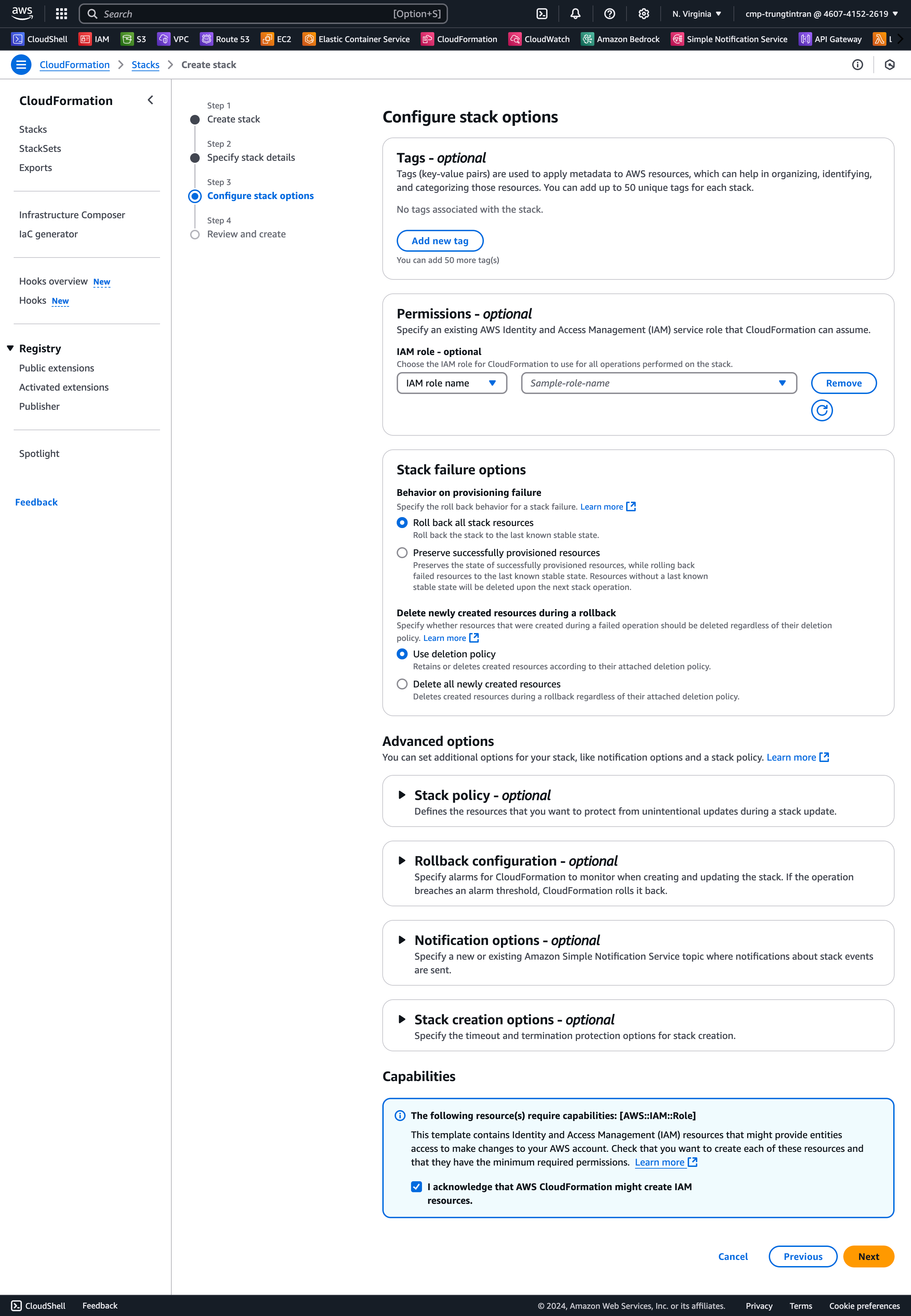
- Chúng ta sẽ đợi cho đến khi Resource được tạo xong.
Sau khi đợi vài phút thì Stack đã tạo thành công!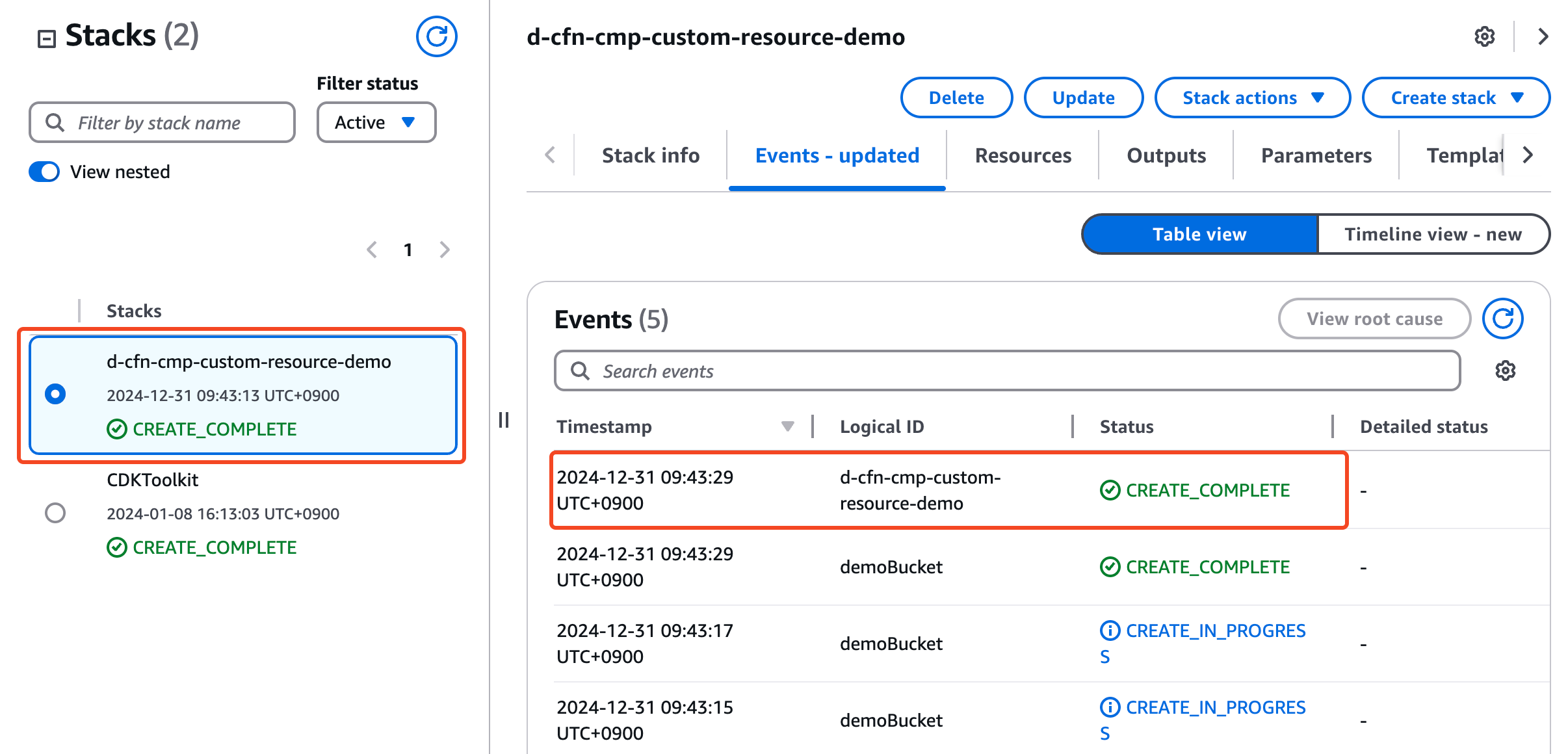
1.3 Upload Objects to S3 Bucket
Sau khi stack được tạo thành công, chúng ta sẽ upload file vào bucket thông qua AWS Console:
- Tại CloudFormation Console -> Chọn Menu Resources -> Click chọn url của S3
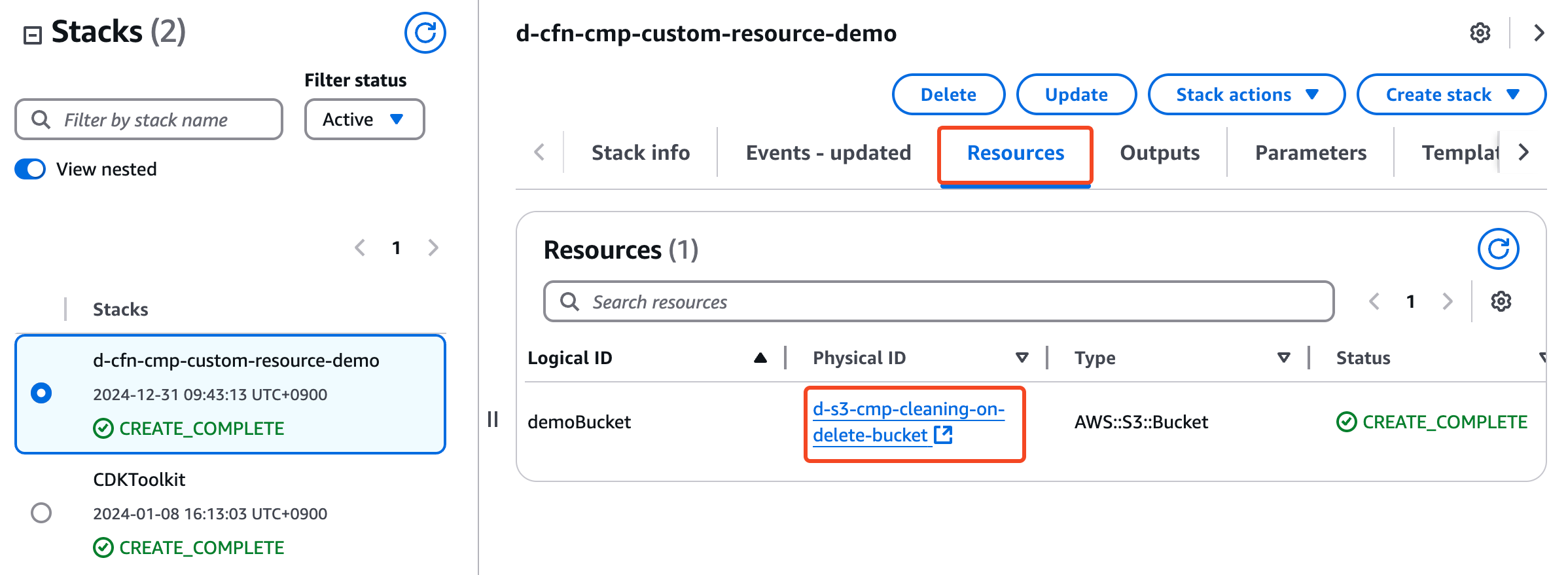
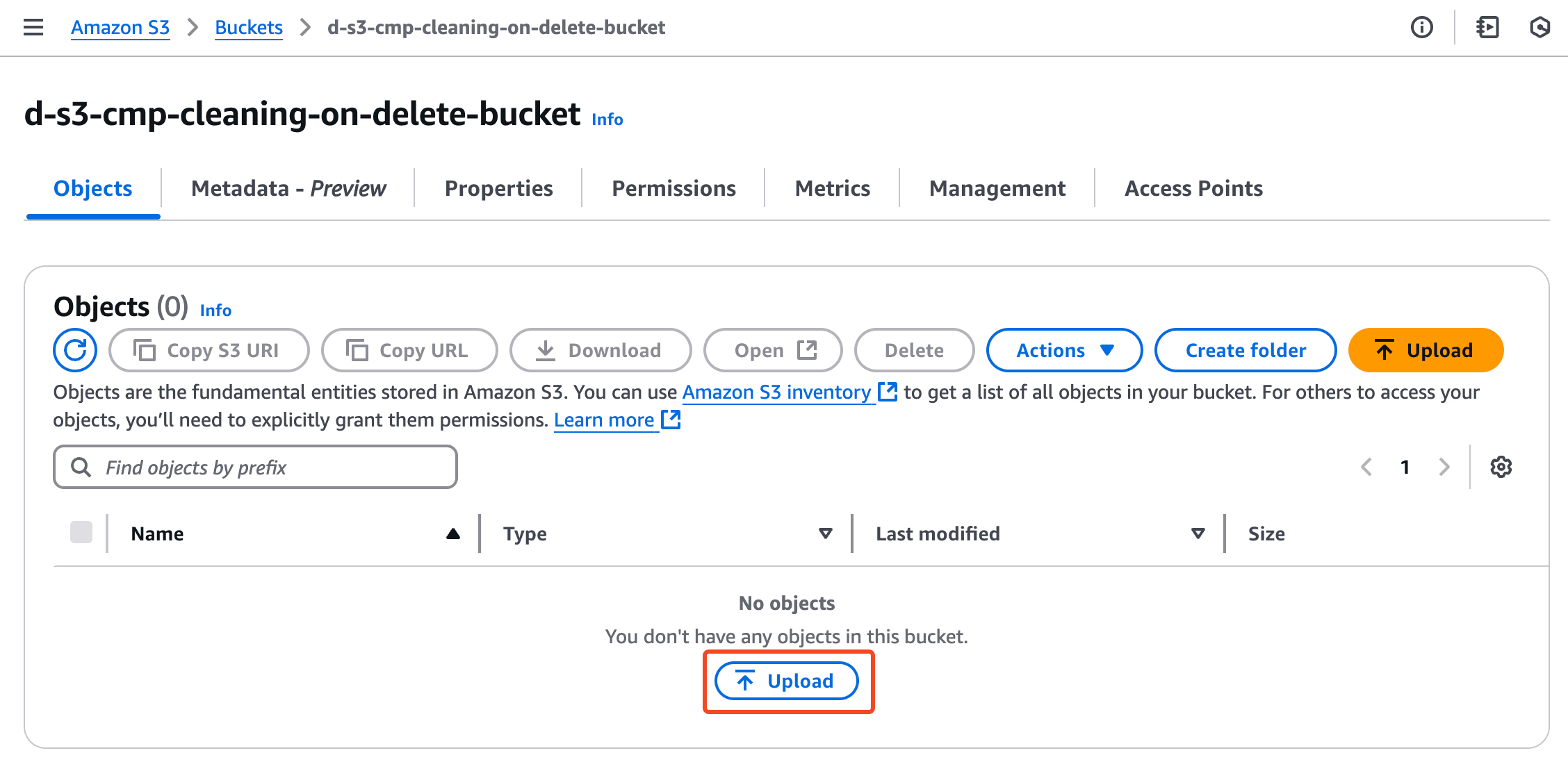
- Tại S3 bucket Console -> Menu Objects -> Click chọn Upload
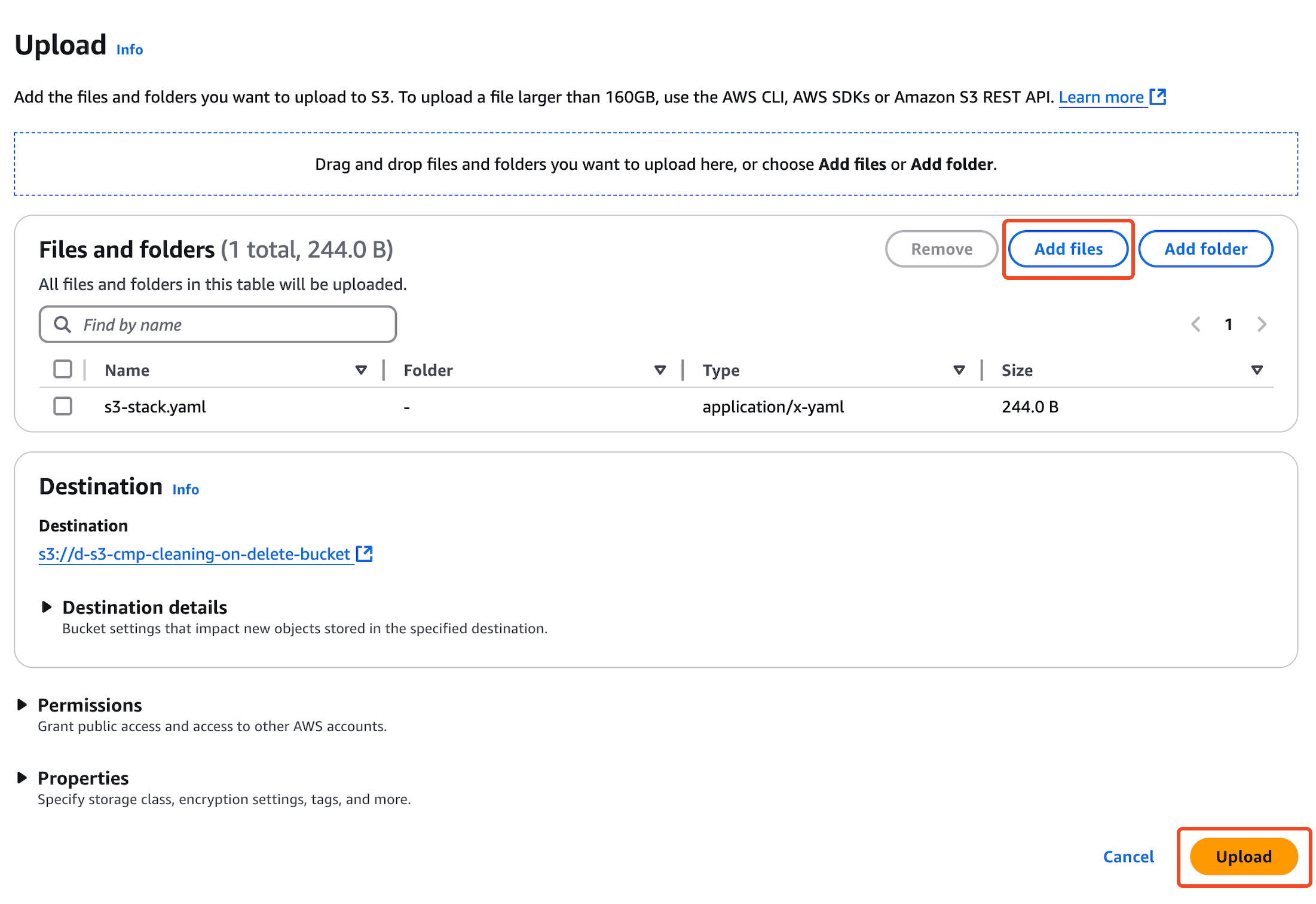
- Add files và nhấn Upload
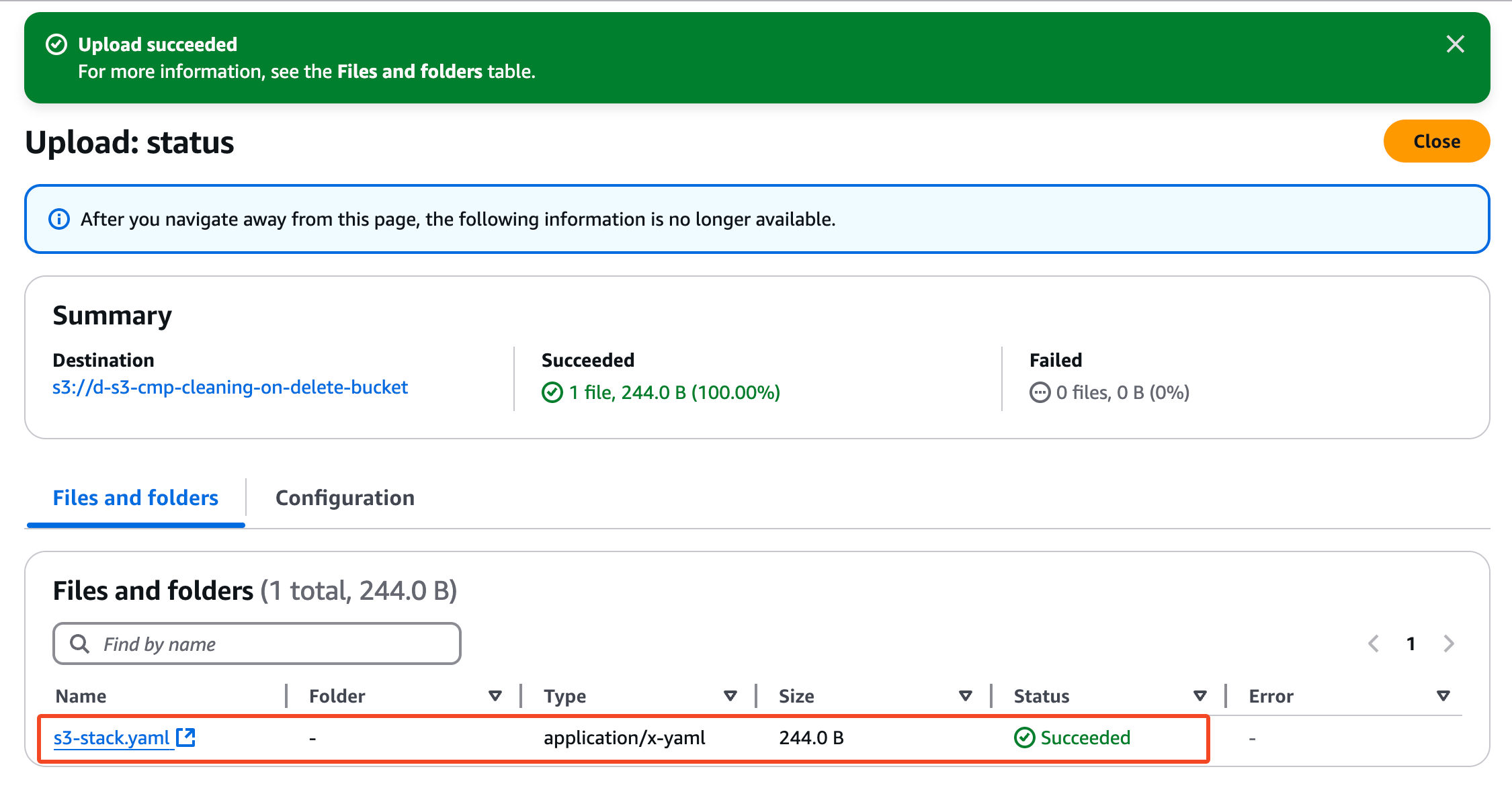
- File đã upload thành công!!
1.4 Delete stack
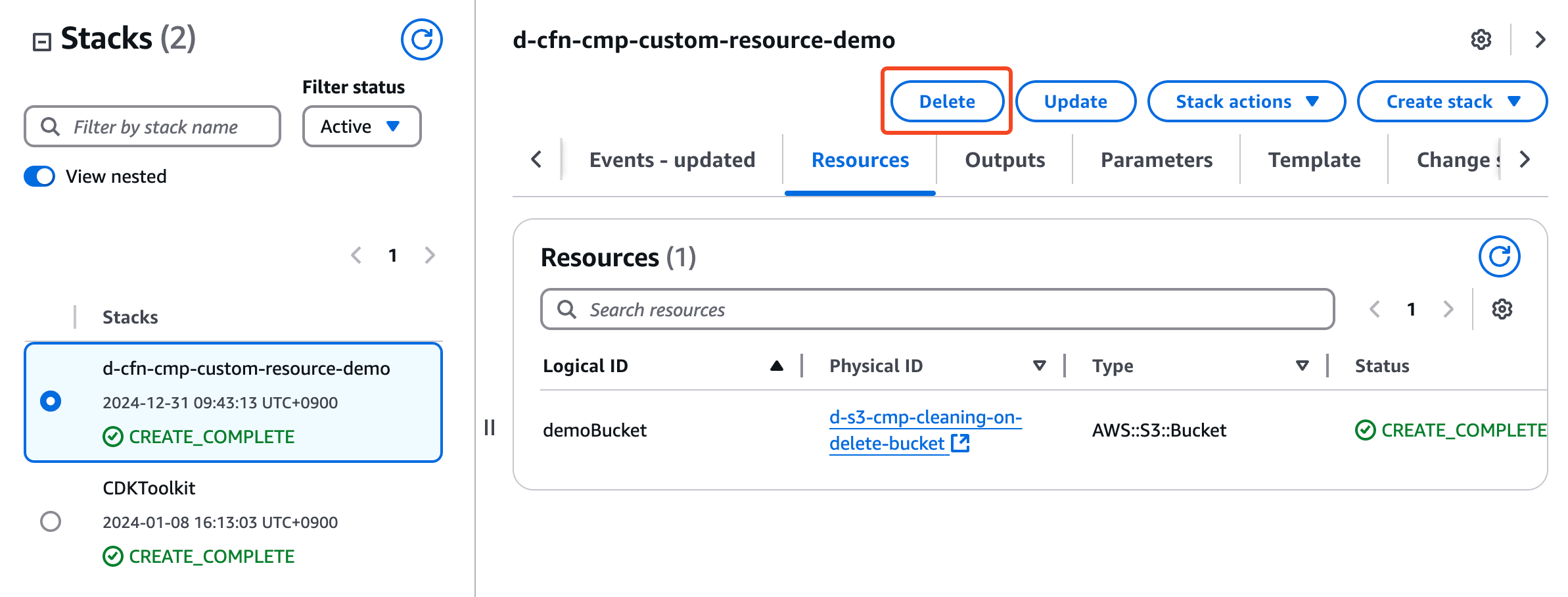
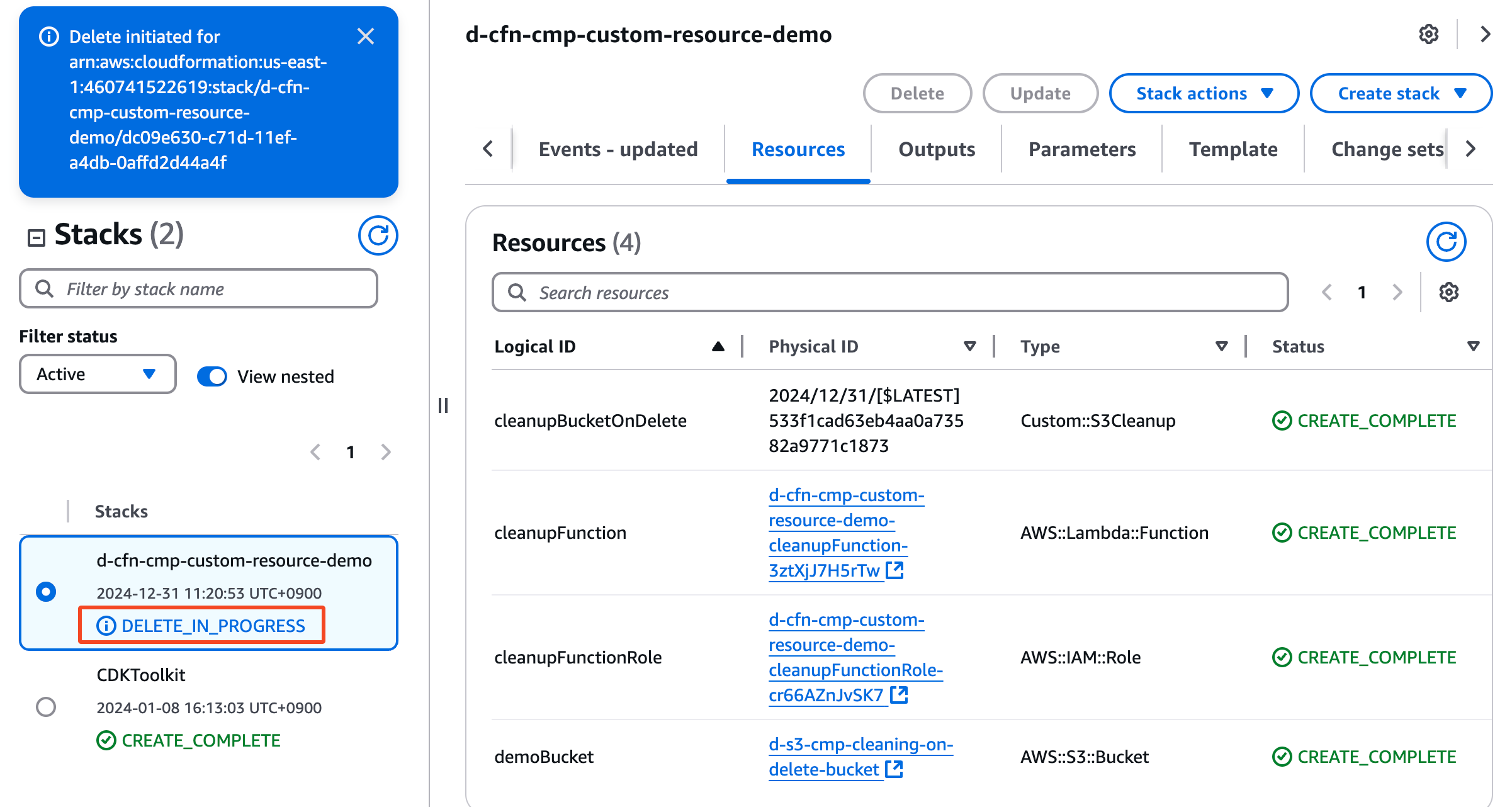
Bây giờ chúng ta sẽ xóa stack để thấy lỗi khi xóa bucket chứa object
Tại CloudFormation Console -> Menu Resources -> Click Delete
Chờ chút xíu để Cloudformation xóa stack
1.5 Verify kết quả
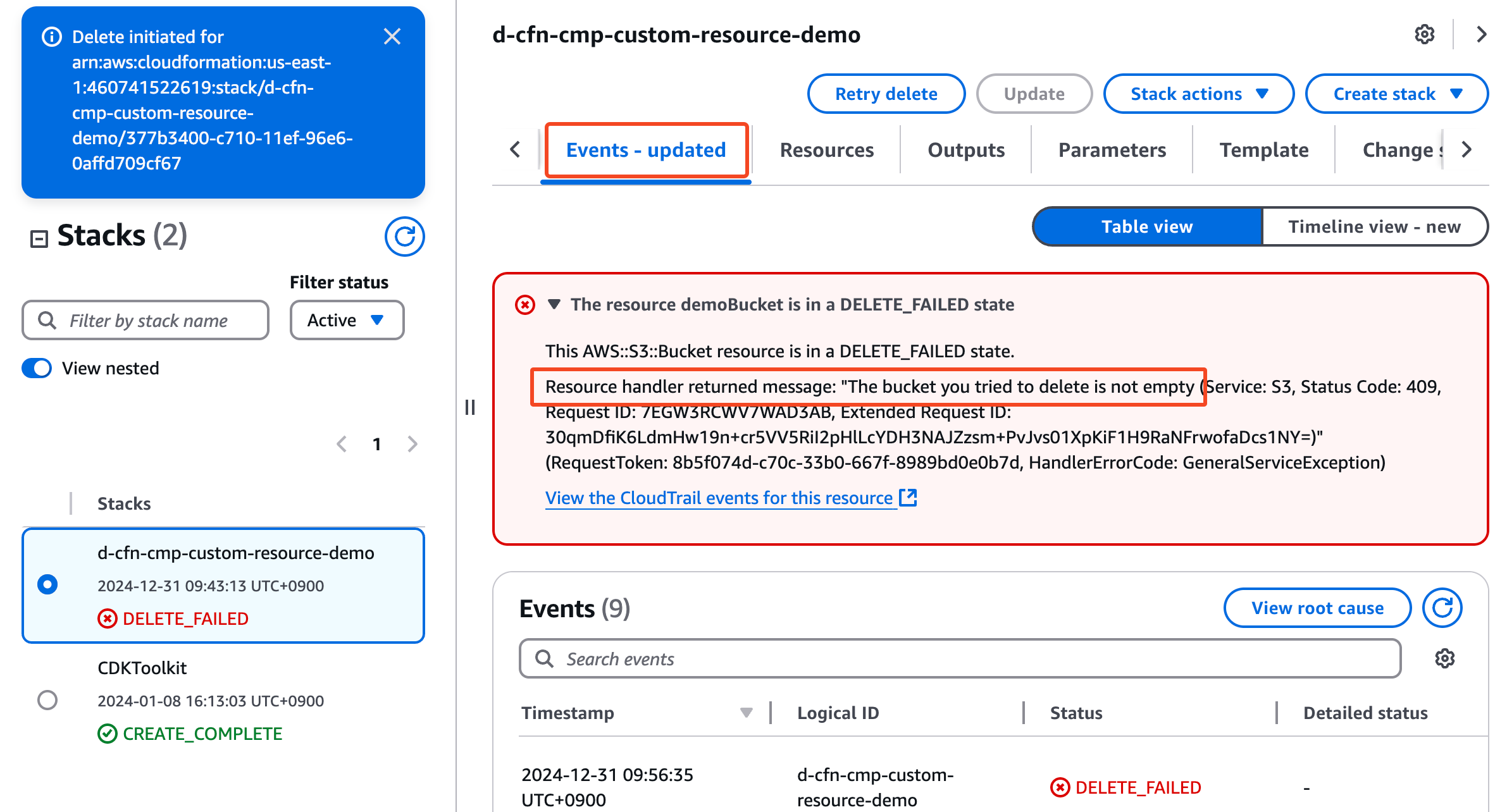
Đúng như dự đoán Cloudformation báo lỗi không xoá được non-empty S3 Bucket
This AWS::S3::Bucket resource is in a DELETE_FAILED state.
Resource handler returned message: "The bucket you tried to delete is not empty
Solution:
- Xóa thủ công từ Amazon S3 Console
- Sử dụng AWS SDK
- Sử dụng Custom Resource
2.Deploy Template CloudFormation With Custom Resource
2.1 Update CloudFormation template With Custom Resource
- CloudFormation Template With Custom Resource
AWSTemplateFormatVersion: '2010-09-09'
Description: 'Demo CloudFormation Custom Resource - safely delete a non-empty S3 Bucket'

Parameters:
  BucketPrefix:
    Type: String
    Default: d-s3-custom
    Description: Prefix for the S3 bucket name. Account ID is appended to keep it globally unique.
    AllowedPattern: '^[a-z0-9][a-z0-9-]{1,47}[a-z0-9]$'

Resources:

  # ---------------------------------------------------------------------------
  # S3 Bucket
  # ---------------------------------------------------------------------------
  demoBucket:
    Type: AWS::S3::Bucket
    # Explicit policies: default for S3 is already Delete, but being explicit
    # documents the intent and prevents surprises if someone copies this template.
    DeletionPolicy: Delete
    UpdateReplacePolicy: Delete
    Properties:
      # Bucket names are GLOBALLY unique -> never hardcode a bare name in a public lab.
      # No Region suffix here, so this stack can only exist in ONE region at a time.
      BucketName: !Sub '${BucketPrefix}-${AWS::AccountId}'
      BucketEncryption:
        ServerSideEncryptionConfiguration:
          - ServerSideEncryptionByDefault:
              SSEAlgorithm: AES256
            BucketKeyEnabled: true
      PublicAccessBlockConfiguration:
        BlockPublicAcls: true
        BlockPublicPolicy: true
        IgnorePublicAcls: true
        RestrictPublicBuckets: true

  # ---------------------------------------------------------------------------
  # IAM Role - least privilege, scoped to THIS bucket only
  # ---------------------------------------------------------------------------
  cleanupFunctionRole:
    Type: AWS::IAM::Role
    Properties:
      AssumeRolePolicyDocument:
        Version: '2012-10-17'
        Statement:
          - Effect: Allow
            Principal:
              Service: lambda.amazonaws.com
            Action: 'sts:AssumeRole'
      Policies:
        - PolicyName: logs-write-only
          PolicyDocument:
            Version: '2012-10-17'
            Statement:
              # CreateLogStream + PutLogEvents only.
              - Effect: Allow
                Action:
                  - 'logs:CreateLogStream'
                  - 'logs:PutLogEvents'
                Resource: !Sub 'arn:${AWS::Partition}:logs:${AWS::Region}:${AWS::AccountId}:log-group:/aws/lambda/*:*'

        - PolicyName: s3-cleanup-scoped
          PolicyDocument:
            Version: '2012-10-17'
            Statement:
              # Bucket-level actions -> bucket ARN (no /*)
              # NOTE: we build the ARN from the PARAMETER, not !GetAtt demoBucket.Arn,
              #       otherwise Role -> Bucket -> ... creates an avoidable dependency chain.
              - Effect: Allow
                Action:
                  - 's3:ListBucket'
                  - 's3:ListBucketVersions'
                Resource: !Sub 'arn:${AWS::Partition}:s3:::${BucketPrefix}-${AWS::AccountId}'
              # Object-level actions -> object ARN (with /*)
              - Effect: Allow
                Action:
                  - 's3:DeleteObject'
                  - 's3:DeleteObjectVersion'
                Resource: !Sub 'arn:${AWS::Partition}:s3:::${BucketPrefix}-${AWS::AccountId}/*'

  # ---------------------------------------------------------------------------
  # Lambda function
  # ---------------------------------------------------------------------------
  cleanupFunction:
    Type: AWS::Lambda::Function
    Properties:
      Description: Empties an S3 bucket when the CloudFormation custom resource is deleted
      Handler: 'index.lambda_handler'
      Role: !GetAtt cleanupFunctionRole.Arn
      Runtime: 'python3.13'
      Timeout: 300
      MemorySize: 256
      Code:
        # cfnresponse is injected by CloudFormation ONLY when using inline ZipFile code.
        # If you move this code to S3 or a container image, you must vendor it yourself.
        ZipFile: |
          import json
          import signal
          import boto3
          import cfnresponse

          s3 = boto3.client('s3')

          # Stop this many seconds before the Lambda timeout so we can still answer CFN
          SAFETY_MARGIN_SEC = 20


          class NearTimeout(Exception):
              pass


          def _raise_near_timeout(signum, frame):
              raise NearTimeout('Lambda is about to time out - failing fast')


          def lambda_handler(event, context):
              print(f"Event received: {json.dumps(event)}")

              bucket_name = event.get('ResourceProperties', {}).get('BucketName', '')

              # Keep the physical ID STABLE and derived from the bucket.
              # If this value ever changes on Update, CFN treats it as a replacement and
              # sends a Delete for the OLD id -> it would wipe the bucket mid-update.
              physical_id = event.get('PhysicalResourceId') or f"s3cleanup-{bucket_name}"

              # Timer so we always send a response instead of dying silently (AWS best practice)
              remaining_sec = int(context.get_remaining_time_in_millis() / 1000)
              signal.signal(signal.SIGALRM, _raise_near_timeout)
              signal.alarm(max(remaining_sec - SAFETY_MARGIN_SEC, 1))

              try:
                  if event['RequestType'] == 'Delete':
                      deleted = empty_bucket(bucket_name)
                      cfnresponse.send(event, context, cfnresponse.SUCCESS,
                                       {'DeletedObjects': deleted}, physical_id)
                  else:
                      # Create / Update: nothing to do, just acknowledge immediately
                      cfnresponse.send(event, context, cfnresponse.SUCCESS, {}, physical_id)

              except Exception as e:
                  print(f"ERROR: {type(e).__name__}: {e}")
                  # ALWAYS answer CloudFormation. An unreported exception makes the stack
                  # wait for the 1h timeout, then wait AGAIN during rollback.
                  cfnresponse.send(event, context, cfnresponse.FAILED,
                                   {'Error': str(e)[:900]}, physical_id)
              finally:
                  signal.alarm(0)


          def empty_bucket(bucket_name):
              """Delete every object version AND delete marker. Idempotent."""
              total = 0
              try:
                  paginator = s3.get_paginator('list_object_versions')
                  for page in paginator.paginate(Bucket=bucket_name):
                      # list_object_versions also works on non-versioned buckets
                      # (VersionId is simply "null"), so one code path covers both.
                      keys = [
                          {'Key': o['Key'], 'VersionId': o['VersionId']}
                          for o in page.get('Versions', []) + page.get('DeleteMarkers', [])
                      ]
                      if not keys:
                          continue

                      # delete_objects accepts max 1000 keys per call - the paginator
                      # already caps each page at 1000.
                      resp = s3.delete_objects(
                          Bucket=bucket_name,
                          Delete={'Objects': keys, 'Quiet': True}
                      )

                      # CRITICAL: delete_objects returns HTTP 200 even for partial failures.
                      # Without this check we would report SUCCESS and the bucket delete
                      # would fail anyway - much harder to debug.
                      errors = resp.get('Errors', [])
                      if errors:
                          raise RuntimeError(f"Failed to delete {len(errors)} objects: {errors[:3]}")

                      total += len(keys)
                      print(f"Deleted {len(keys)} object versions (running total: {total})")

              except s3.exceptions.NoSuchBucket:
                  # Idempotency: a retried Delete on an already-gone bucket must succeed
                  print(f"Bucket {bucket_name} no longer exists - nothing to clean up")

              return total

  # ---------------------------------------------------------------------------
  # Log group - declared explicitly so it has retention AND is removed with the stack
  # ---------------------------------------------------------------------------
  cleanupFunctionLogGroup:
    Type: AWS::Logs::LogGroup
    DeletionPolicy: Delete
    Properties:
      LogGroupName: !Sub '/aws/lambda/${cleanupFunction}'
      RetentionInDays: 1

  # ---------------------------------------------------------------------------
  # Custom Resource
  # ---------------------------------------------------------------------------
  cleanupS3BucketOnDelete:
    Type: Custom::S3BucketCleanup
    # DependsOn drives the DELETE order (reverse of create order):
    #   create : demoBucket + logGroup  ->  cleanupS3BucketOnDelete
    #   delete : cleanupS3BucketOnDelete (empties bucket) -> demoBucket
    DependsOn:
      - demoBucket
      - cleanupFunctionLogGroup
    Properties:
      # ServiceToken creates an implicit dependency on cleanupFunction, so the Lambda
      # is guaranteed to still exist when the Delete event fires. Never reverse this.
      ServiceToken: !GetAtt cleanupFunction.Arn
      BucketName: !Ref demoBucket

Outputs:
  BucketName:
    Description: Name of the demo bucket
    Value: !Ref demoBucket

  BucketArn:
    Description: ARN of the demo bucket
    Value: !GetAtt demoBucket.Arn

  CleanupFunctionName:
    Description: Lambda function backing the custom resource
    Value: !Ref cleanupFunction

  LogGroupName:
    Description: Where to look when the custom resource misbehaves
    Value: !Ref cleanupFunctionLogGroup
- Mô tả các resource được tạo
- S3 Bucket (
demoBucket):- Bucket Name:
${BucketPrefix}-${AWS::AccountId} - Bật SSE-S3 encryption và Block Public Access
- Bucket Name:
- IAM Role (
cleanupFunctionRole):- Role cho Lambda function
logs-write-only: chỉCreateLogStream+PutLogEvents.s3-cleanup-scoped: quyền list/delete giới hạn đúng bucket này
- Lambda Function (
cleanupFunction):- Runtime: Python 3.13
- Timeout: 5 phút
- Memory: 128MB
- Code xử lý:
- Nhận event từ CloudFormation, phân nhánh theo
RequestType - Create/Update: không làm gì, trả SUCCESS ngay
- Delete: list toàn bộ object versions + delete markers trong bucket → xoá theo batch 1000 → trả SUCCESS kèm số object đã xoá
- Mọi nhánh lỗi đều gửi FAILED về CloudFormation, không để stack treo chờ timeout
- Nhận event từ CloudFormation, phân nhánh theo
- CloudWatch Log Group (
cleanupFunctionLogGroup):- Chứa log của lambda
- Có retention và bị xoá cùng stack
- Custom Resources (
cleanupS3BucketOnDelete):
- Không tạo tài nguyên nào, chỉ chèn logic vào vòng đời stack
- Khi Create/Update stack: CloudFormation gọi Lambda với
RequestType: Create/Update→ Lambda trả SUCCESS ngay → stack tiếp tục - Khi delete stack: CloudFormation gọi Lambda với
RequestType: Delete→ Lambda dọn sạch objects trong bucket → trả SUCCESS → CloudFormation mới xoá bucket DependsOn: demoBucketgiúp đảm bảo thứ tự trên
2.2 Deploy CloudFormation Template With Custom Resource
- Copy Template phía trên và lưu lại với tên
s3-custom-resource-stack.yaml - Tại CloudFormation Console -> Chọn Menu Stack -> Create stack
- Upload file
s3-custom-resource-stack.yamlvà nhấn Next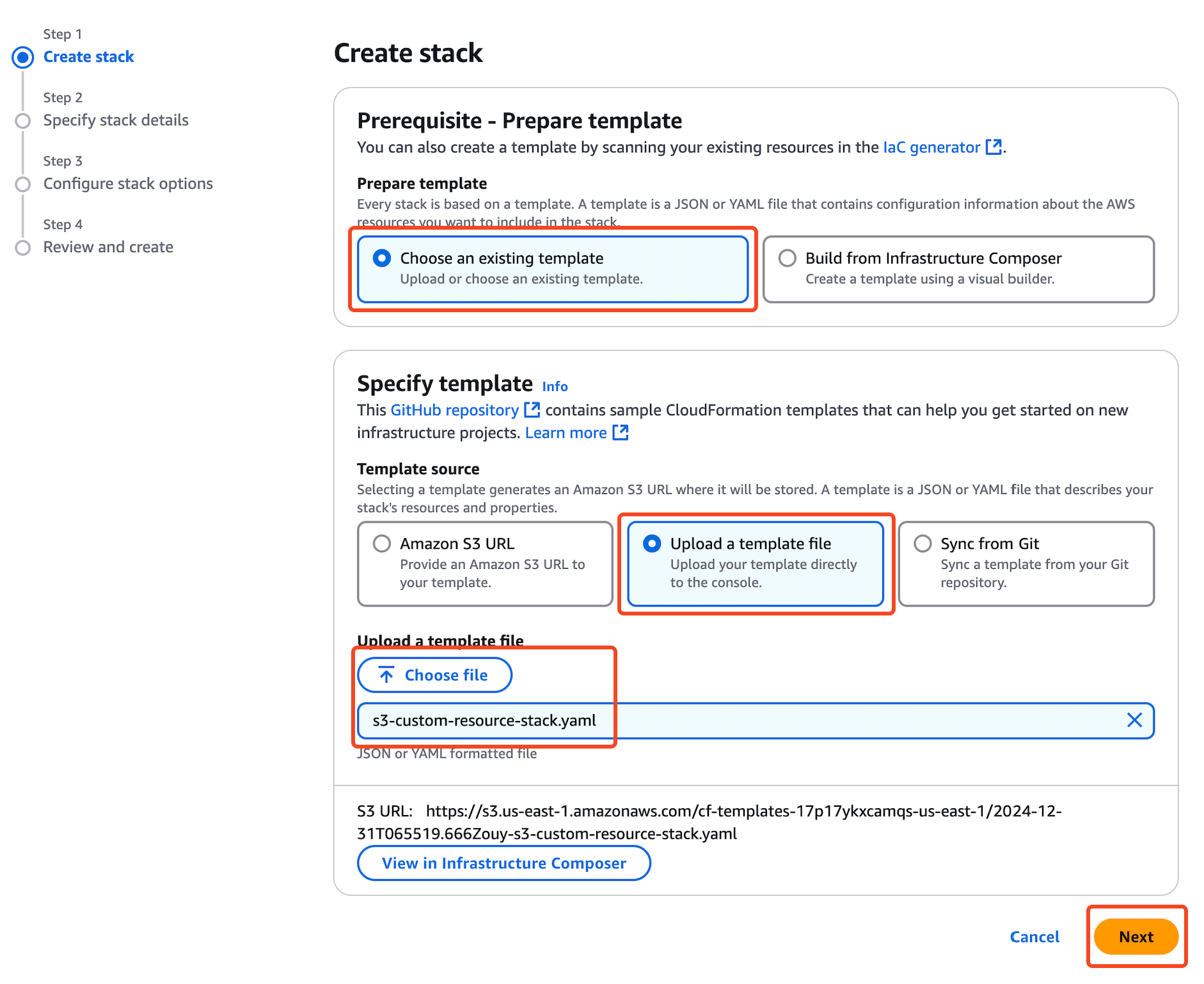
- Nhập tên Stack:
d-cfn-cmp-custom-resource-demo(Chú ý: Stack name không được trùng trong cùng 1 Region).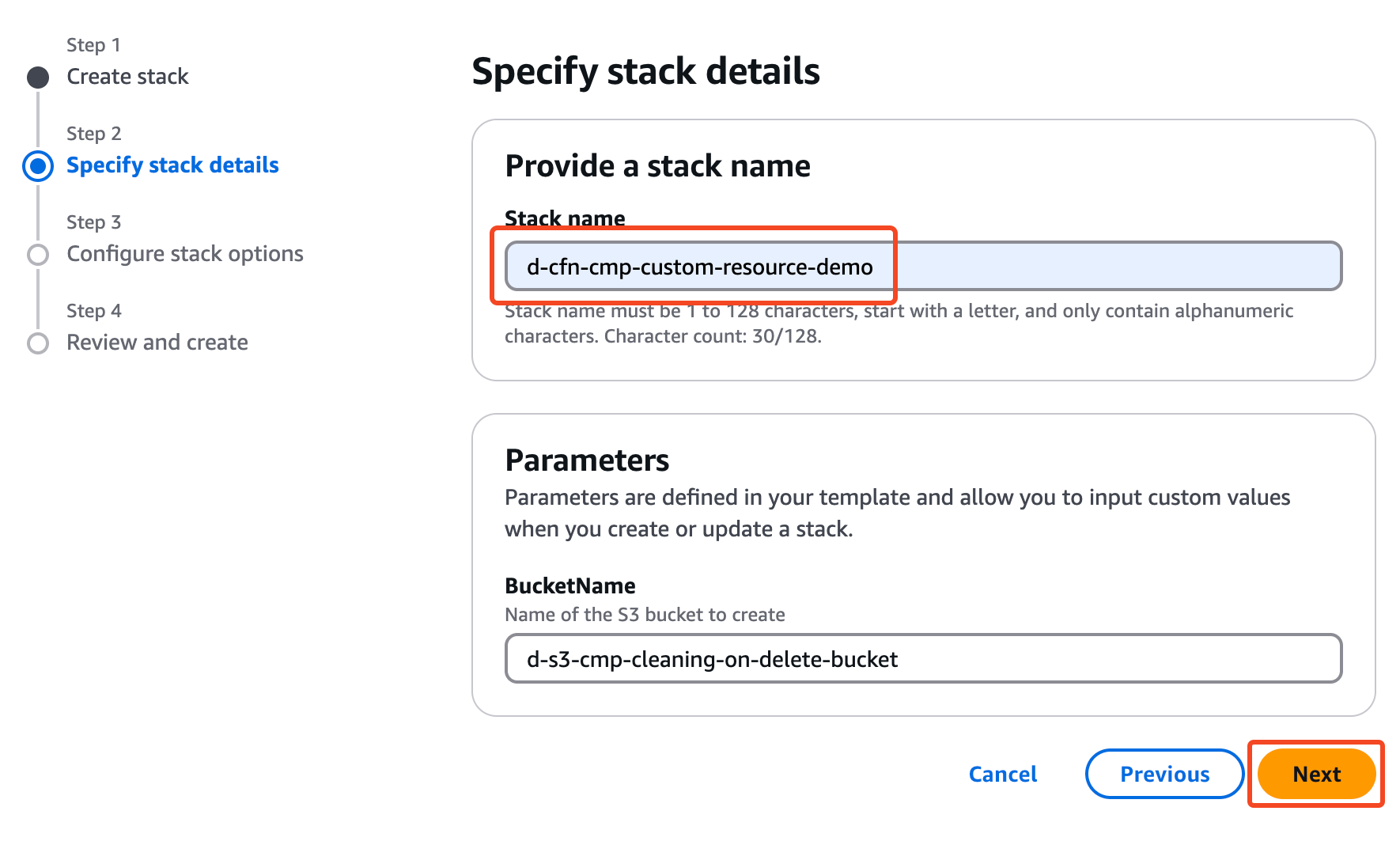
- Next cho đến khi hoàn thành việc tạo Stack
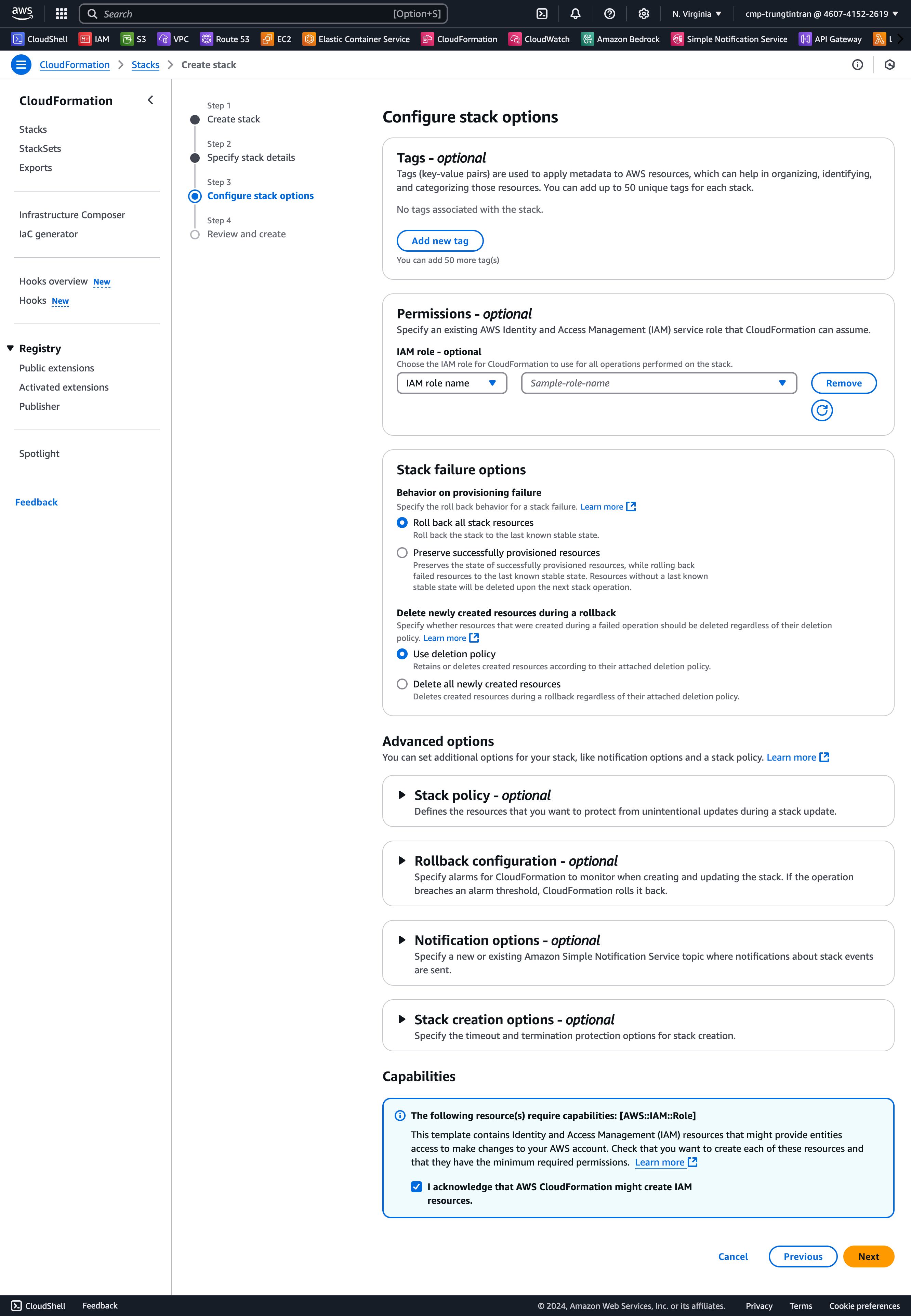
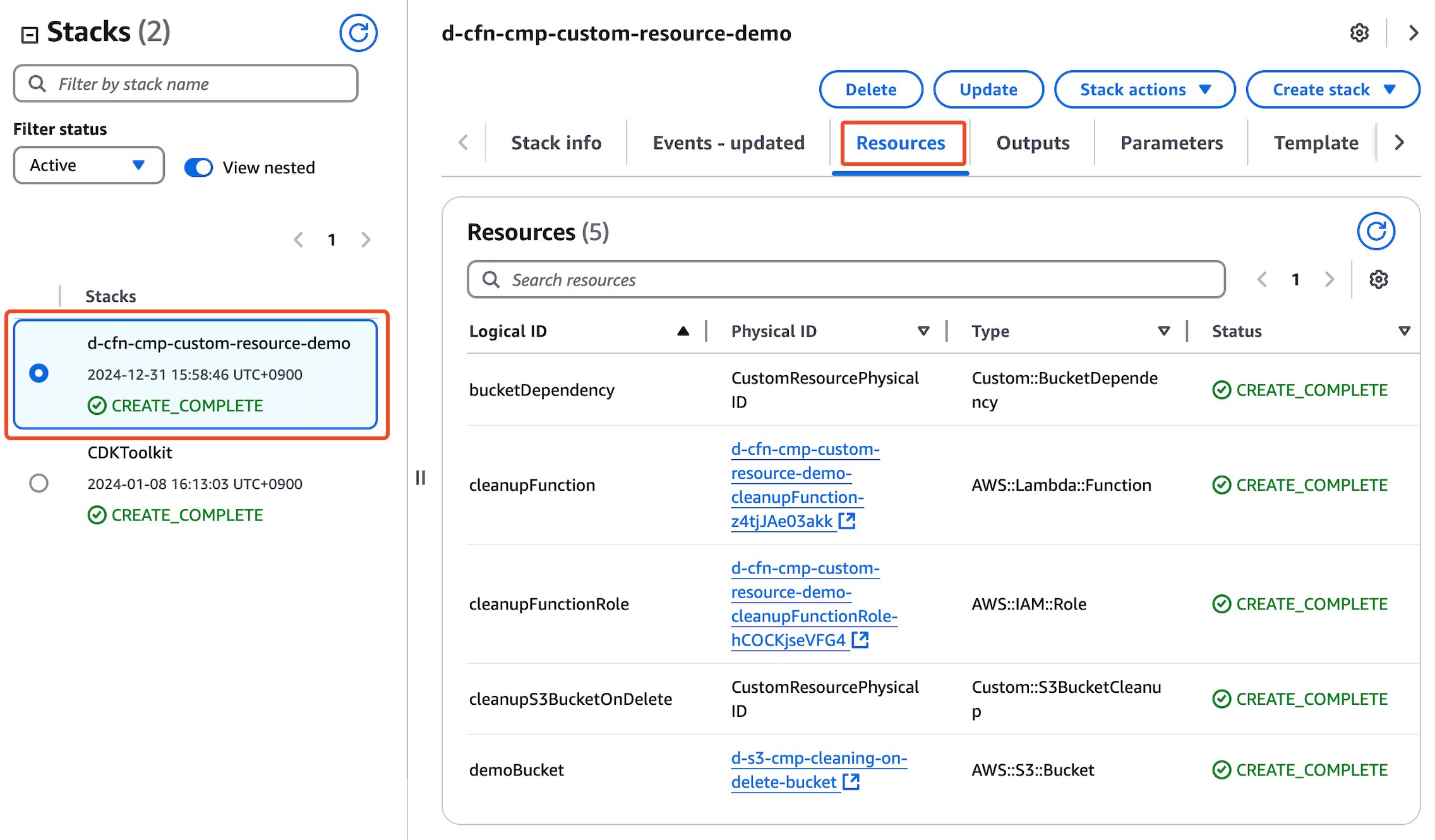
- Chúng ta sẽ đợi cho đến khi Resource được tạo xong.
Sau khi đợi vài phút thì Stack đã tạo thành công!
2.3 Upload Objects to S3 Bucket
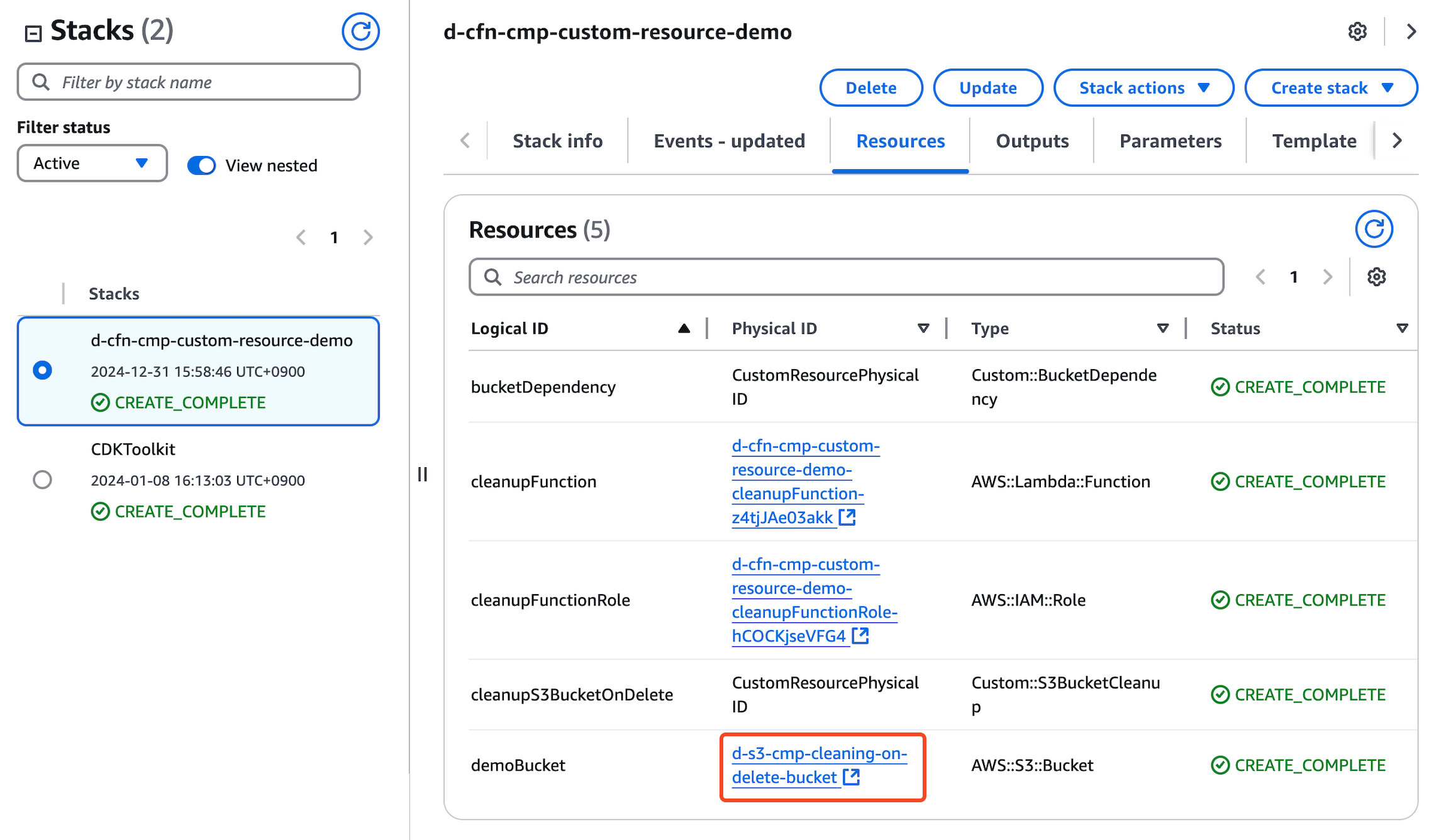
Sau khi stack được tạo thành công, chúng ta sẽ upload file vào bucket thông qua AWS Console:
- Tại CloudFormation Console -> Chọn Menu Resources -> Click chọn url của S3
- Tại S3 bucket Console -> Menu Objects -> Click chọn Upload
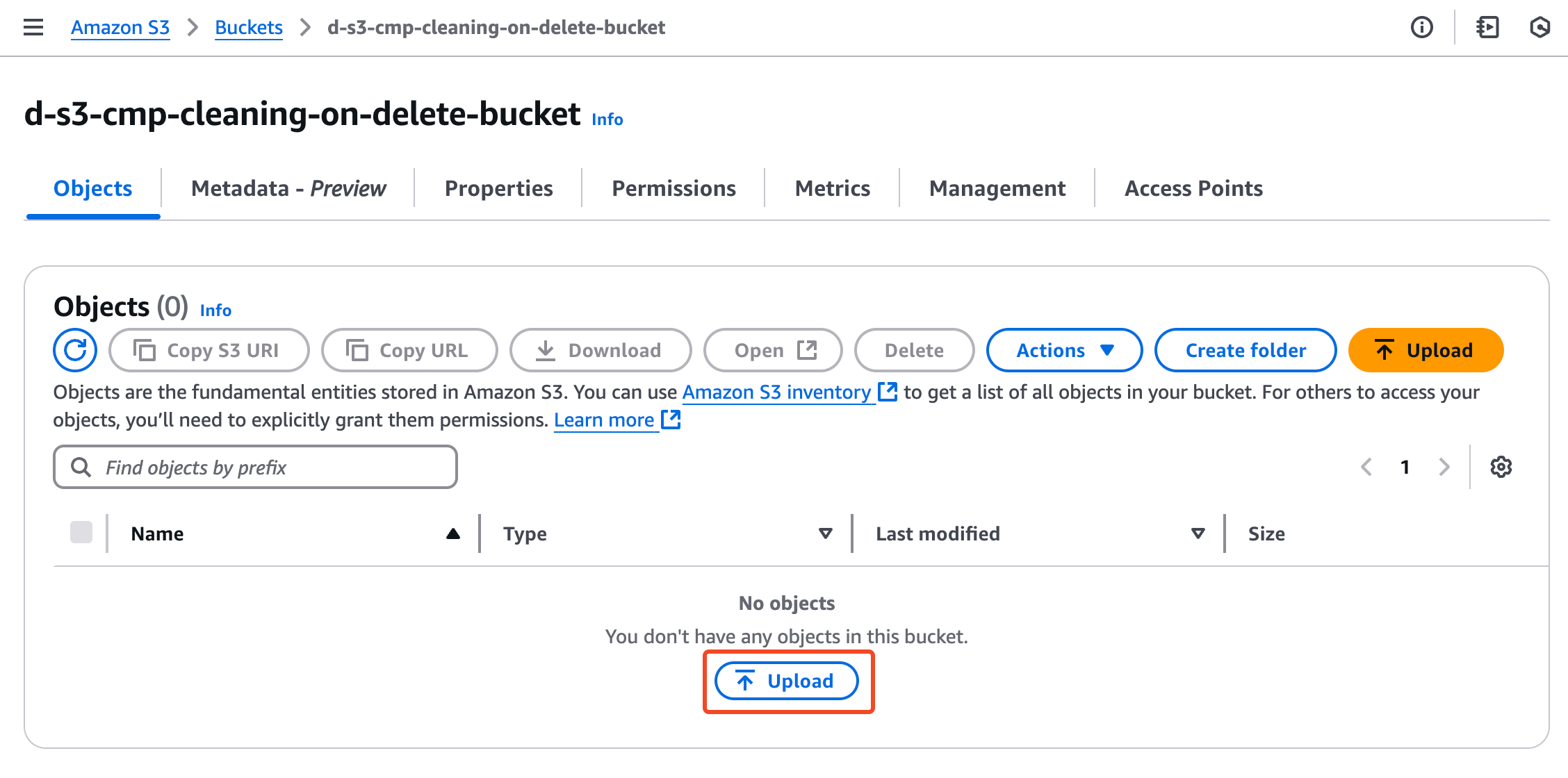
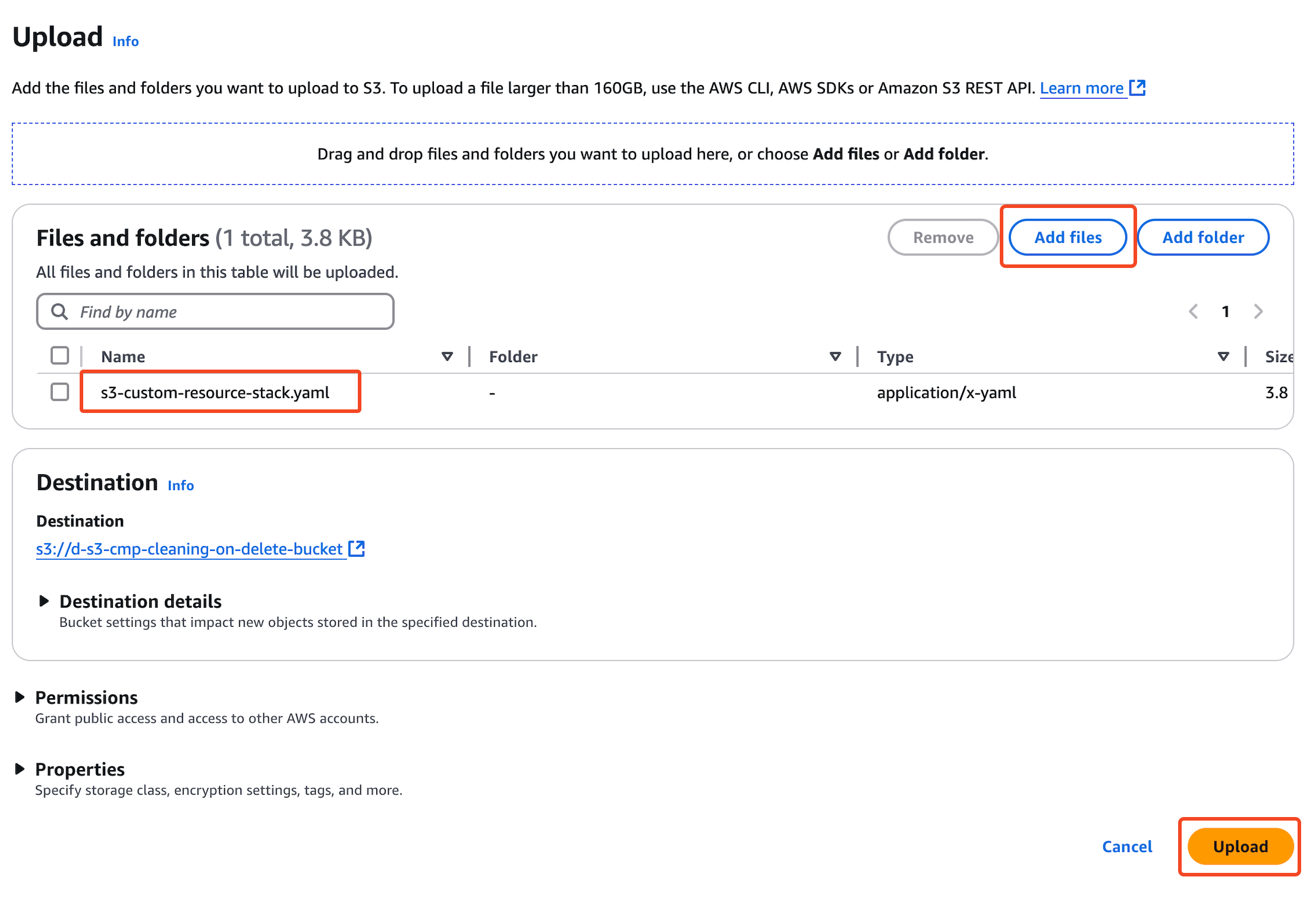
- Add files và nhấn Upload
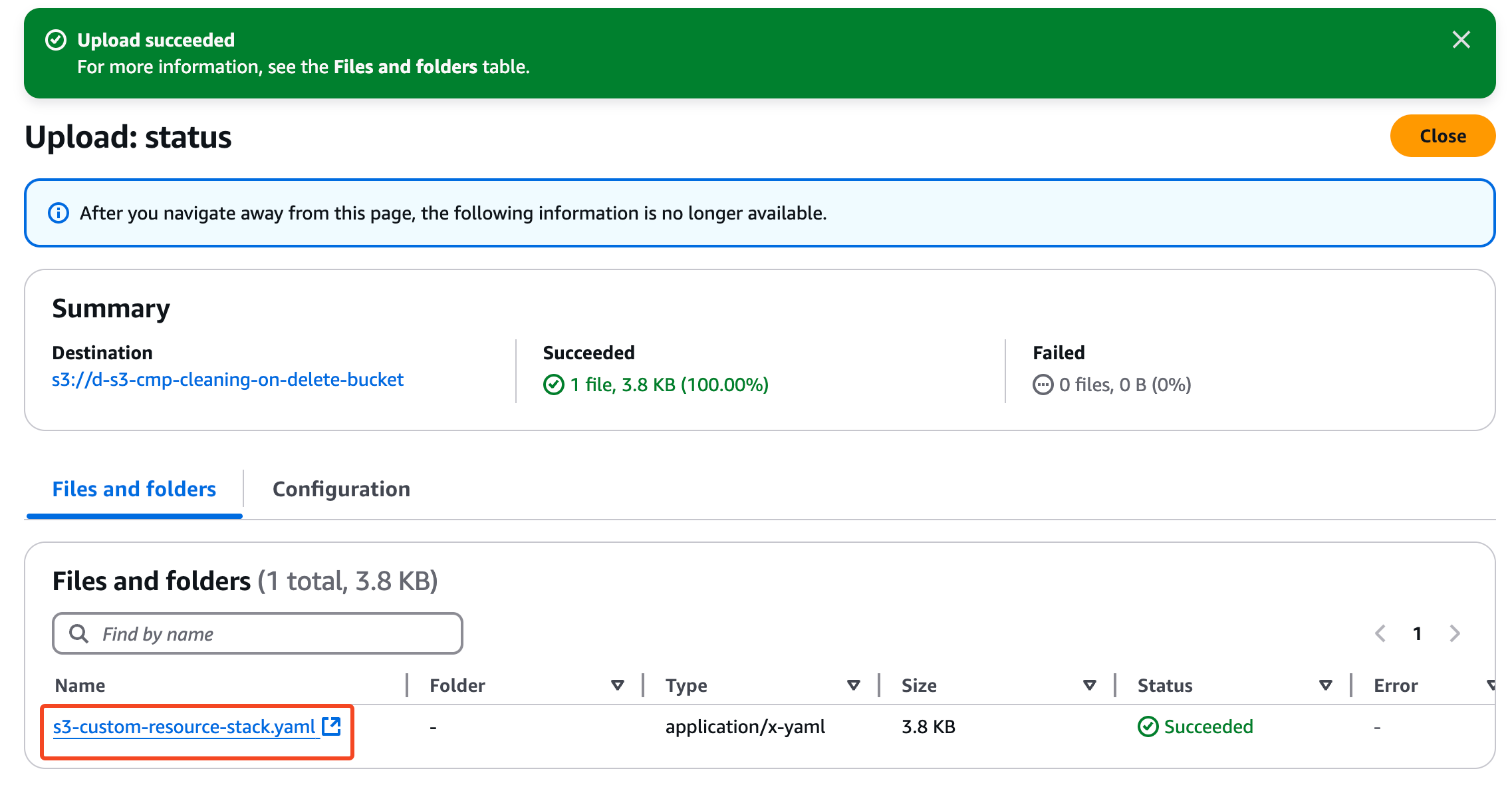
- File đã upload thành công!!
2.4 Delete Custom Resource stack
Bây giờ chúng ta sẽ xóa stack để xem còn bị lỗi khi xóa non-empty bucket nữa không nha!
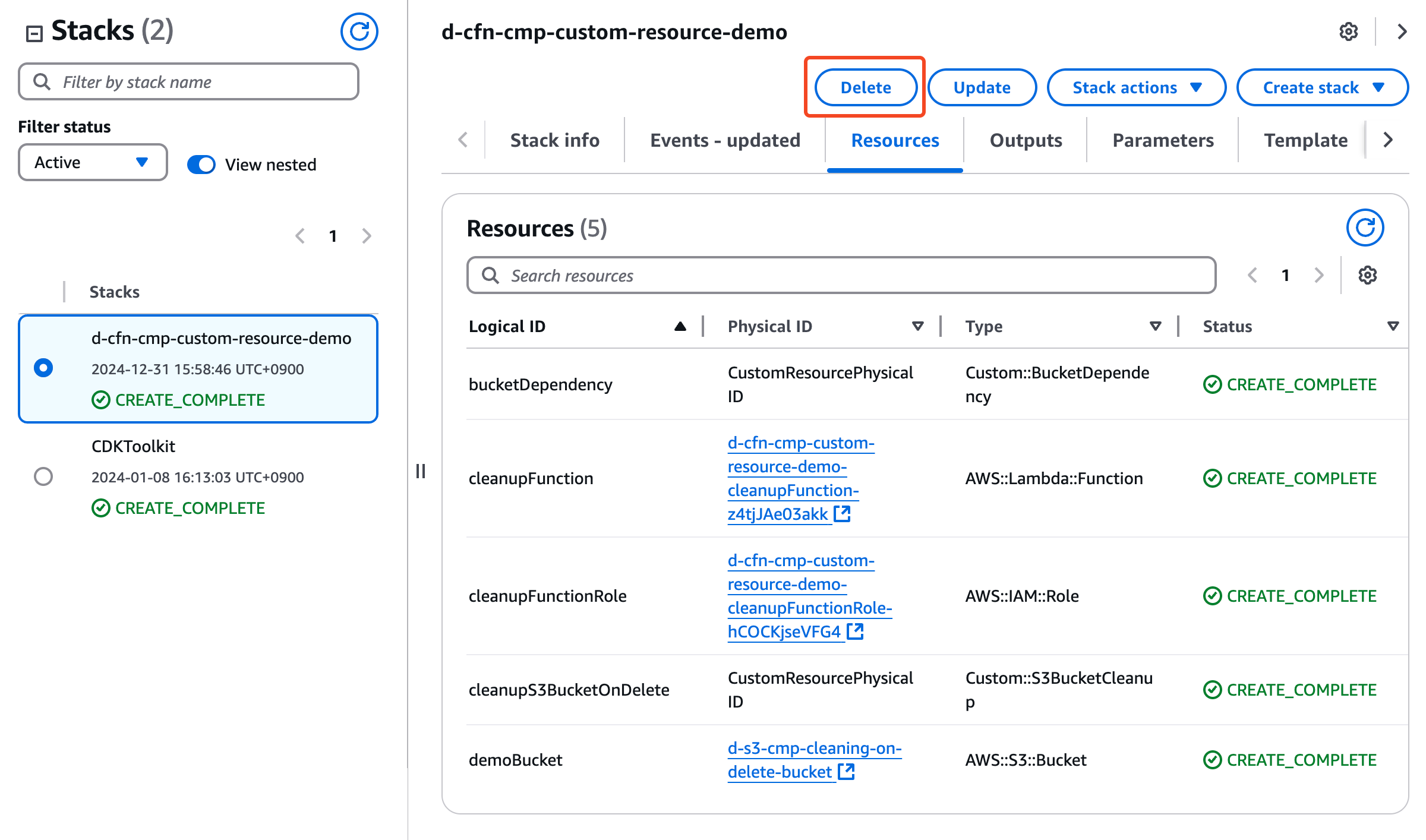
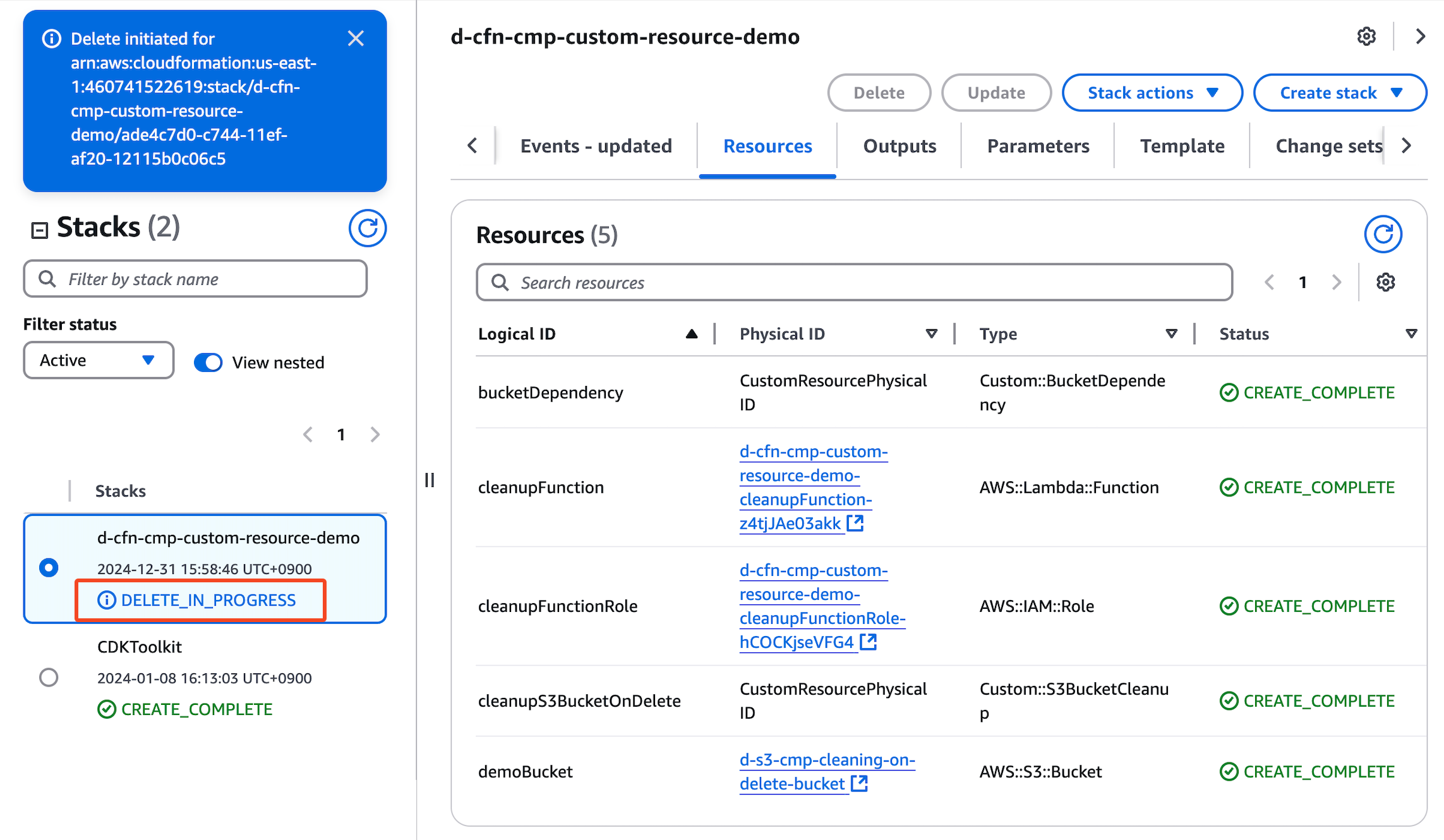
Tại CloudFormation Console -> Menu Resources -> Click Delete
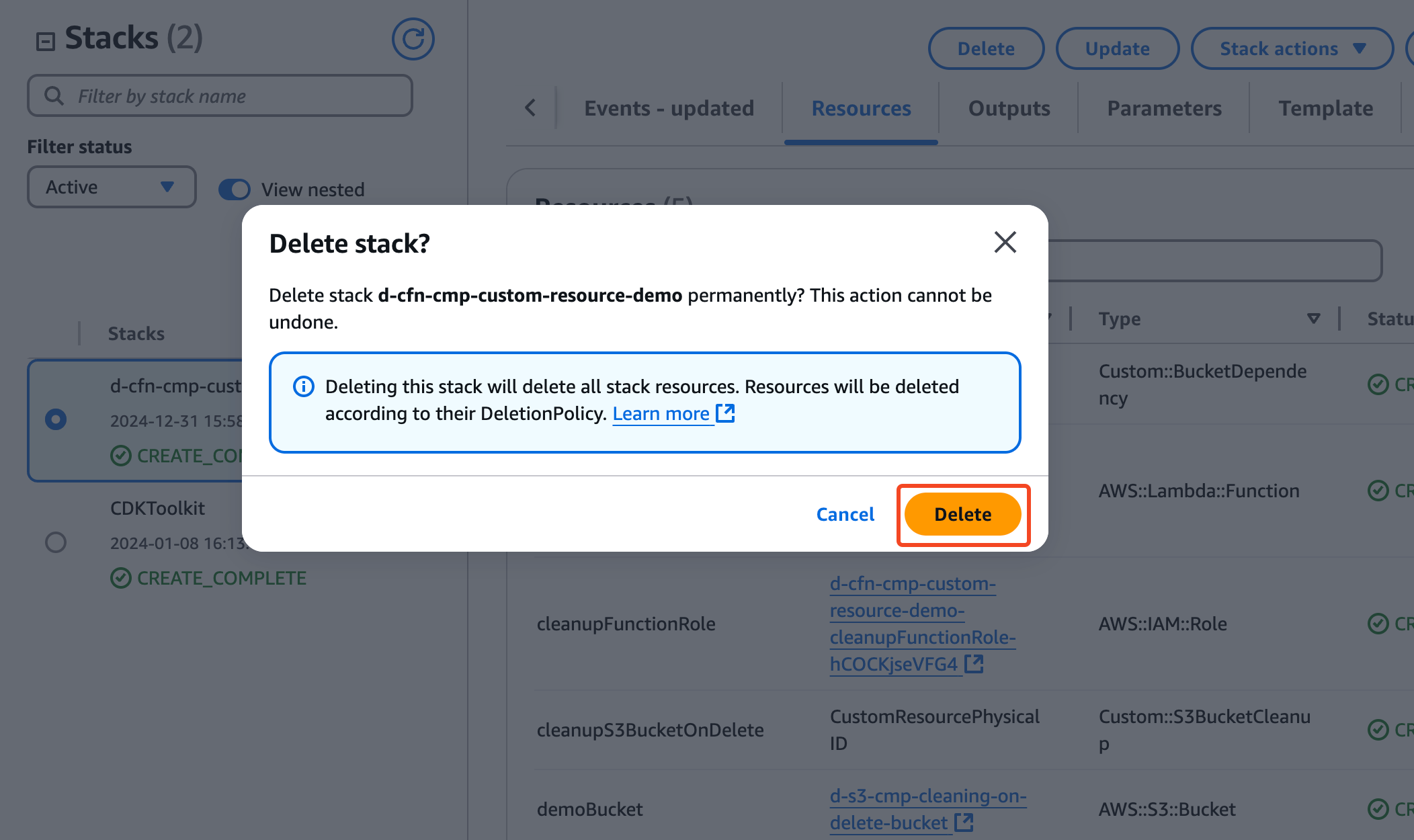
Pop-up confirm: Chọn Delete
Chờ chút xíu để Cloudformation xóa stack
2.5 Verify kết quả
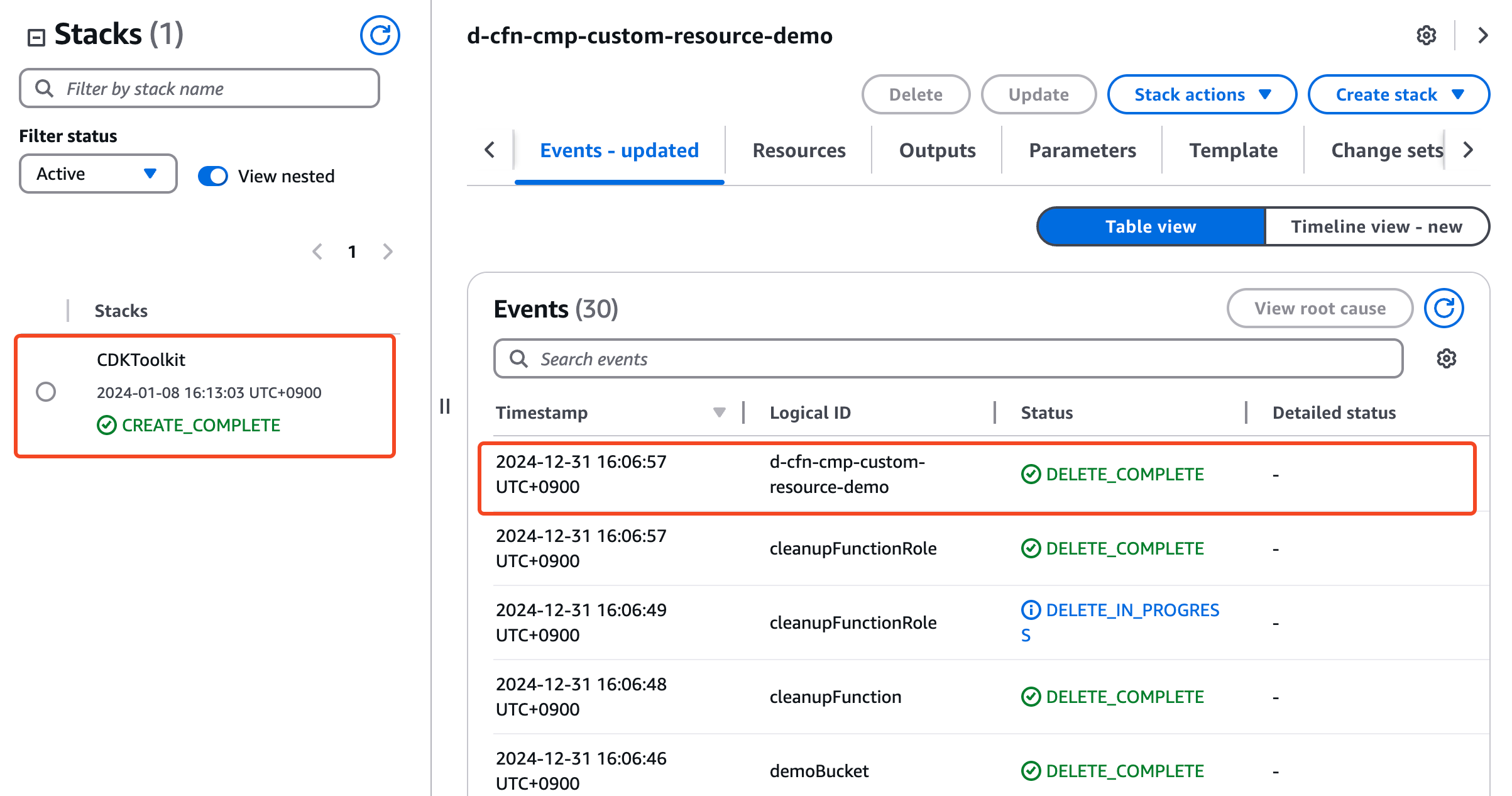
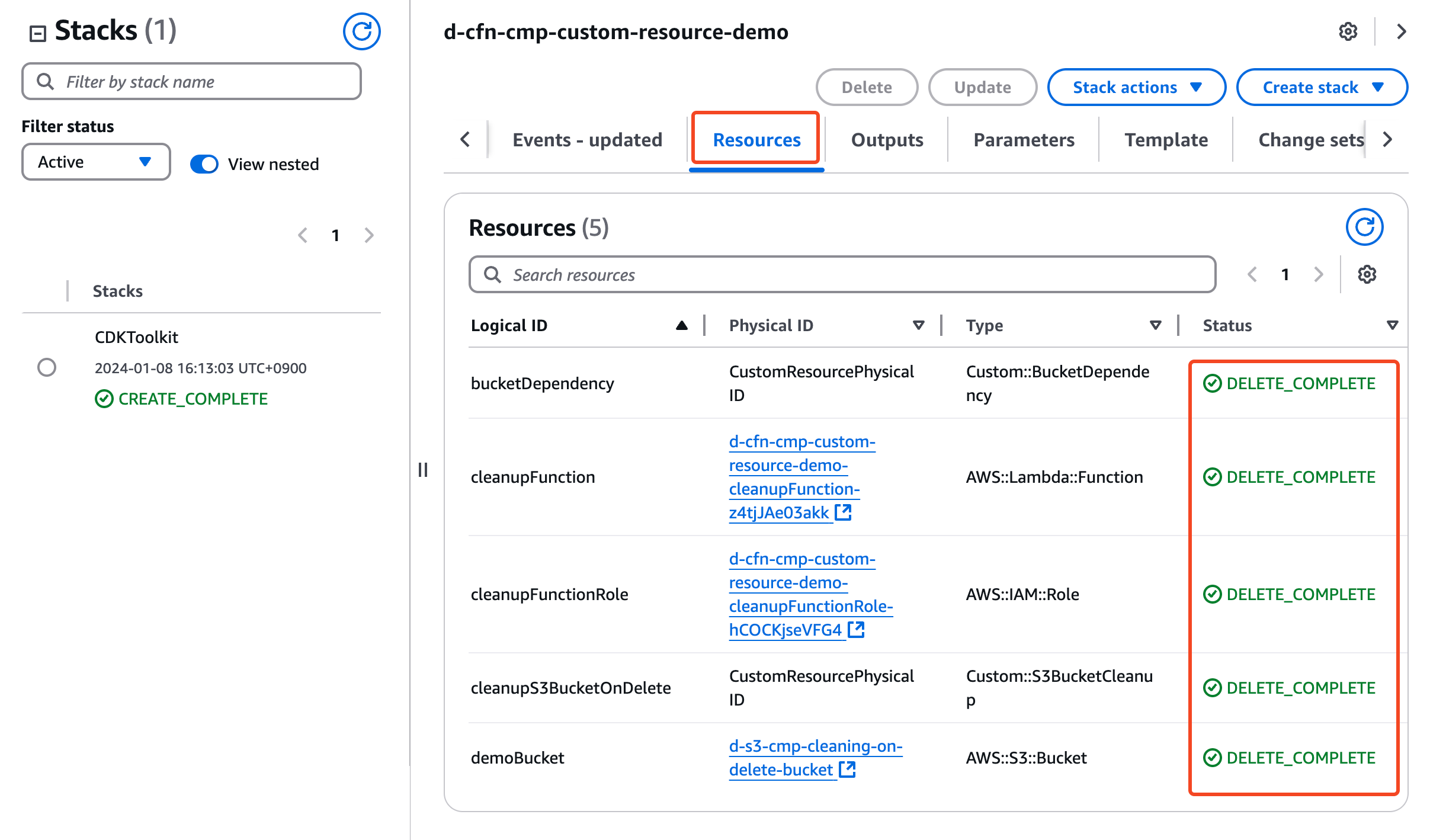
Quả là "phép thuật" của Custom Resource, đã xoá được non-empty S3 Bucket thành công!!!
- CloudFormation Console -> Menu Events - updated
- CloudFormation Console -> Menu Resources
Challenge
Demo Custom Resource lần này lambda chỉ đơn giản là xóa objects trong S3 bucket. Trong thực tế, S3 cleanup phức tạp hơn nhiều với versioning, delete markers, object size... Mọi người có thể level up với các thử thách sau:
- Mở rộng Lambda function xử lý phức tạp hơn:
- Xoá object có kích thước lớn tối ưu nhất
- Thêm logging chi tiết
- Thêm các tính năng:
- Backup objects trước khi xóa
- Xóa theo điều kiện (prefix, age, size)
- Thông báo qua SNS khi xóa objects
- Best practices cho Lambda deployment:
- Tách Lambda code ra package riêng
- Upload code lên S3 và reference trong CFN
- Sử dụng SAM để deploy Lambda
Tổng Kết
Qua bài lab này, chúng ta vừa khám phá:
- Khả năng "phép thuật" của Custom Resource: nơi CloudFormation và Lambda/SNS tạo nên điều kỳ diệu trong việc xử lý các yêu cầu phức tạp
- Chinh phục thử thách delete "non-empty S3 bucket": từ mission impossible thành mission completed với Lambda function
- Nghệ thuật tích hợp Lambda-CloudFormation: như một cặp đôi ăn ý, cùng nhau xử lý mọi thử thách
Kết luận: Custom Resource - "Người hùng thầm lặng" của CloudFormation, biến những điều tưởng chừng bất khả thi thành có thể!
Tài liệu Tham khảo
- https://docs.aws.amazon.com/AWSCloudFormation/latest/UserGuide/aws-resource-cloudformation-customresource.html
- https://docs.aws.amazon.com/AWSCloudFormation/latest/UserGuide/template-custom-resources.html
- https://aws.amazon.com/blogs/devops/proactively-validate-your-aws-cloudformation-templates-with-aws-lambda/
- https://dev.classmethod.jp/articles/custom-resource-empty-s3-objects/
- https://stackoverflow.com/questions/40383470/can-i-force-cloudformation-to-delete-non-empty-s3-bucket