
Build API Gateway with Lambda Integration connect DynamoDB
Lab Details
- You will practice using Amazon API Gateway, Lambda and DynamoDB.
- Duration: 20 minutes
- AWS Region: US East (N. Virginia) us-east-1
Architecture Diagram
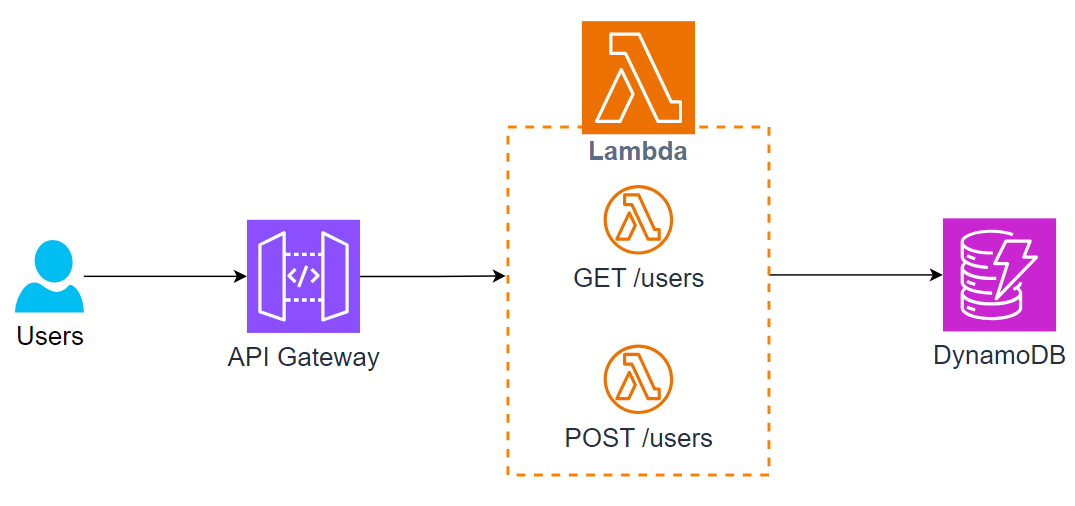
Task Details
- Create dynamodb table
- Create lambda
- Tạo role cho lambda access đến dynamo db
- Tạo lambda create user
- Tạo lambda get user
- Create api gateway
- Tạo resource: user
- Tạo method POST cho resource user
- Tạo method GET cho resource user
- Deploy API lên dev stage
- Test API
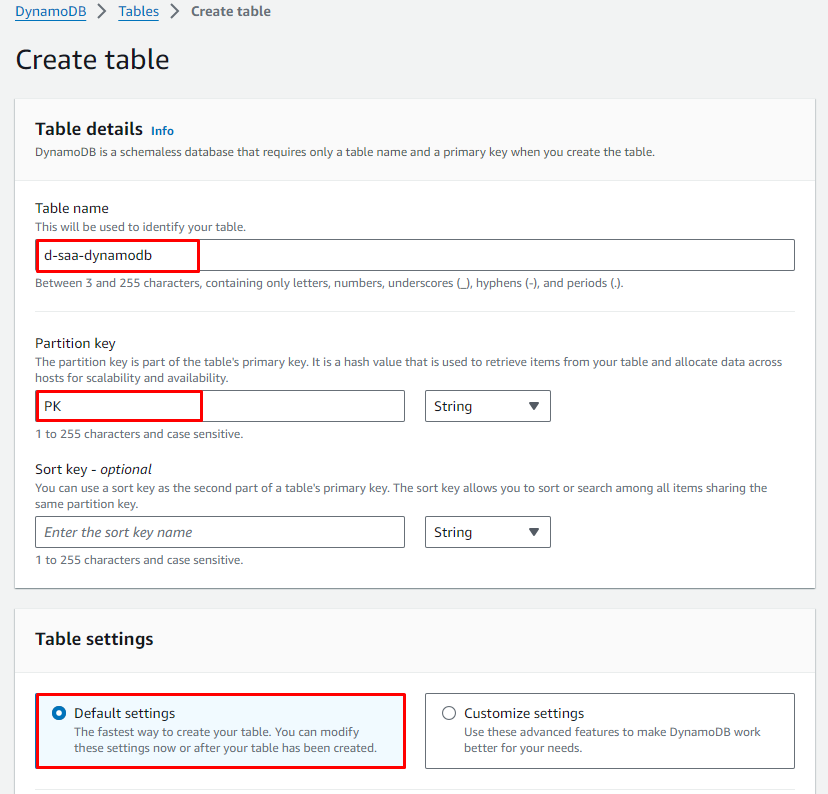
Create DynamoDB Table
- Table name:
d-saa-dynamodb - Partition Key:
PK - Sort Key: để trống
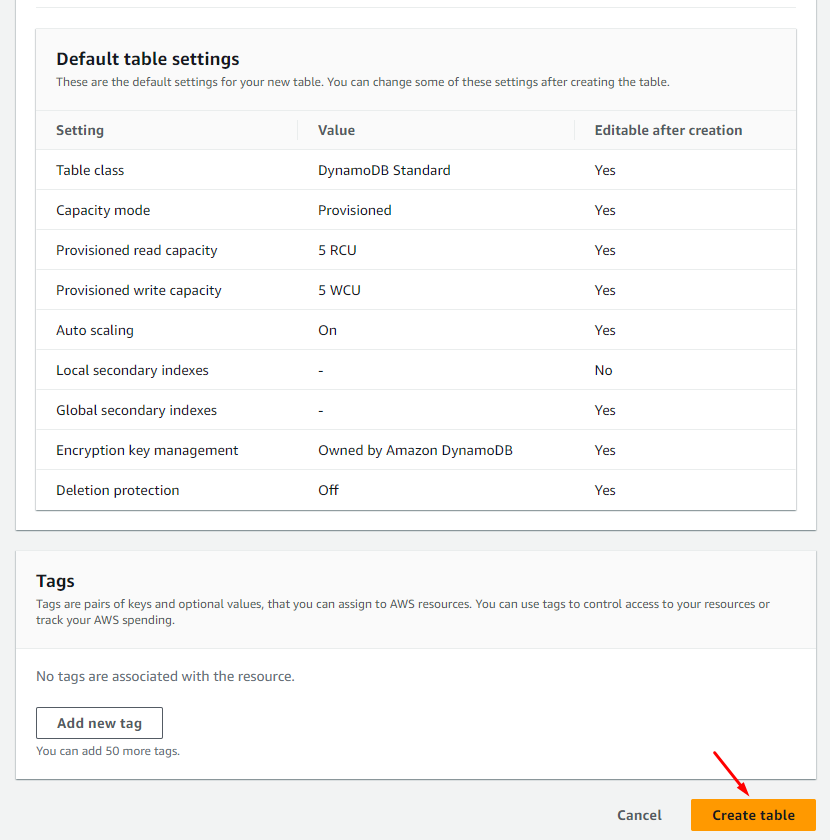
- Table settings: Chọn Default settings
Create Lambda
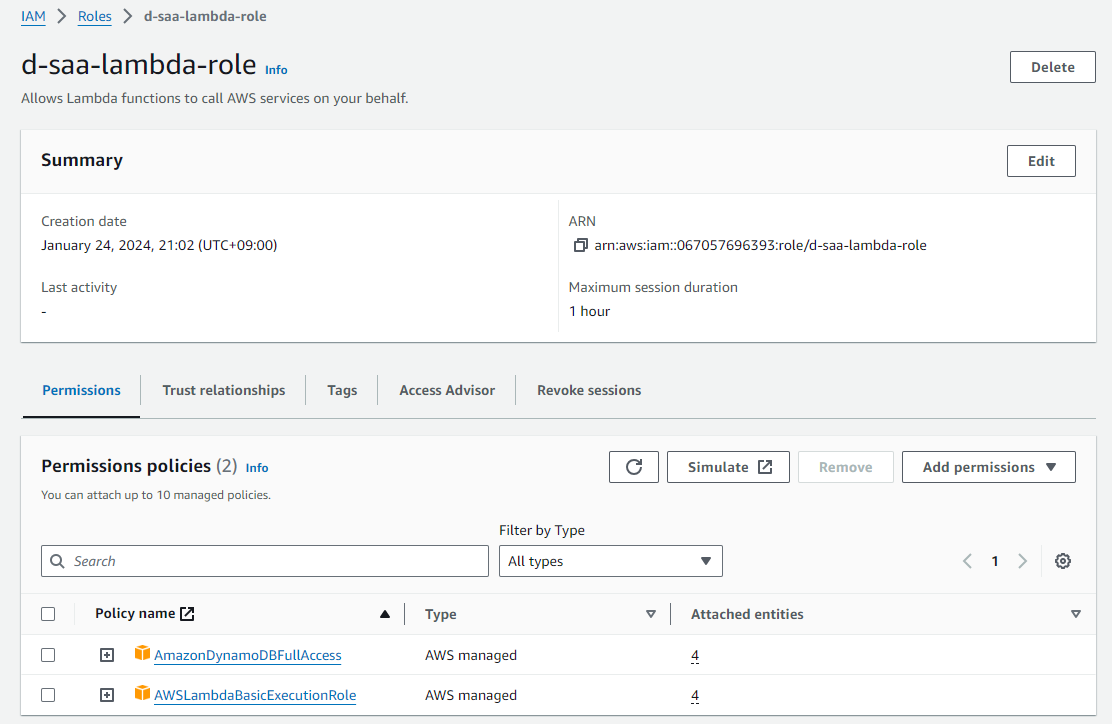
Create role cho lambda có quyền access đến DynamoDB
Create Role với các parameter sau:
- Use case: Lambda
- Policy:
- AmazonDynamoDBFullAccess
- AWSLambdaBasicExecutionRole
- Role name:
d-saa-lambda-role
Kết quả:
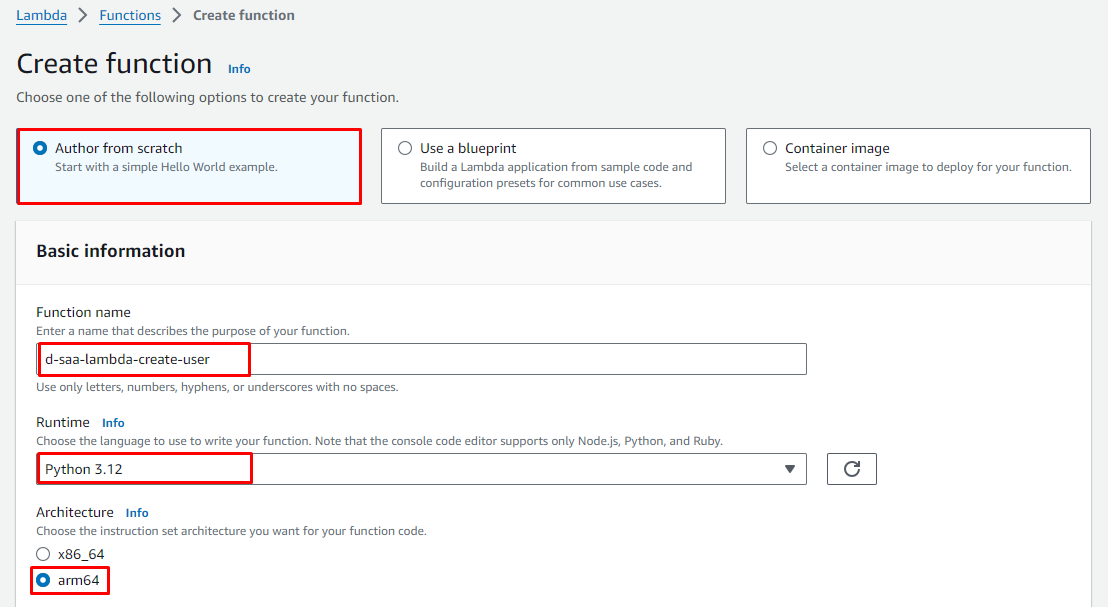
Create Lambda function: create-user
Tại Console Lambda -> Functions -> Create function
- Author from scratch
- Basic information
- Function name:
d-saa-lambda-create-user - Runtime:
Python 3.xx - Architecture:
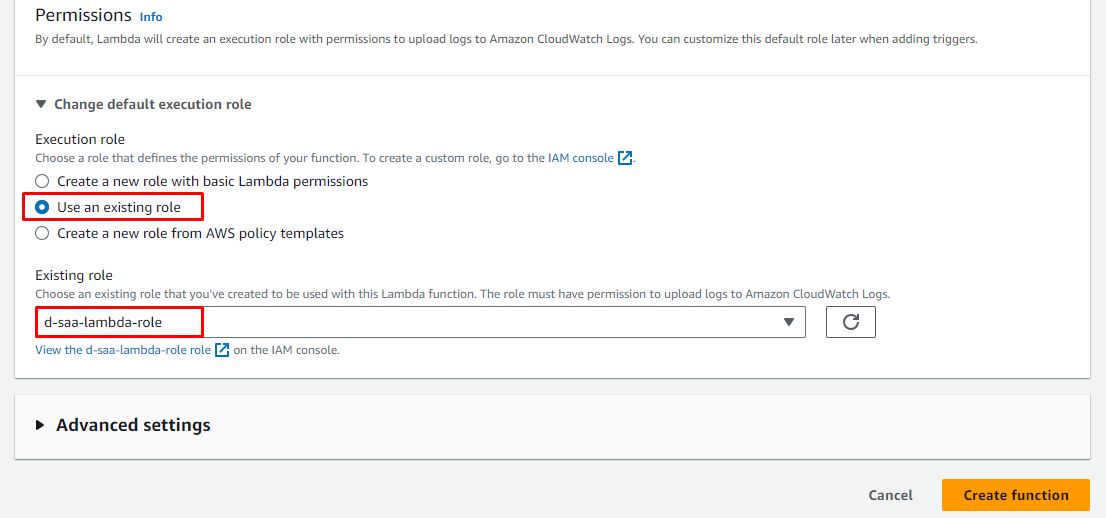
arm64 - Change default execution role
- Use an existing role: Select
d-saa-lambda-role
- Use an existing role: Select
- Function name:
Update source code cho lambda
import boto3
import uuid
import json

dynamodb = boto3.resource('dynamodb')
table = dynamodb.Table('d-saa-dynamodb')

def lambda_handler(event, context):
    strBody = event.get('body')
    param = json.loads(strBody)
    name = param['name']
    pk = f"USER#{str(uuid.uuid4())}"

    item = {
        'PK': pk,
        'Name': name
    }

    table.put_item(Item=item)

    response = {
        'statusCode': 200,
        'body': f"Data saved with PK: {pk}"
    }

    return response
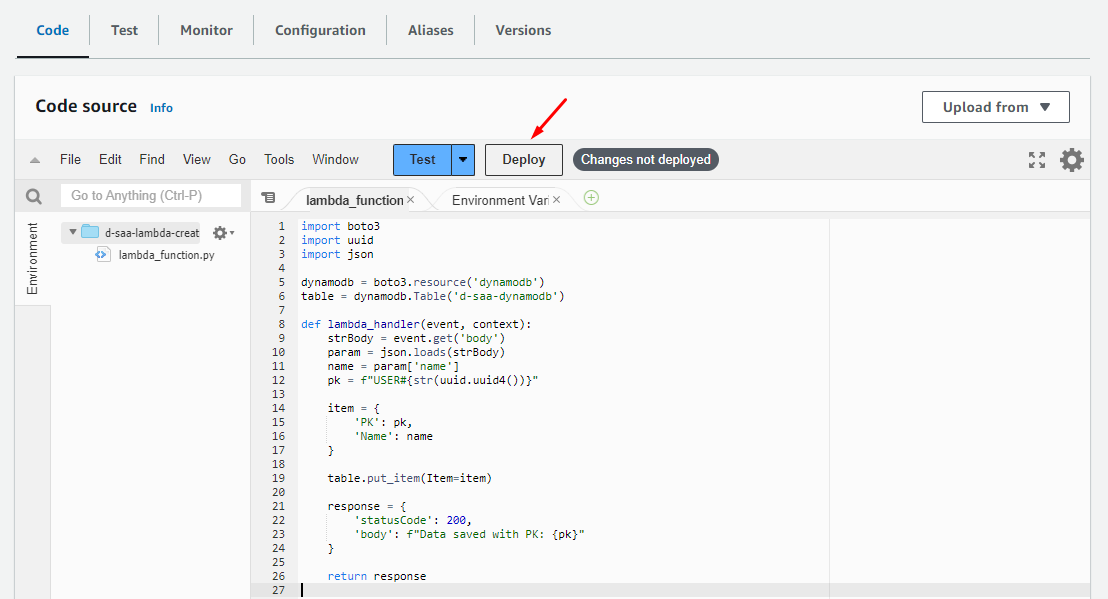
Nhấn Deploy
Create Lambda function: get-user
Tương tự tạo function thứ 2:
Vào Lambda Console > Functions > Create Function
- Author from scratch
- Basic information
- Function name:
d-saa-lambda-get-user - Runtime:
Python 3.xx - Architecture:
arm64 - Change default execution role
- Use an existing role: Select
d-saa-lambda-role
- Use an existing role: Select
- Function name:
Update source code cho lambda
import boto3
import json

dynamodb = boto3.resource('dynamodb')
table = dynamodb.Table('d-saa-dynamodb')

def lambda_handler(event, context):
    response = table.scan()

    items = response['Items']
    while 'LastEvaluatedKey' in response:
        response = table.scan(ExclusiveStartKey=response['LastEvaluatedKey'])
        items.extend(response['Items'])

    records = []
    for item in items:
        pk = item['PK']
        name = item['Name']
        record = {'PK': pk, 'Name': name}
        records.append(record)

    response = {
        'statusCode': 200,
        'body': json.dumps(records)
    }

    return response
Bấm "Deploy"
Create API Gateway
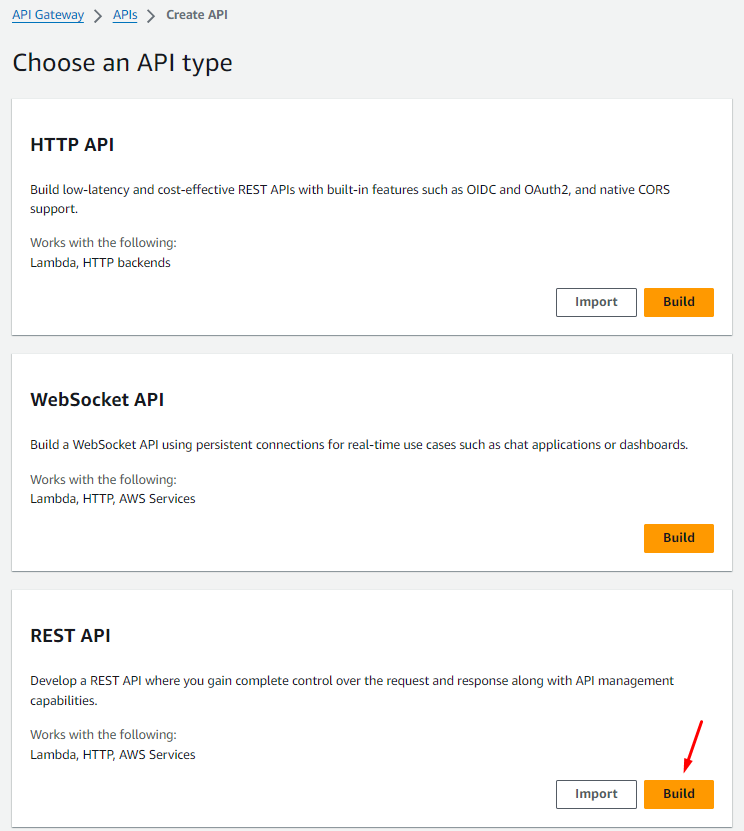
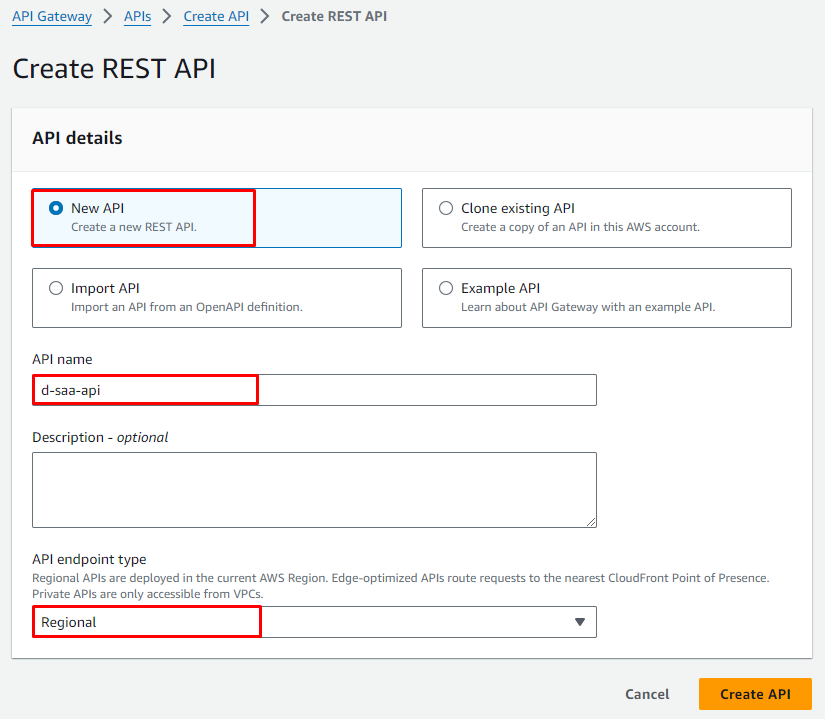
Vào API Gateway Console > APIs > Create API -> REST API > Build
API details:
- New API
- API name:
d-saa-api - API endpoint type:
Regional
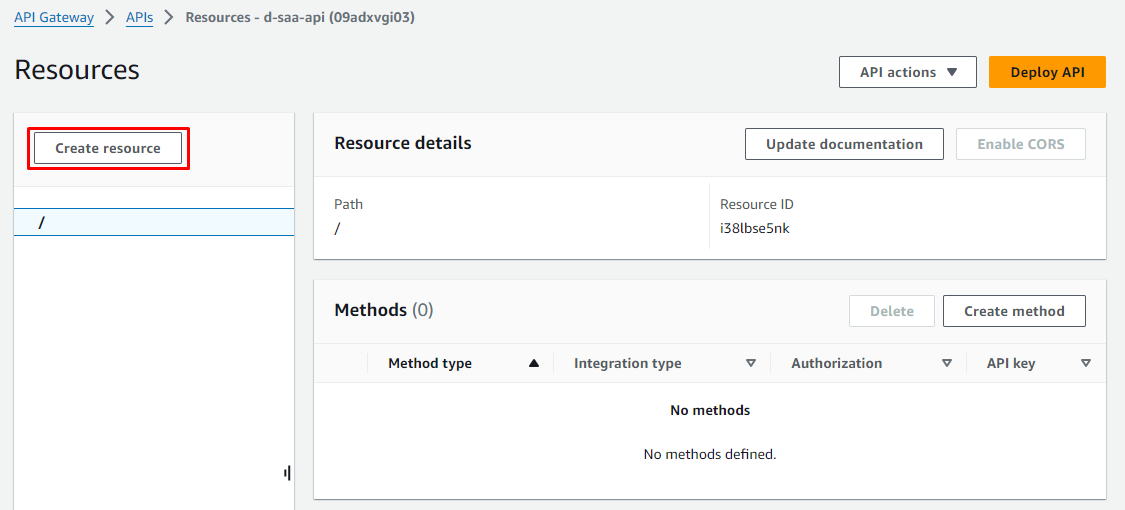
Tạo resource: user
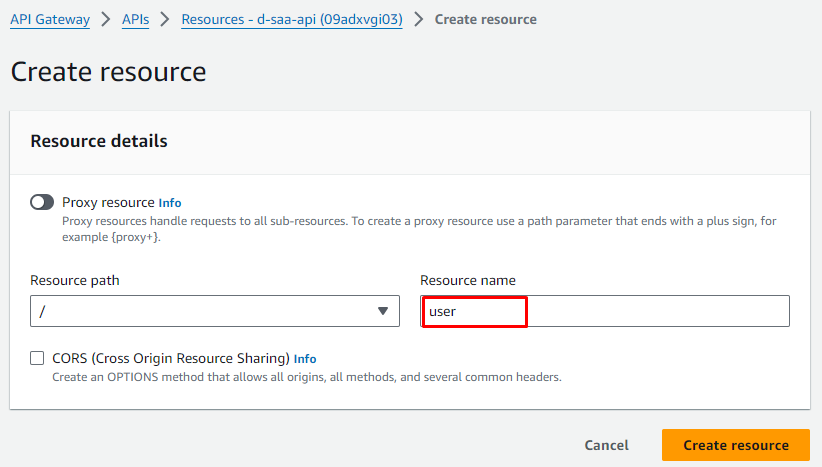
Create Resource
Recource name: user
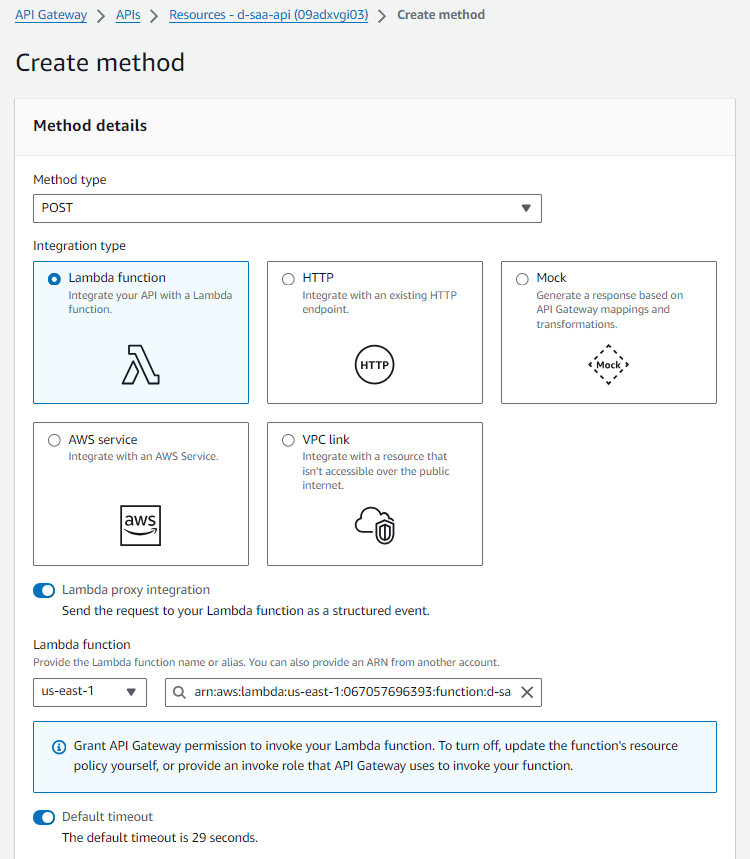
Tạo method POST cho resource user
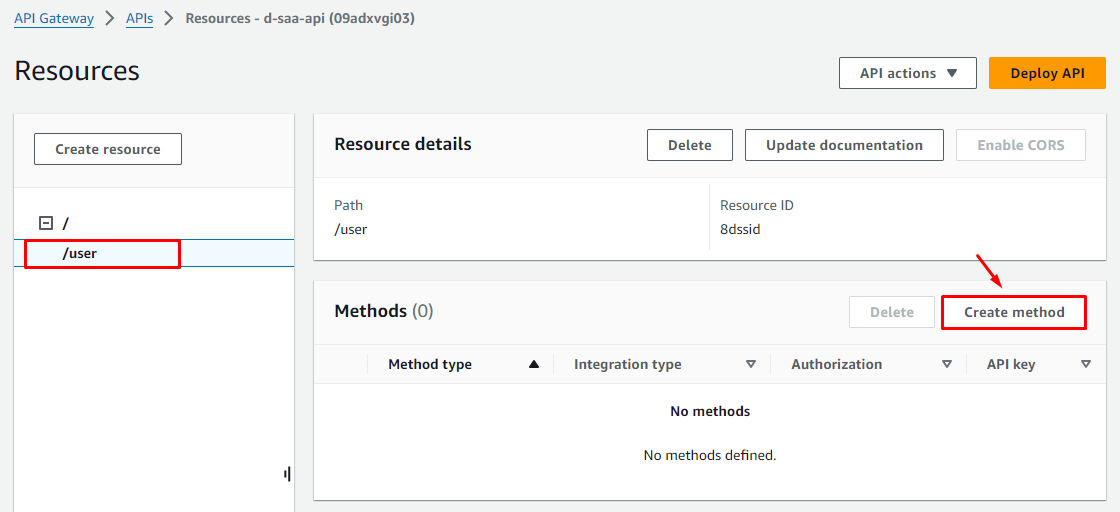
Method details
- Method type:
POST - Intergration Type:
Lambda Funciton - Lambda proxy integration:
Enable - Lambda region:
us-east-1 - Lambda function:
d-saa-lambda-create-user - Use Default Timeout:
Enable
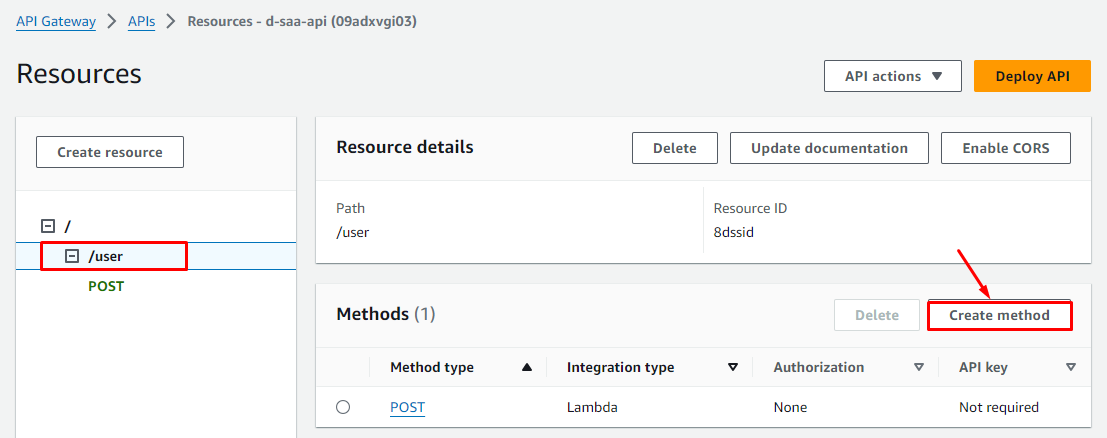
Tạo method GET cho resource user
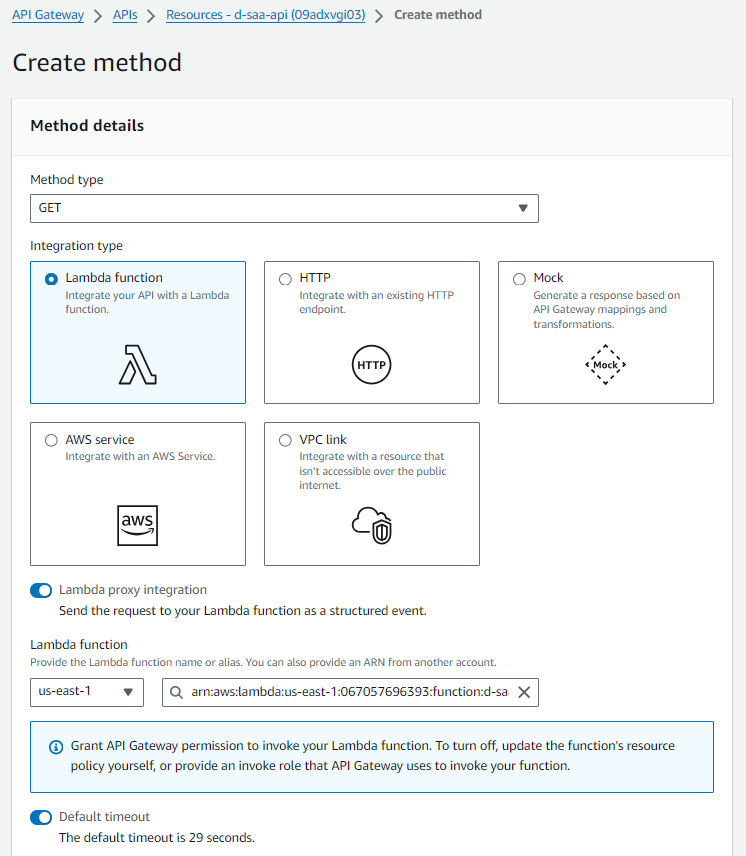
Method details
- Method type:
GET - Intergration Type:
Lambda Funciton - Lambda proxy integration:
Enable - Lambda region:
us-east-1 - Lambda function:
d-saa-lambda-get-user - Use Default Timeout:
Enable
Deploy API lên dev stage
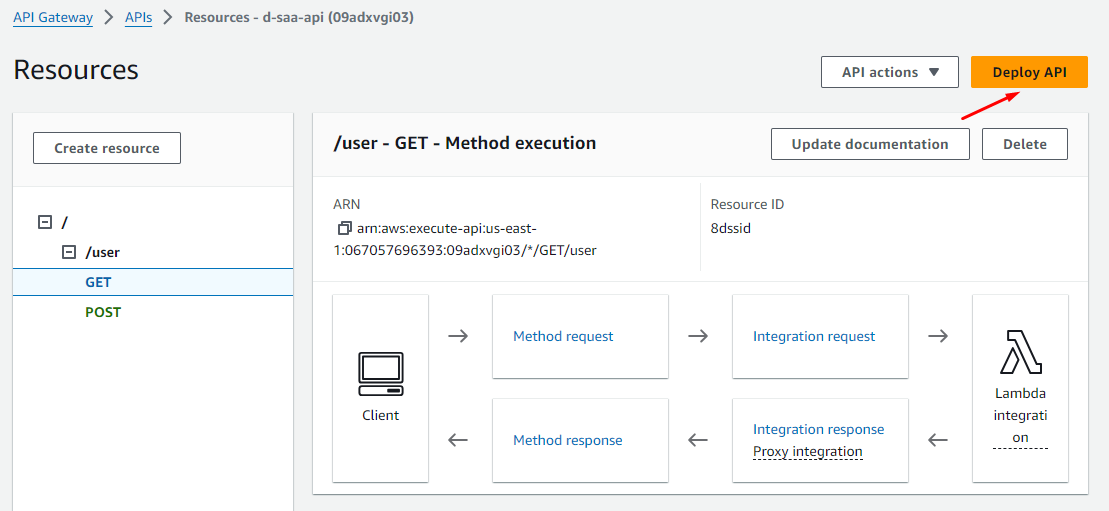
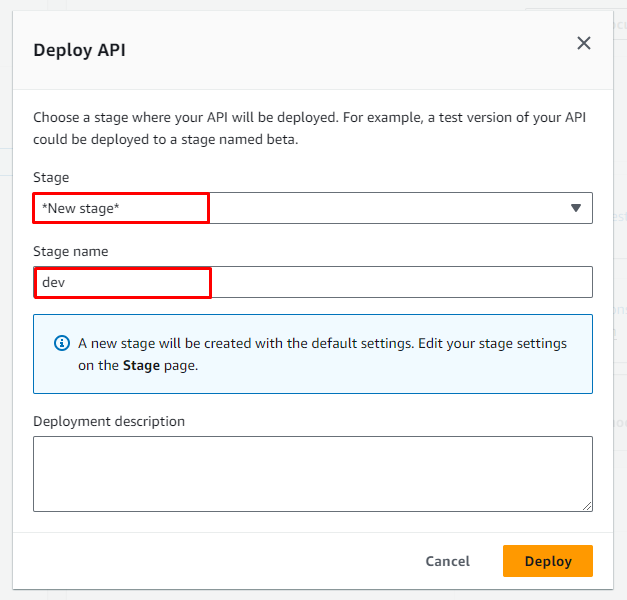
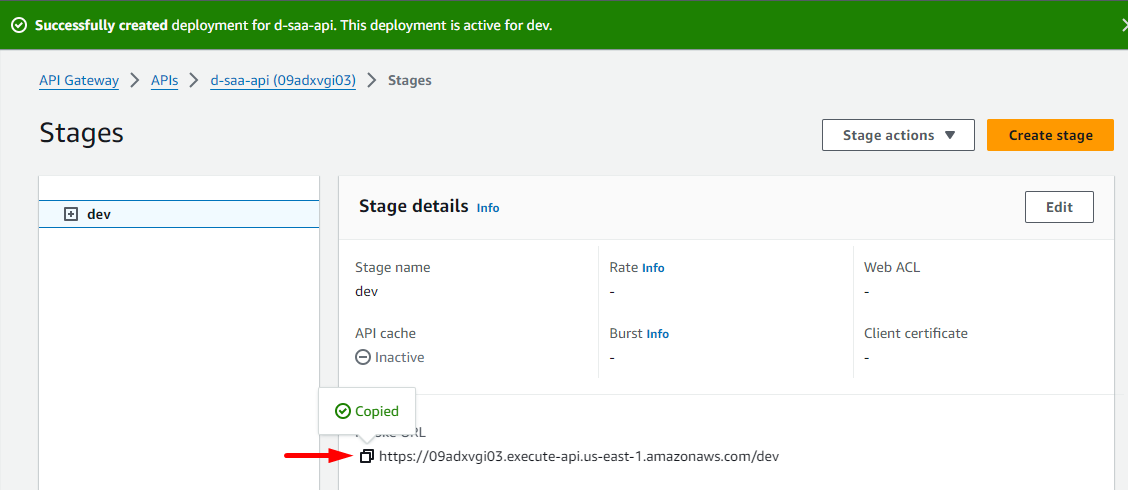
Quá trình Deploy hoàn tất và bạn sẽ nhận được một URL, copy URL để thực hiện test API nhé!
Test API
Bạn có thể sử dụng 1 tool test API nào đó như Postman cũng ok, nếu chưa có thì có thể test online.
truy cập vào reqbin.com
Test create user
- URL: Invoke URL + /user
- Content: JSON
- Method: POST
{
  "name": "<name tuỳ ý>"
}
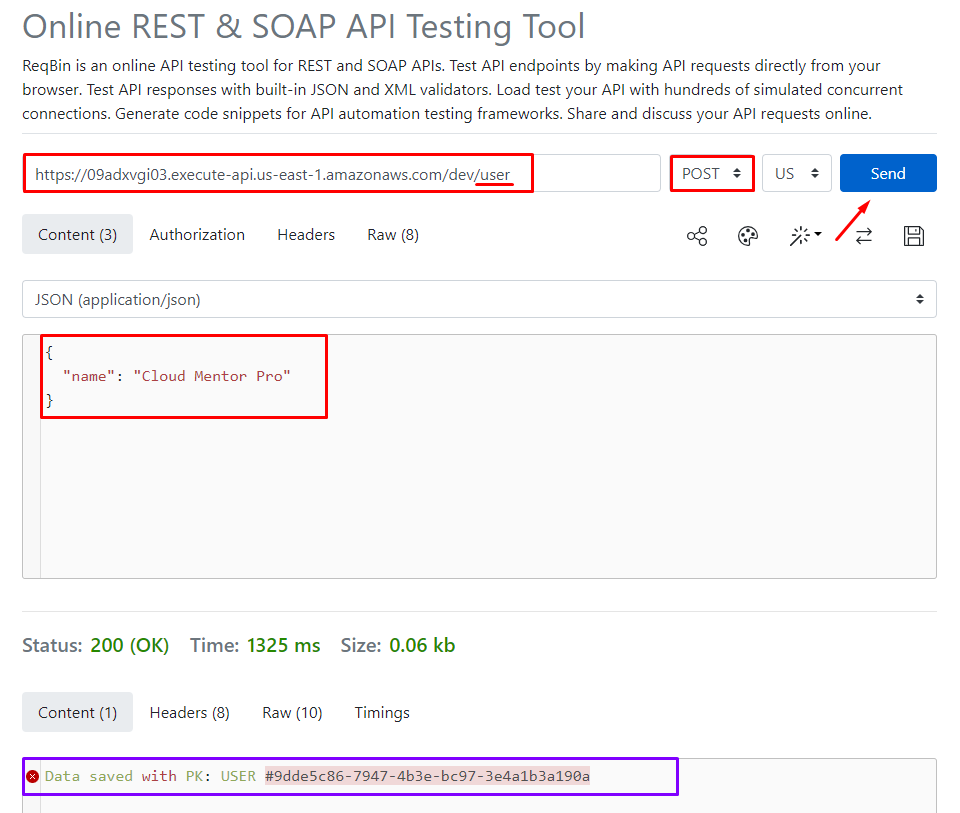
Bạn sẽ nhận dc kết quả trả về là UUID của user - cái mà trong code lambda đã xử lý như thế
Bạn có thể thực hiện thêm với một tên khác.
Test get user
- URL: Invoke URL + /user
- Method: GET
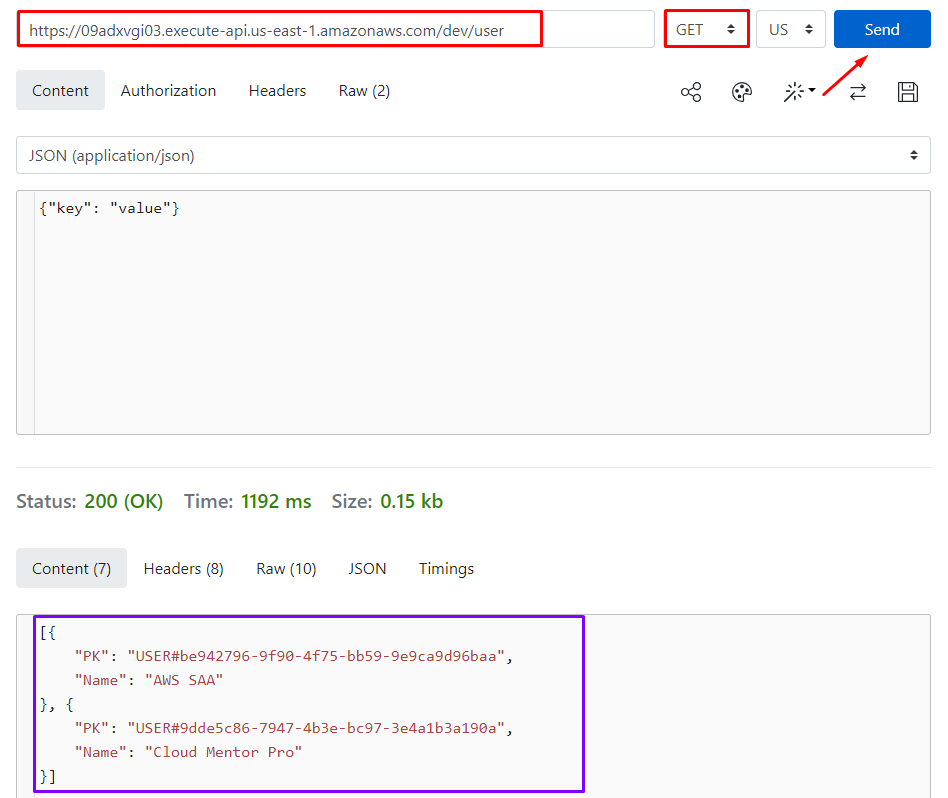
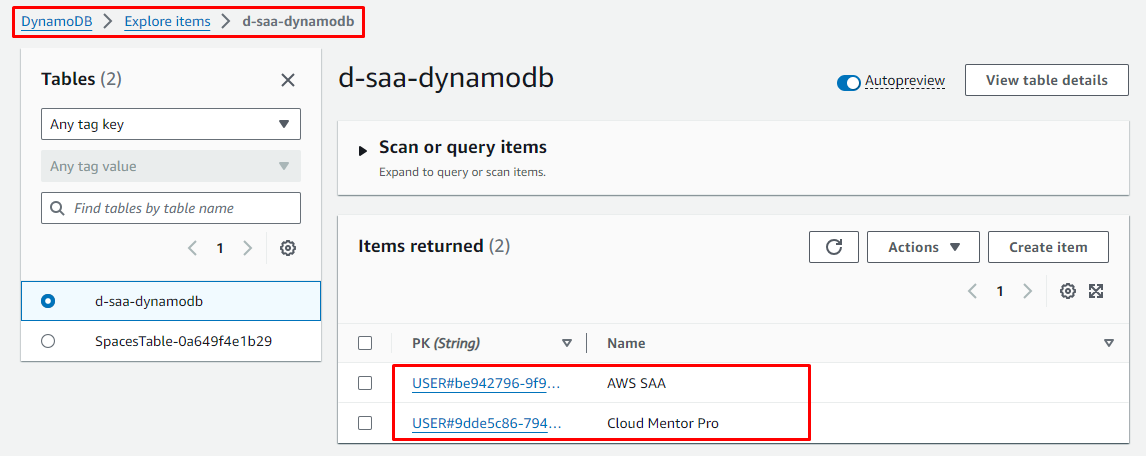
Bạn sẽ nhận được kết quả trả về là danh sách các item trong DynamoDB.
Clean up
- Delete API Gateway:
d-saa-api - Delete 2 Lambda function
d-saa-lambda-create-userd-saa-lambda-get-user
- Delete Lambda role:
d-saa-lambda-role - Delete DynamoDB Table:
d-saa-dynamod